Hardware vs. Software Audio Processing Compared
Hardware vs. Software Audio Processing Compared
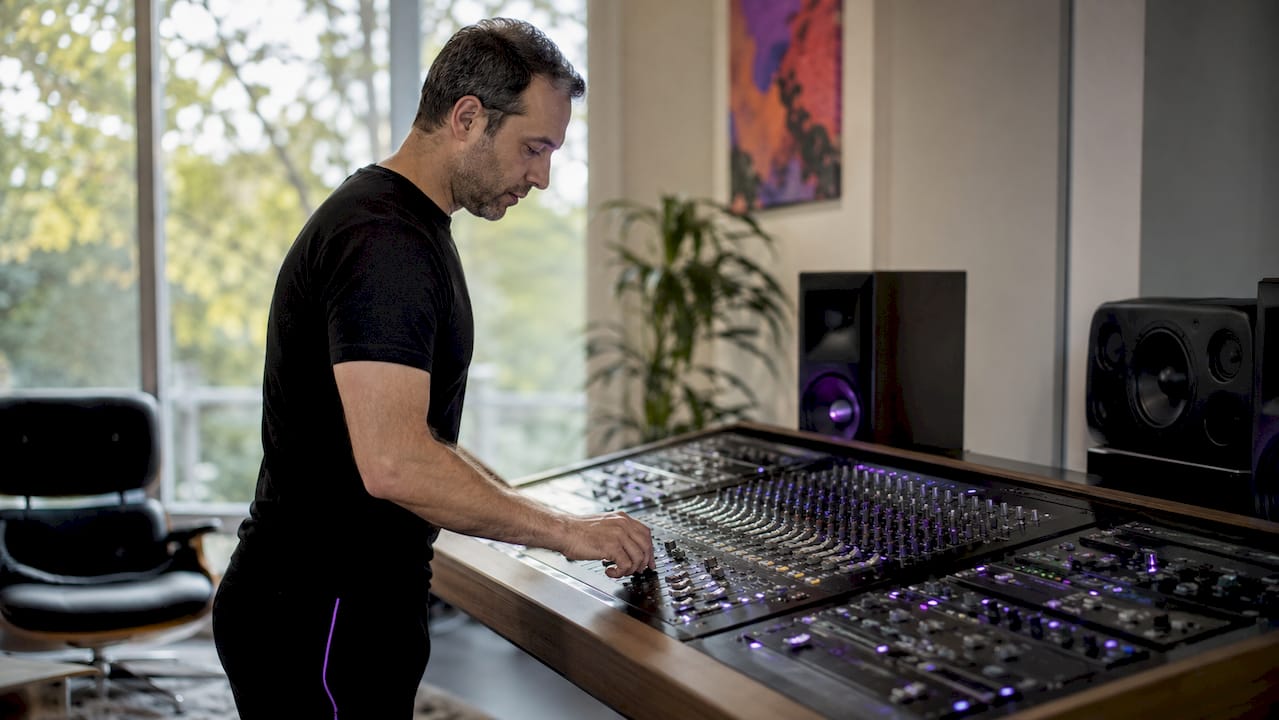
Audio hardware processing is defined as any physical device that manipulates an audio signal through analog circuitry, digital signal processing chips, or dedicated DSP hardware. The audio hardware vs software processing comparison is one of the most consequential decisions in modern production, touching sound quality, workflow speed, cost, and computational load. Hardware units like tube compressors, transformer-based EQs, and outboard DSP modules deliver nonlinear coloration that software approximates through mathematical models. Plugins from Waves, FabFilter, and Universal Audio have closed the gap significantly, but the choice between physical gear and digital audio processing tools still shapes how you work and what you create.
1. audio hardware vs software processing: sound quality differences
Hardware offers distinct natural harmonic coloration that remains challenging to perfectly emulate in software. Tube compressors like the Universal Audio 1176 and transformer-based EQs like the Neve 1073 generate even-order harmonics and subtle saturation that are products of physical component behavior. These characteristics emerge from nonlinear responses in capacitors, transformers, and vacuum tubes, not from any deliberate design choice. Software can model these behaviors, but the model is always an approximation.
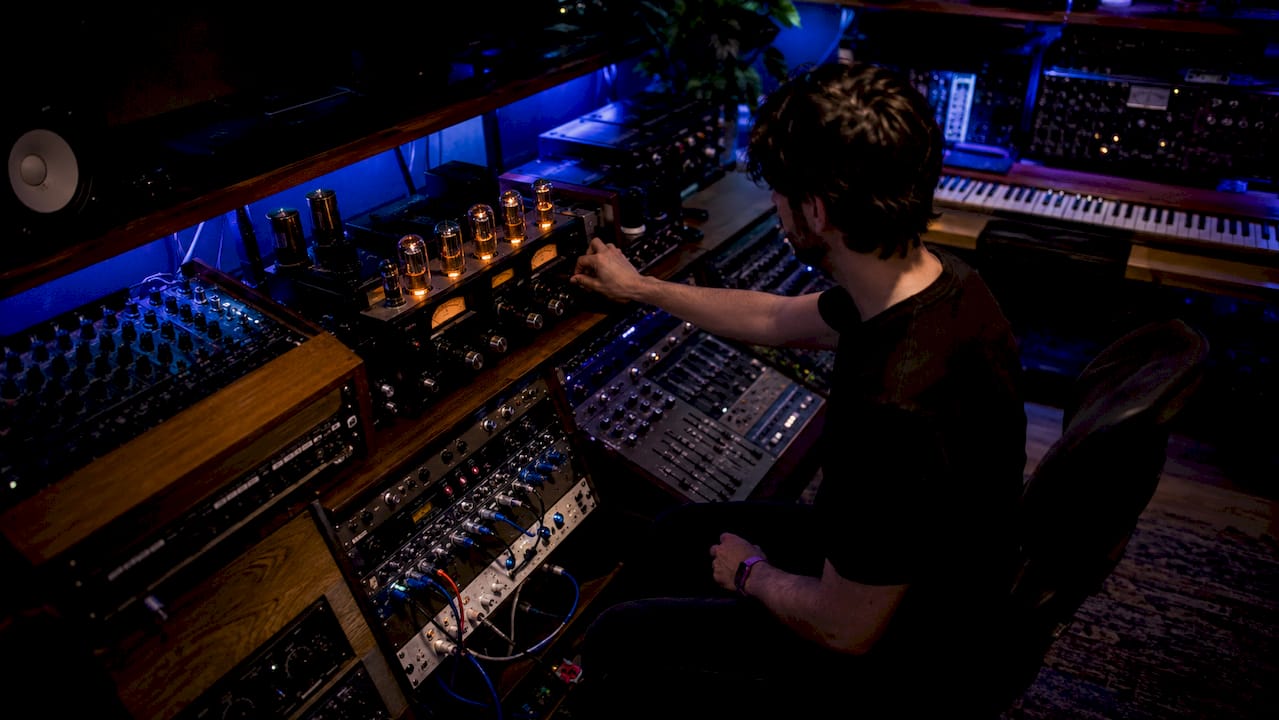
As of early 2026, software processors have achieved near parity in sonic quality for most applications. That means the difference between a hardware compressor and a well-designed plugin is often imperceptible on a solo track at moderate gain settings. The gap widens when hardware is driven hard. Pushing a real tube stage into saturation produces complex, musically pleasing distortion that most plugins only partially capture.
Key factors that affect perceived sound quality in both domains:
- AD/DA conversion quality: The analog-to-digital and digital-to-analog converters in your interface determine how faithfully hardware processing translates into your DAW. Poor converters can erase any sonic advantage hardware provides.
- Monitoring chain: Speakers and headphones color your perception of both hardware and software processing. A neutral monitoring environment is the only way to make accurate comparisons.
- Gain staging: Both hardware and software respond differently to input levels. Hardware often rewards moderate to hot signals; software plugins can behave differently depending on their internal headroom.
Pro Tip: When evaluating hardware emulation plugins, drive them 6–12 dB harder than you normally would. Most emulations reveal their character only when pushed, just like the real units they model.
2. workflow and usability: hardware vs. software
Physical interaction with hardware fosters real-time sonic creativity that mouse-based software control does not replicate. Turning a physical knob engages muscle memory and allows simultaneous adjustment of multiple parameters. That tactile feedback changes how you make decisions. Many engineers report that hardware encourages bolder, faster choices because the interaction feels direct and immediate.
Software processing wins decisively on recall and flexibility. Every plugin setting saves with your session. Automation is precise to the sample. You can duplicate a signal chain across 40 tracks in seconds. These capabilities matter enormously in commercial production environments where revision cycles are constant and client changes arrive without warning.
Practical workflow considerations worth knowing:
- Session recall: Hardware requires documented settings, photos, or recall sheets. Software saves everything automatically.
- Latency during recording: Software plugins with oversampling introduce perceptible delays during tracking. Automatic delay compensation only helps during mixing, not the recording phase.
- Parallel processing: Software makes parallel compression and parallel EQ trivial. Hardware requires physical routing and additional gear.
- Remote collaboration: Software sessions transfer between studios and collaborators without any hardware dependency.
- Speed of iteration: Trying 10 different compressor settings in software takes seconds. On hardware, it takes minutes.
Pro Tip: During tracking sessions, bypass all oversampled plugins on your monitoring chain and use only low-latency alternatives. Reserve the heavy emulations for the mixing stage where latency compensation works correctly.
3. cost, maintenance, and space: what you actually pay
Hardware requires higher upfront costs, physical rack space, and periodic maintenance compared to software. A single high-quality outboard compressor can cost $2,000–$8,000. A full analog mastering chain with EQ, compression, and limiting can exceed $30,000. That investment also requires rack space, balanced cabling, power conditioning, and eventual servicing of capacitors, tubes, and transformers.
Software offers affordable subscriptions and zero physical footprint. FabFilter's Pro-Q 4 costs a few hundred dollars as a perpetual license. Waves offers subscription access to hundreds of plugins for a monthly fee. Updates arrive automatically and add features without additional hardware costs. Depreciation works differently too. A well-maintained Neve console holds value for decades. A plugin subscription has no resale value, but also carries no maintenance burden.
Budget realities for different studio types:
- Home studios: Software is the clear economic choice. A complete plugin suite costs less than one mid-tier hardware unit.
- Commercial studios: Hardware investments can differentiate the studio and justify higher session rates. Clients pay for access to real Neve preamps and SSL bus compressors.
- Hybrid setups: A targeted hardware investment, one or two key pieces, combined with a full software suite gives the best return on investment for most working engineers.
4. technical performance: latency, CPU load, and filter efficiency
The technical performance gap between hardware and software processing is where DSP hardware vs software processing differences become most concrete. IIR filters are 5–10 times more computationally efficient than FIR filters for equivalent magnitude response. That efficiency matters when you are running 60 tracks with multiple plugins each. Choosing the wrong filter architecture in a plugin can consume CPU resources that could support additional processing elsewhere.
Hardware-emulated plugins consume higher CPU due to oversampling and nonlinear modeling. Professionals address this by using emulations selectively on critical buses while relying on lightweight digital plugins on individual tracks. This is not a compromise. It is a deliberate allocation of resources where they produce the most audible return.
| Factor | Hardware | Software |
|---|---|---|
| Latency | Deterministic, near-zero | Variable, depends on buffer size and oversampling |
| CPU load | None (self-contained processing) | Moderate to high for emulations |
| Filter stability | Fixed by circuit design | Depends on implementation quality |
| Scalability | Limited by physical units owned | Unlimited instances per license |
| Recall | Manual, error-prone | Automatic, sample-accurate |
Hardware DSP devices and FPGAs provide deterministic latency because processing happens in dedicated silicon, not a shared CPU. That predictability is why broadcast and live sound engineers still favor hardware for mission-critical signal paths. Incorrect digital filter implementation in software can lead to 25–35 dB loss in stopband rejection, which is a significant degradation that would be immediately audible in a mastering context.
Understanding DSP algorithm types helps you evaluate plugins beyond their marketing claims. A plugin that uses minimum-phase IIR filters will behave very differently from one built on linear-phase FIR filters, even if both claim to be "transparent."
5. the rise of native processing and what it changed
Apple Silicon ended the dominance of dedicated external DSP hardware for most studios. Native computers now run complex, high-fidelity processing chains entirely in the box. Before Apple Silicon, engineers relied on hardware DSP systems like Universal Audio's UAD platform or Avid's HDX cards to run CPU-intensive emulations without taxing the host computer. That dependency is largely gone for most production workflows.
Native host computers with Apple Silicon have reduced the need for dedicated external DSP hardware. This shift democratized access to high-quality processing. Engineers who previously needed a $3,000 DSP card to run a handful of Neve emulations can now run dozens of them on a MacBook Pro. The practical implication is that the argument for dedicated DSP hardware has narrowed to live sound, broadcast, and specific studio contexts where deterministic latency is non-negotiable.
6. how to build an effective hybrid processing chain
Professional engineers use hybrid chains where hardware adds initial analog coloration and software handles editing and automation. This is not a compromise between two inferior options. It is a deliberate strategy that extracts the best from each domain. Hardware imparts nonlinear character on lead vocals or drums during tracking. Software manages corrective EQ, precise dynamic control, and automation across the full mix.
Combining software for modeling and hardware for capturing real-world character improves results across the signal chain. Multimodal approaches leverage the strengths of both processing methods rather than forcing a binary choice.
Practical steps for building a hybrid chain:
- Use hardware saturation or compression on your two or three most important sources during tracking. Commit to the sound.
- Prototype processing decisions in software first. Dial in the character you want, then match it on hardware before committing.
- Reserve oversampled emulation plugins for mix buses and mastering chains where latency compensation is active.
- Monitor CPU load by session stage. Track heavy emulations on buses, not individual tracks, to keep sessions manageable.
- Document hardware settings with photos and recall sheets every time you use outboard gear in a session.
Pro Tip: Use a stem processing approach to route instrument groups through a single hardware unit. One compressor on a drum bus delivers more character than six separate hardware units on individual drum tracks, and it costs a fraction of the gear.
Key takeaways
Hardware and software audio processing are most effective when used together, with hardware delivering analog character and software providing precision, recall, and scalability.
| Point | Details |
|---|---|
| Sound quality gap is narrow | Software achieves near parity for most applications, but hardware coloration becomes audible when driven hard. |
| Workflow defines the real choice | Hardware excels at tactile, real-time creativity; software wins on recall, automation, and collaboration. |
| Cost favors software at scale | Hardware requires large upfront investment and maintenance; software scales affordably with zero physical footprint. |
| CPU load requires strategic allocation | Use hardware emulation plugins on critical buses only; rely on efficient digital plugins across individual tracks. |
| Hybrid chains deliver the best results | Hardware for initial character during tracking, software for corrective work and automation during mixing. |
Where i stand after years in the chain
The debate about hardware versus software used to feel like a religious argument. Engineers defended their outboard gear the way guitarists defend their vintage amplifiers. What I have found after working across both domains is that the argument itself is the problem.
Hardware is not better than software. Software is not better than hardware. They solve different problems at different points in the signal chain. The engineers I respect most treat hardware as a character generator and software as a precision instrument. They reach for a real compressor when they want a sound to feel alive and committed. They reach for a plugin when they need to automate, recall, or iterate quickly.
The shift that Apple Silicon triggered changed the economics permanently. You no longer need to choose hardware because your computer cannot handle the processing load. You choose hardware because you want what only hardware can give you: the nonlinear, unpredictable, physically generated character that no mathematical model fully captures. That is a much cleaner reason to invest in outboard gear. It is also a much easier case to make to a client or a studio manager.
The best sessions I have worked on used both. Hardware on the way in, software on the way out. Character first, precision second. That order matters more than which specific units or plugins you use.
— Kai
Precision processing tools from Vector-dsp

Vector-dsp builds professional audio plugins grounded in the same DSP principles that define high-end hardware design. If you are building a hybrid workflow or moving more of your processing in the box, the tools you choose need to perform at the level your hardware does. Vector-dsp's ToneLab is designed for engineers who demand hardware-grade precision from software, with real-time performance, low latency, and meticulous DSP architecture built for VST3, AU, and AAX formats. Explore the full range of Vector-dsp audio tools and find the processing solutions that match how you actually work.
FAQ
What is the core difference between hardware and software audio processing?
Hardware processing uses physical circuitry to manipulate audio signals, producing nonlinear coloration from components like tubes and transformers. Software processing uses mathematical algorithms inside a DAW to achieve similar results with greater flexibility and recall.
Does hardware always sound better than software plugins?
Not always. Software processors have achieved near parity in sonic quality for most applications as of 2026. The difference becomes most audible when hardware is driven into saturation, where physical component behavior creates complex harmonic content that plugins approximate but rarely match exactly.
How does latency differ between hardware and software processing?
Hardware provides deterministic, near-zero latency because processing occurs in dedicated circuitry. Software plugins, especially those using oversampling, introduce variable latency that can disrupt real-time tracking performances. Automatic delay compensation only corrects this during mixing, not recording.
Are hardware emulation plugins more cpu-intensive than standard digital plugins?
Yes. Hardware-emulated plugins consume significantly more CPU due to oversampling and nonlinear modeling. Professionals address this by placing emulation plugins only on critical mix buses and using efficient digital plugins across individual tracks.
What is the best way to combine hardware and software in one session?
Use hardware during tracking to commit analog character to key sources like vocals and drums. Switch to software for corrective EQ, automation, and precision work during mixing. This hybrid approach extracts the strengths of both processing methods without the limitations of either alone.