AI Audio Enhancement Explained for Sound Professionals
AI Audio Enhancement Explained for Sound Professionals
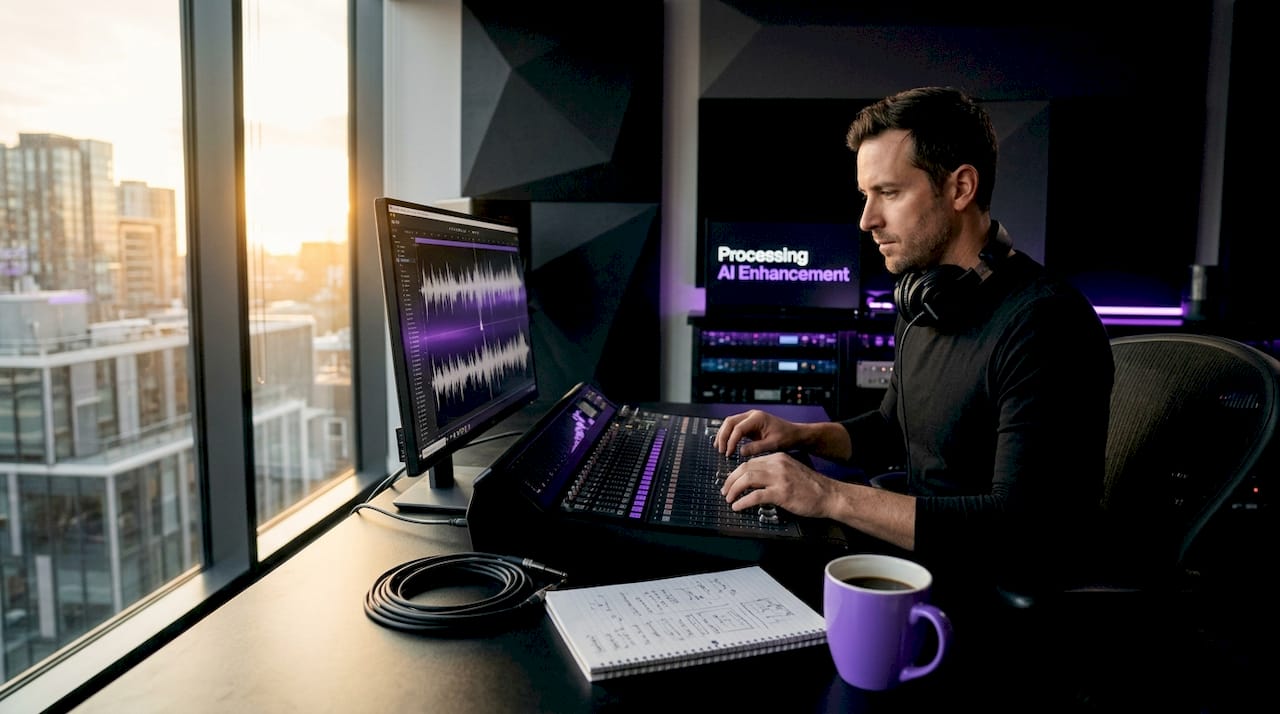
AI audio enhancement explained properly is not about pressing a button and getting pristine sound. Modern AI tools can process noise reduction in one to three seconds instead of the hours traditional methods demand. That speed is real. But it comes with nuances that separate professionals who use these tools effectively from those who get frustrated by their limits. This article covers the underlying signal processing concepts, the techniques driving today's best tools, realistic performance expectations, and exactly how to fold AI enhancement into a professional workflow without sacrificing your creative judgment.
Table of Contents
- Key takeaways
- AI audio enhancement explained: core principles
- Key AI sound enhancement techniques
- Performance, limitations, and quality trade-offs
- Popular AI audio tools for professional work
- Integrating AI enhancement into your workflow
- My take: AI as tool, not replacement
- Take your audio processing further with Vector-dsp
- FAQ
Key takeaways
| Point | Details |
|---|---|
| AI works as an assistant | AI audio tools accelerate routine tasks but cannot replace critical listening or creative decisions. |
| Signal quality determines output | Recordings with a signal-to-noise ratio below approximately -5dB will produce audible artifacts regardless of the AI tool used. |
| Model architecture matters | Neural networks like U-Net and transformers handle non-stationary noise far better than any fixed noise profile method. |
| Speech and music need different tools | Tools optimized for speech processing will degrade music; always match the AI system to your source material. |
| Workflow order is critical | Apply AI noise reduction before mixing moves like EQ and compression to get the cleanest input into your signal chain. |
AI audio enhancement explained: core principles
Understanding AI audio enhancement starts with reframing the problem. Every noisy recording is the sum of two signals: the clean target (speech, instrument, dialogue) plus unwanted noise. The job of any enhancement system is signal separation. Traditional noise reduction solved this with fixed noise profiles. You capture a noise floor sample, the plugin learns that fingerprint, and it subtracts it across the entire recording. That works beautifully for stationary noise like air conditioning hum. It falls apart the moment noise changes character over time.
AI audio enhancement solved this by replacing static profiles with learned context. Deep learning noise reduction processes each moment in a recording based on surrounding audio context rather than a fixed snapshot. The model has seen thousands of hours of clean and noisy audio pairs during training, learning to predict what the clean signal should sound like at every moment. This is why AI handles non-stationary noise, crowd ambience, traffic, and variable room acoustics far more convincingly than legacy tools.
Two neural network architectures power most of today's AI audio enhancement tools. U-Net models operate in the frequency domain, working on spectrograms to predict which frequency bins belong to signal versus noise. Transformer-based architectures process temporal sequences, making them especially strong at preserving voice identity and musical phrasing over longer passages. Some tools combine both approaches.
Pro Tip: When evaluating any AI audio tool, check whether it was trained on speech or music datasets. The difference in architecture and training data will be audible, and using a speech-optimized model on a guitar recording will typically produce worse results than no processing at all.
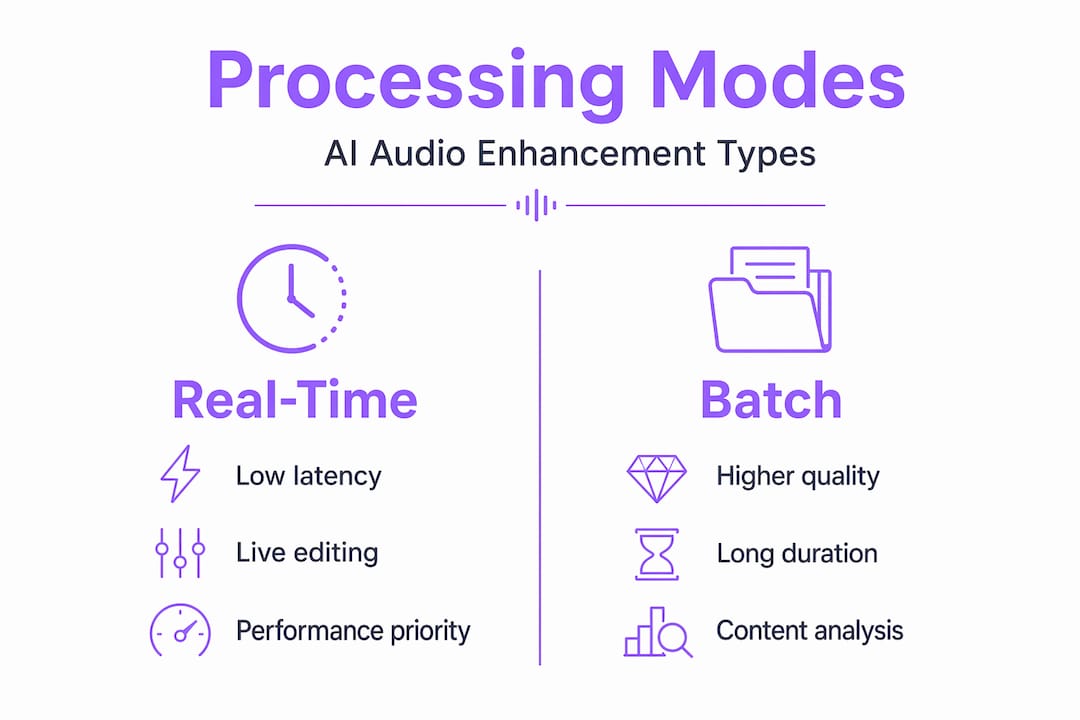
The distinction between real-time and batch processing also matters in practice. Real-time models prioritize low latency (under 20ms) for live applications like video calls and broadcast monitoring. Batch models sacrifice immediacy for quality, taking one to three seconds per clip to run deeper inference. For studio work, batch processing almost always yields better results.
Key AI sound enhancement techniques
The phrase "AI audio enhancement" actually covers several distinct processing categories. Knowing which technique applies to your problem will save you hours of wrong-tool frustration.
Noise reduction and spectral masking
Most AI noise reduction works by predicting a time-frequency mask. The model outputs a value between zero and one for each frequency bin at each moment in the audio. Bins with high mask values pass through; bins near zero are attenuated. Quality training data and perceptual loss functions determine how natural that mask sounds, which is why two tools using similar architectures can sound dramatically different on the same file.
Speech isolation and dialogue extraction
Speech isolation goes further than noise reduction. It actively identifies and extracts only the voice signal, discarding everything else. This matters enormously in film post-production and podcast editing. Tools built for this task often include voice activity detection as a preprocessing step so the model only processes frames where speech is present, reducing computational load and avoiding artifacts on silent sections.
Dynamic range balancing and adaptive EQ
AI-driven dynamic processing analyzes the full audio file before applying any gain changes. Instead of a static threshold and ratio, the model adjusts compression in real time based on content, making voices more consistent and preventing levels from spiking unexpectedly across a long recording. Adaptive EQ works similarly, shaping frequency response to match a target curve or reference track automatically.
AI mastering automation
AI mastering automates EQ, compression, and loudness normalization based on audio content analysis. For getting a rough master or checking a mix against streaming platform specs, these tools are genuinely fast and useful. The critical boundary is creative judgment. AI mastering applies learned patterns from reference libraries. It cannot evaluate artistic intent or know that you wanted a dense low end for a specific sonic reason.
| Technique | Best use case | Not suited for |
|---|---|---|
| Neural noise reduction | Field recordings, dialogue cleanup, podcast audio | Heavy music processing, creative noise effects |
| Speech isolation | Film ADR prep, voice extraction, podcasting | Polyphonic music with overlapping timbres |
| Adaptive dynamic balancing | Long-form content, interview normalization | Mixing where dynamic contrast is intentional |
| AI mastering | Quick reference masters, streaming loudness targeting | Final creative masters requiring artistic decisions |
Pro Tip: Run AI mastering on your mix before sending to a human mastering engineer. Use the AI output as a diagnostic tool to spot tonal imbalances or dynamic issues early, not as the final deliverable.
Performance, limitations, and quality trade-offs
Honest expectations matter here. AI audio enhancement tools with over 800,000 active users have proven their value at scale, but every professional who relies on them eventually hits a wall they need to understand.
The most common artifact problem is the metallic or underwater effect on voices. This happens when the AI's frequency mask is too aggressive, suppressing frequency bins that actually contain speech energy. When signal-to-noise ratio drops below about -5dB, the model genuinely cannot separate signal from noise accurately, so artifacts become unavoidable rather than a parameter tuning issue. No amount of processing will fix a recording where the noise floor buries the signal.
Clip duration is a related constraint. AI models perform poorly on audio clips under one second because they lack sufficient temporal context to make accurate predictions. This means short takes, fast edits, and staccato dialogue are harder to process cleanly than continuous speech or sustained performances.
The single most powerful thing you can do to improve AI enhancement results is to fix the recording environment before you hit record. AI cannot recover what microphone placement and acoustic treatment would have prevented.
The "garbage in, garbage out" principle is not a cliché in this context. It is an architectural reality. AI enhancement cannot fix fundamentally flawed recordings; the signal simply does not contain enough information for accurate separation. Investing in a decent microphone, treating a recording space, and positioning the talent correctly will produce better AI-enhanced output than any amount of post-processing ever could on a poor capture.
Training data quality is also a differentiator you cannot see in the UI. Models trained with perceptual quality metrics produce significantly more natural output than those trained purely on mathematical reconstruction error. When comparing tools, trust your ears over the feature list. Listen specifically for whether voice timbre and consonant detail survive the processing intact.
- Record at the highest feasible SNR before applying any AI enhancement.
- Process noise reduction before any EQ or compression moves in your chain.
- Use a short bypass A/B comparison on the same reference headphones to catch subtle artifacts.
- Apply the minimum aggressiveness setting that achieves a clean result. More is not better.
Popular AI audio tools for professional work
The market for AI audio tools has matured quickly. Understanding the category each tool occupies helps you choose without testing every option.
iZotope RX remains the standard for dialogue and forensic audio work. Its Dialogue Isolation and Spectral De-noise modules now include machine learning modes that significantly outperform their older algorithm equivalents. For music producers who work primarily in the box, RX's Music Rebalance module can isolate and adjust levels of stems within a mix, which is genuinely useful for sample clearing work.
On the real-time noise suppression side, open source models like DeepFilterNet have pushed the boundary of what's possible at low latency. Consumer-grade tools built on this architecture have proven effective in broadcast and streaming contexts where sub-20ms processing is non-negotiable.
Cloud-based batch processing through APIs from providers like Dolby.io allows studios to run AI enhancement at scale across large libraries of content without local GPU infrastructure. Standard tools handle clips up to 30 minutes, while advanced research-grade systems can process up to 90 minutes in a single pass, which matters for long-form documentary or audiobook workflows.
For speech-specific work, Adobe Podcast's Enhance Speech handles recordings up to one hour but is explicitly built for voice content. Apply it to music and it will damage the stereo image and harmonic content. That boundary is worth marking clearly in your workflow.
| Tool category | Latency | Best for | Limitation |
|---|---|---|---|
| iZotope RX (ML modes) | Batch | Dialogue, forensic, music stems | Cost; learning curve |
| DeepFilterNet (real-time) | Under 20ms | Broadcast, streaming, live monitoring | Less aggressive cleanup vs batch |
| Dolby.io API | Batch (cloud) | Large library processing, automation | API cost at scale |
| Adobe Podcast Enhance | Batch | Podcasting, voice-over, speech | Music incompatible; 1-hour limit |
Pro Tip: For AI audio plugins integrated directly into a DAW session, prioritize tools that support your plugin format (VST3, AU, or AAX) natively. Bridged or wrapped plugins add latency and stability risk inside a complex session.
Integrating AI enhancement into your workflow
The benefits of AI audio tools land hardest when you drop them into the right place in your signal chain and workflow sequence. Random application rarely yields consistent results.
- Capture first. Record with the target SNR above 0dB where possible. Room treatment, a directional microphone, and proper gain staging before AI processing will outperform any enhancement applied to a poor capture.
- Apply AI noise reduction as the first insert. Before EQ, compression, or any saturation. Clean audio gives every subsequent processor accurate material to work with. Compressing a noisy signal first bakes the noise into the dynamic behavior of the track.
- Check the audio compression impact on the AI-processed signal. AI noise reduction can change the perceived dynamics and transient response of a recording. Listen with your dynamics processing in bypass first.
- Set aggressiveness at the minimum effective level. Most AI tools provide a strength or reduction amount control. Start at 50% and increase only until the noise becomes inaudible at your monitoring level.
- Verify with a reference. Play your processed audio through reference headphones against a clean reference track at matched loudness. Artifact signatures that are inaudible on consumer speakers become obvious on accurate monitoring.
- Adjust for the distribution channel. A podcast targeting -16 LUFS integrated with -1dBTP peak ceiling has different final processing requirements than a music track targeting streaming platforms. A complete AI enhancement workflow covers voice activity detection, noise reduction, de-reverberation, normalization, and dynamics compression in sequence, not all at once in a single plugin.
Pro Tip: When preparing audio for video distribution, run AI enhancement before encoding. Codecs like AAC and H.264 audio compression introduce their own artifacts. Cleaning the audio before encoding prevents codec artifacts from compounding with any residual AI processing artifacts.
My take: AI as tool, not replacement
I have used AI audio enhancement in studio sessions and field recording scenarios long enough to have an opinion on where it genuinely helps and where it flatters to deceive.
The speed advantage is real and it changes how I work. What used to take 45 minutes of careful spectral editing in a noise reduction plugin now takes under a minute as a starting point. I still go back in and refine. But the AI gets me 80% there on clean recordings, which frees time for decisions that actually require ears and judgment.
Where I get skeptical is the tendency to treat AI enhancement as a substitute for capture quality. I have watched editors apply aggressive AI processing to phone recordings from interview subjects and declare the result "usable." It is usable if you have no alternative. It is not good. The training dataset quality these models were built on was recorded under controlled conditions, and the models perform best when your input approximates those conditions.
On the creative side: AI mastering tools cannot replace human creative judgment, and I think most experienced engineers already know this. The interesting tension is in the middle range of work. Deliverables that need to be good but not exceptional are exactly where AI earns its keep. A podcast that needs consistent loudness and a clean noise floor across 50 episodes is a perfect AI use case. A debut album for an artist with a specific sonic identity is not.
My advice: learn what the AI is actually doing at the signal level. Producers and engineers who understand the sound design fundamentals behind these tools make better decisions about when to trust the output and when to override it. AI audio enhancement is a powerful assistant. Your ears are still the authority.
— Kai
Take your audio processing further with Vector-dsp

AI enhancement handles the cleanup. What comes next requires tools built for precision and control at the professional level. Vector-dsp develops audio processing plugins designed specifically for producers and engineers who need more than automated correction. ToneLab, the flagship plugin from Vector-dsp, applies meticulous DSP design to tonal shaping and harmonic processing with real-time, low-latency performance across VST3, AU, and AAX formats. It is the kind of tool that complements what AI processing starts. Explore ToneLab by Vector-dsp and the complete lineup at vector-dsp.com to see what precision audio engineering looks like when it goes beyond automation.
FAQ
What is AI audio enhancement and how does it work?
AI audio enhancement uses trained neural networks to separate clean signal from noise in an audio recording, predicting a frequency mask that suppresses unwanted content while preserving the target sound. Unlike traditional methods that use fixed noise profiles, AI processes each audio moment based on surrounding context for more natural results.
What are the main limitations of AI audio enhancement tools?
AI audio enhancement struggles most with low signal-to-noise ratios. When SNR drops below approximately -5dB, artifacts like metallic or underwater sounds become unavoidable because the model cannot accurately separate signal from noise at that level.
Can AI audio tools be used for music production and mixing?
Some AI audio tools work well for music tasks like stem separation and noise reduction on recordings, but tools trained exclusively on speech will degrade music quality. Always verify that the tool you choose was trained on audio matching your source material type.
How long can an audio file be for AI enhancement processing?
Standard professional AI tools typically handle files up to 30 minutes per pass, while advanced research models can process up to 90 minutes in a single pass. Very short clips under one second are also problematic because the model lacks enough temporal context to make accurate predictions.
Where in the mixing chain should I apply AI audio enhancement?
Apply AI noise reduction as the first process in your signal chain, before any EQ, compression, or saturation. Processing a clean signal gives every subsequent plugin accurate material and prevents noise from being compressed or shaped into the track permanently.