Audio Stem Processing Explained for Music Producers
Audio Stem Processing Explained for Music Producers
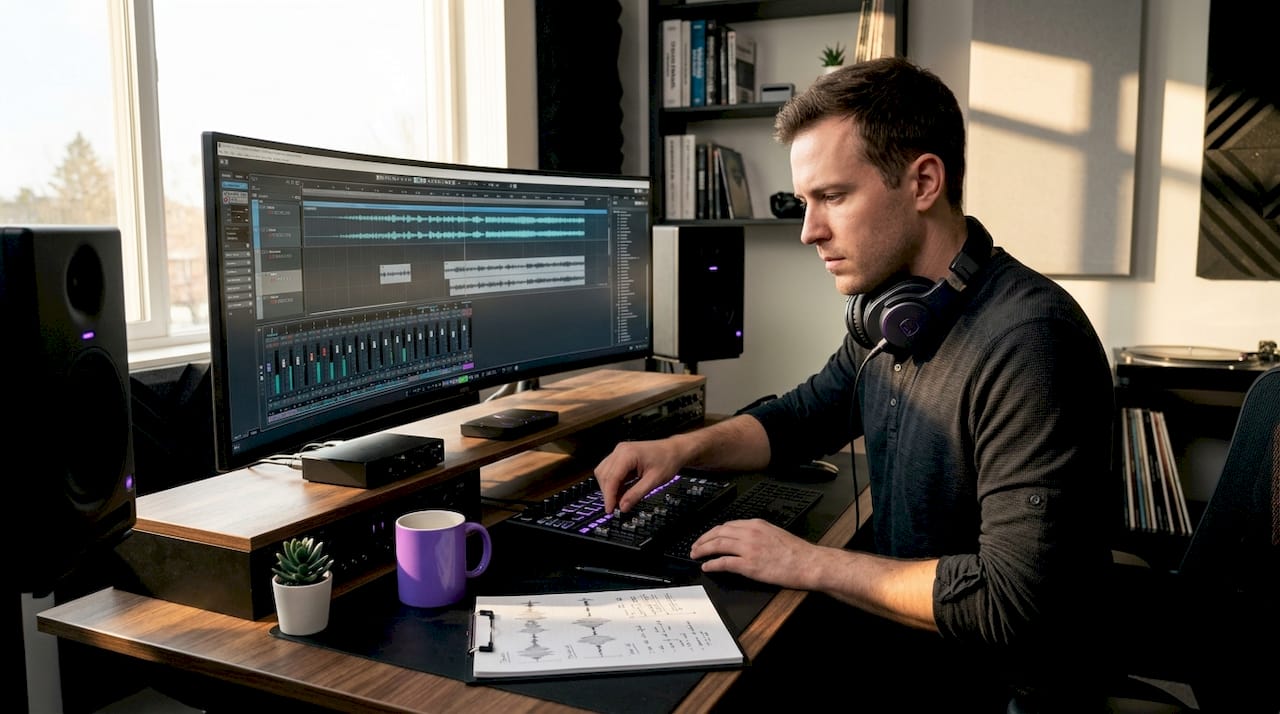
Audio stem processing is defined as the practice of grouping individual tracks into submix buses and exporting them as separate audio files, giving engineers and producers the flexibility to remix, rebalance, and master without touching the original session. Stems are grouped submixes that typically cover four to six categories: drums, bass, instruments, vocals, and optionally effects. This approach sits between delivering a full stereo bounce and handing over every raw track. It gives collaborators, mastering engineers, and remix artists exactly the control they need without exposing the full session architecture. Understanding audio stems is foundational knowledge for any producer working at a professional level.
Audio stem processing explained: what it is and why it matters
The most common misconception about stems is that they mean every individual track. Practically, stems are grouped submixes sized for manageability without sacrificing remix flexibility. A drum stem, for example, combines kick, snare, hi-hats, and room mics into one exported file. That grouping preserves the internal balance the producer set while still giving a mastering engineer or remix artist something to work with independently.
Stems matter because they sit at the intersection of creative control and practical delivery. Sync licensing supervisors routinely request stems alongside a stereo master so editors can duck the vocal during dialogue or strip the music to an instrumental. Remix artists need stems to legally and cleanly rearrange a track. Mastering engineers use them when the stereo mix needs more surgical correction than a standard two-track allows. The stem format solves all three problems with a single, well-organized export.
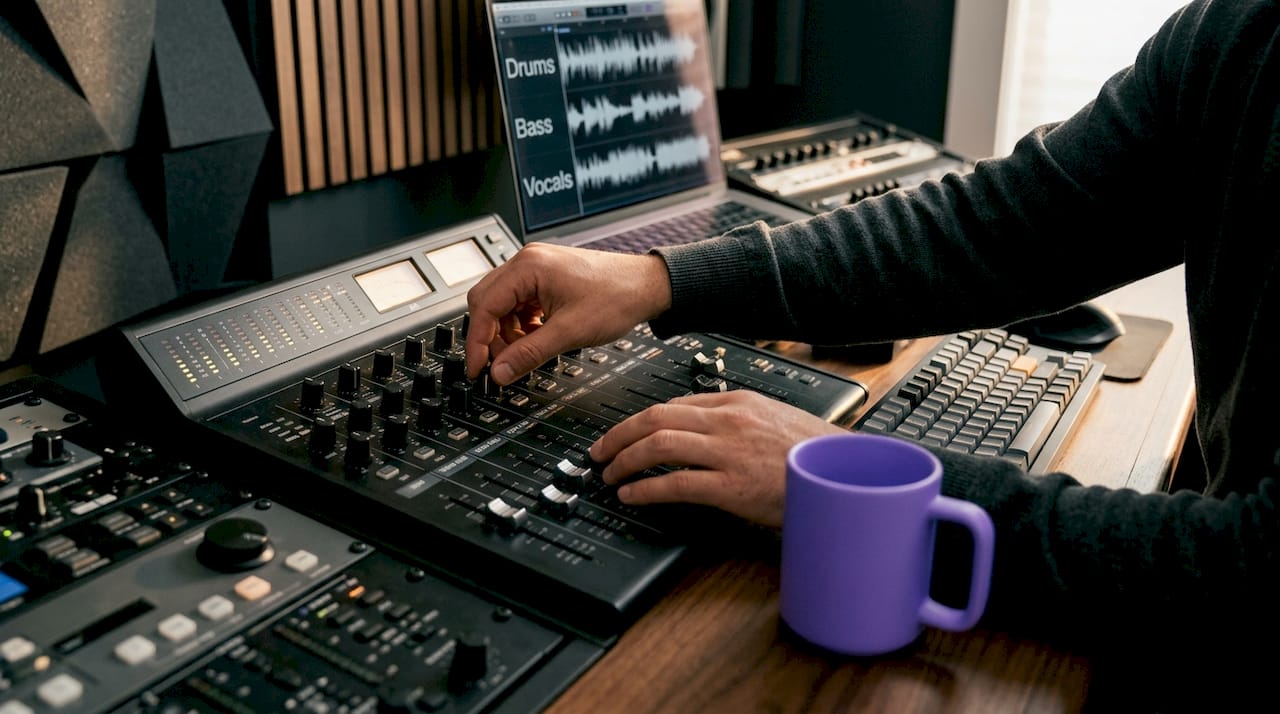
The standard stem count in most professional deliveries runs between four and six groups. Larger productions, particularly for film scoring or immersive audio formats, may push that number higher. But for most music production contexts, drums, bass, instruments, vocals, and effects cover the full frequency and arrangement picture.
How to create and export stems in a DAW
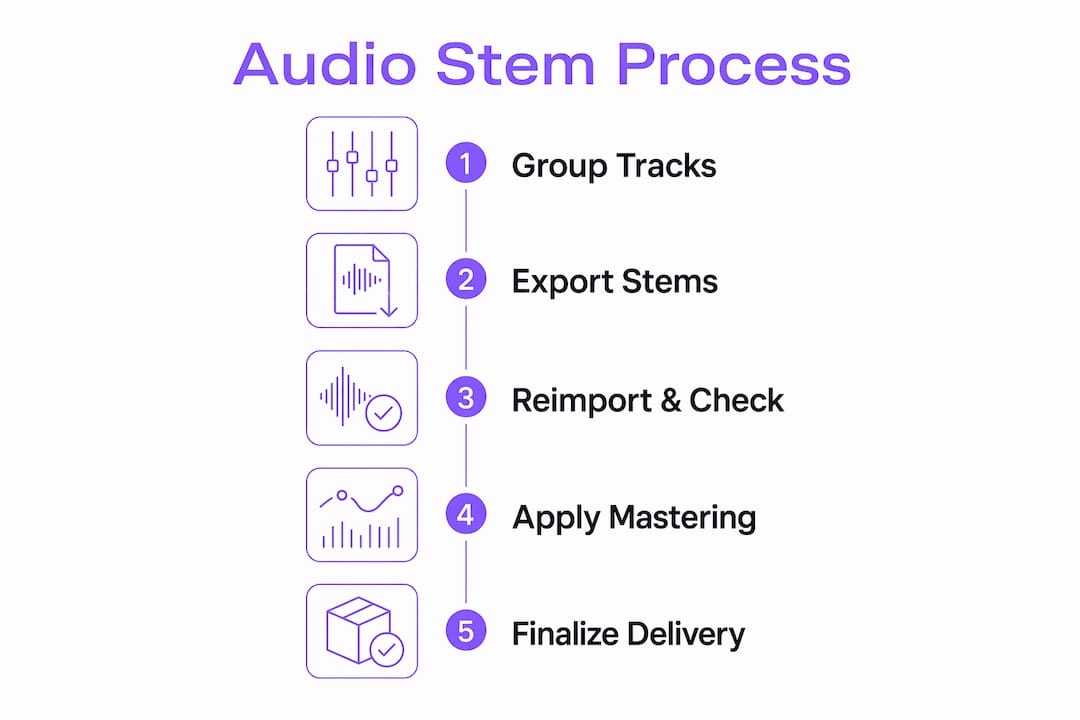
Creating clean stems follows a consistent process regardless of whether you work in Ableton Live, Logic Pro, Pro Tools, or Cubase. The workflow breaks down into five steps that, when executed correctly, produce stems that sum back to your original mix without any phase or level discrepancy.
- Route tracks into buses. Group all drum tracks to a drum bus, all bass elements to a bass bus, and so on. Each bus becomes one stem. This is where your internal mix decisions live.
- Bypass all master bus processing. Before you export, disable every plugin on your master channel. Limiters, EQ, and compression on the master bus will color each stem differently, making them impossible to recombine cleanly. Export stems after bypassing master-bus processing to keep them clean and summing-ready.
- Set consistent start and end points. Every stem must begin and end at exactly the same timeline position. A stem that starts one bar late will be permanently out of sync when reimported.
- Choose lossless export settings. Export as WAV at your session's native sample rate and bit depth, typically 48 kHz or 96 kHz at 24-bit. Avoid MP3 or AAC for stem delivery. Lossy formats introduce artifacts that compound when stems are processed individually and then recombined.
- Label and organize clearly. Use a consistent naming convention: ProjectName_Drums_Stem, ProjectName_Vocals_Stem. Include a reference stereo bounce in the same folder. A reference stereo bounce helps engineers understand your intended balance and energy before they touch a single fader.
Pro Tip: Reimport all your exported stems into an empty session and play them back summed before delivery. If the result doesn't match your reference bounce, something went wrong in the export, and catching it now saves everyone time.
Common export errors include accidentally leaving master bus effects active, mismatched export ranges between stems, and inconsistent sample rates. These mistakes are easy to make and hard to catch without a systematic check. Setting up a stem export template in your DAW eliminates most of them before they happen. A solid home studio setup with proper routing conventions makes this process repeatable and reliable.
What is stem mastering and how does it differ from standard mastering?
Stem mastering is a mastering approach where the engineer receives grouped submixes instead of a single stereo file, processes each stem independently, then recombines them into a final master. The critical technical requirement is that stems must sum exactly to the original stereo mix before any mastering processing is applied. If they don't, the mastering engineer is working from a different starting point than the mix engineer intended.
The advantage over standard mastering is precision. A mastering engineer working with a stereo file can apply broad EQ and dynamics across the full mix. With stems, they can compress the drum stem without affecting the vocal, or add high-frequency air to the instrument stem without brightening an already bright vocal. That level of control is genuinely useful when a mix has elements that need different treatment.
Common stem groupings used in mastering include:
- Drums and bass combined into a low-end stem for unified sub management
- Melodic instruments covering guitars, keys, and synths
- Vocals as a dedicated stem for level and presence control
- Effects and ambience covering reverbs, delays, and atmospheric layers
The limitation is equally important to understand. Stem mastering cannot fix mix errors embedded in individual elements. If the snare is buried in the drum stem, the mastering engineer can raise the entire drum stem but cannot isolate the snare. Stems reflect the mix decisions already made. They give the mastering engineer more levers, not a way to undo mix problems.
Pro Tip: Before sending stems for mastering, run a null test. Import all stems into an empty session, sum them, then phase-invert the reference bounce. If the result is silence, your stems are perfect. Any audible signal means something is off.
Stem mastering requires diligent sum checking to avoid phase or processing errors that degrade fidelity despite good individual stem sound. The discipline of verifying stems before delivery is what separates professional stem workflows from amateur ones.
Choose stem mastering over standard mastering when your mix has elements that need independent dynamic treatment, when the stereo mix is close but not quite there, or when the project has a high commercial value that justifies the additional preparation time.
How does AI stem separation work in practice?
AI stem separation is a different process from exporting stems from a session. Instead of starting with individual tracks, AI separation takes a finished stereo or mono mix and attempts to isolate its components algorithmically. AI models use soft masks predicted by neural networks on spectrograms to isolate stems, preserving phase information for a natural sound. Soft masks allow overlapping time-frequency content to be shared between stems, which is why AI separation sounds more musical than older source separation methods.
The two main workflow modes are offline and real-time. Offline separation analyzes audio ahead of time, producing stems you can edit and export with zero CPU load during playback. Real-time separation operates live, which is useful for DJs who want to mute a vocal or drop the drums during a transition, but it demands significantly more CPU and risks glitches on marginal hardware.
| Feature | Offline separation | Real-time separation |
|---|---|---|
| CPU during playback | Near zero | High |
| Editing flexibility | Full | Limited |
| Latency | None | Variable |
| Best use case | Production, remixing | Live DJ performance |
| Risk of artifacts | Lower | Higher |
Measuring AI separation quality uses three objective metrics: SDR, SIR, and SAR. SDR above 6 dB is considered good, above 8 dB excellent. SIR above 10 dB suggests clean isolation between stems. SAR above 6 dB indicates acceptable artifact levels. These numbers give you a way to compare tools objectively rather than relying on subjective listening alone.
Tools like LALAL.AI offer a VST plugin that runs local stem separation with GPU and NPU acceleration, no file uploads, and no artificial limits on track count or length. That matters for unreleased material or client-owned recordings where uploading to a cloud service creates legal or confidentiality exposure.
Pro Tip: AI stem separation quality drops significantly on dense, heavily processed mixes. If you're separating a track with layered synths, parallel compression, and heavy reverb, expect bleed and artifacts. Use separation results as creative raw material, not as a replacement for proper stems.
The practical applications for AI separation include remixing tracks where stems were never delivered, creating DJ-friendly versions of finished releases, and extracting reference elements for sound design. It's a powerful tool with real limitations, and understanding those limits is what separates effective use from frustration.
Practical applications of audio stem processing
Stem processing touches nearly every professional audio workflow, often in ways that aren't immediately obvious to producers who haven't worked across multiple contexts.
- Remixing and rearranging. Remix artists receive stems as the standard delivery format. Without stems, a remixer works from a stereo bounce and loses the ability to isolate or replace individual elements cleanly.
- Sync licensing. Music supervisors for film, TV, and advertising routinely require stems alongside the stereo master. An instrumental stem, a vocal-up version, and a music-only version are standard deliverables for sync placements.
- Live performance and DJ sets. DJs use stems to mute, automate, and layer individual parts during transitions. A DJ working with stems can drop the drums from one track while bringing in the bass from another, creating transitions that a stereo-only workflow can't achieve.
- Collaboration. Sharing stems instead of a full session protects your session architecture and plugin chain while still giving a collaborator everything they need to contribute meaningfully.
- Archiving. Stems serve as a production archive. If your DAW version becomes incompatible with a future operating system, stems preserve the mix decisions in a format that any software can open.
Organizing stems for long-term use requires a consistent folder structure. A project folder containing the stereo master, individual stem files, and a text file documenting the export settings takes minutes to set up and saves hours when a project is revisited years later. Audio plugins used during stem processing should be documented alongside the stems so the processing chain is reproducible.
The most common mistake in stem workflows is treating stems as an afterthought. Producers who plan their bus routing from the start of a project export stems in minutes. Producers who build sessions without routing discipline spend hours consolidating tracks and second-guessing groupings before they can export anything useful.
Key takeaways
Stem processing is the discipline that connects individual track decisions to every downstream use of a recording, from mastering to sync licensing to live performance.
| Point | Details |
|---|---|
| Stems are grouped submixes | Four to six buses covering drums, bass, instruments, vocals, and effects are the professional standard. |
| Bypass master bus before export | Any processing left active on the master channel corrupts the stems and prevents clean recombination. |
| Stem mastering adds control, not fixes | Engineers gain independent processing per stem but cannot correct mix errors already baked into the groups. |
| AI separation has measurable limits | SDR, SIR, and SAR metrics reveal separation quality; dense mixes consistently produce more bleed and artifacts. |
| Plan routing from session start | Producers who build bus structure early export stems in minutes; those who don't spend hours reorganizing. |
Why stem discipline is the skill most producers underestimate
I've reviewed hundreds of stem deliveries over the years, and the pattern is consistent: producers who understand signal flow build clean stems instinctively, and producers who learned mixing by feel struggle every time a client asks for them. The gap isn't talent. It's routing discipline.
The part that surprises most people is how much stem mastering reveals about a mix. When a mastering engineer separates your mix into stems and starts processing them individually, every balance decision you made becomes visible. A vocal stem that's 3 dB too loud in the mix, a bass stem with too much low-mid buildup, a drum stem where the room mics are overwhelming the close mics. Stem mastering is, in a strange way, the most honest feedback a mix can receive.
On AI separation: the technology is genuinely impressive and improving fast. But I'd caution against treating it as a substitute for proper stem delivery. The DSP algorithms underlying AI separation are sophisticated, yet they're still working from incomplete information. A soft mask can approximate a vocal stem, but it can't recover the original signal. For anything where quality matters, proper stems from the session are always the right answer.
The future I'm watching is immersive audio. Dolby Atmos and spatial audio formats require stem counts that go well beyond the traditional four to six groups. Producers who build stem discipline now will adapt to those formats without friction. Those who don't will find the learning curve steep when immersive delivery becomes the standard expectation.
— Kai
Take your stem workflow further with Vector-dsp

Vector-dsp builds professional audio tools designed for producers and engineers who need precise control over every stage of the signal chain, including stem processing and mastering workflows. The ToneLab plugin delivers advanced DSP processing in VST3, AU, and AAX formats, built for real-time performance with low latency across stem-heavy production environments. Whether you're processing individual stems through an effects chain or designing sounds that need to sit cleanly within a grouped mix, Vector-dsp tools are built to the technical standards that professional stem workflows demand. Explore the full range of tools at Vector-dsp and see how precision DSP design changes what's possible in your sessions.
FAQ
What are audio stems in music production?
Audio stems are grouped submixes of individual tracks exported as separate audio files, typically covering drums, bass, instruments, vocals, and effects. They enable remixing, mastering, and sync licensing without requiring access to the original DAW session.
How do I export stems without phase issues?
Bypass all master bus processing before exporting, set identical start and end points for every stem, and reimport the stems into an empty session to verify they sum correctly against your reference bounce.
What is the difference between stem mastering and standard mastering?
Standard mastering processes a single stereo file, while stem mastering processes grouped submixes independently before recombining them. Stem mastering offers more control but requires stems that sum exactly to the original mix and cannot correct errors already embedded in the groups.
How accurate is AI stem separation?
AI stem separation quality is measured using SDR, SIR, and SAR metrics, with SDR above 8 dB considered excellent. Accuracy drops on dense or heavily processed mixes where spectral overlap between elements makes clean isolation difficult.
Should I use offline or real-time stem separation?
Offline separation is better for production and editing workflows because it requires no CPU during playback and produces more stable results. Real-time separation suits live DJ performance but demands higher CPU resources and carries a greater risk of audio artifacts.