Audio Bit Depth Explained: What It Means for Your Sound
Audio Bit Depth Explained: What It Means for Your Sound

Audio bit depth is the number of bits used to store the amplitude of each digital audio sample, and it controls one thing above all: dynamic range. Every bit you add pushes the noise floor down by roughly 6 dB, so 16-bit audio delivers about 96 dB of dynamic range while 24-bit reaches approximately 144 dB. That gap is not about making music sound "clearer" at normal listening volume. It is about how much quiet detail survives below the loud parts, and how much room you have to work before a recording falls apart.
Here is what bit depth determines in practice:
- Dynamic range: The span between the loudest undistorted signal and the quietest audible detail, growing by ~6 dB per bit
- Signal-to-noise ratio (SNR): How far the audio signal sits above the quantization noise floor
- Headroom during production: Extra range that protects recordings from clipping when levels are imperfect
- File size: Higher bit depths store more data per sample, increasing storage requirements
- Quantization noise: The rounding error introduced when a continuous analog signal is stored as a discrete number
The standard formula, derived by W. R. Bennett at Bell Labs, is SNR = 6.02 × N + 1.76 dB, where N is the bit depth. Plug in 16 bits and you get 98.09 dB; plug in 24 and you get 146.26 dB. Those are the numbers that actually govern what you hear, or more precisely, what you cannot hear.
What is bit depth in audio, and how does binary representation work?
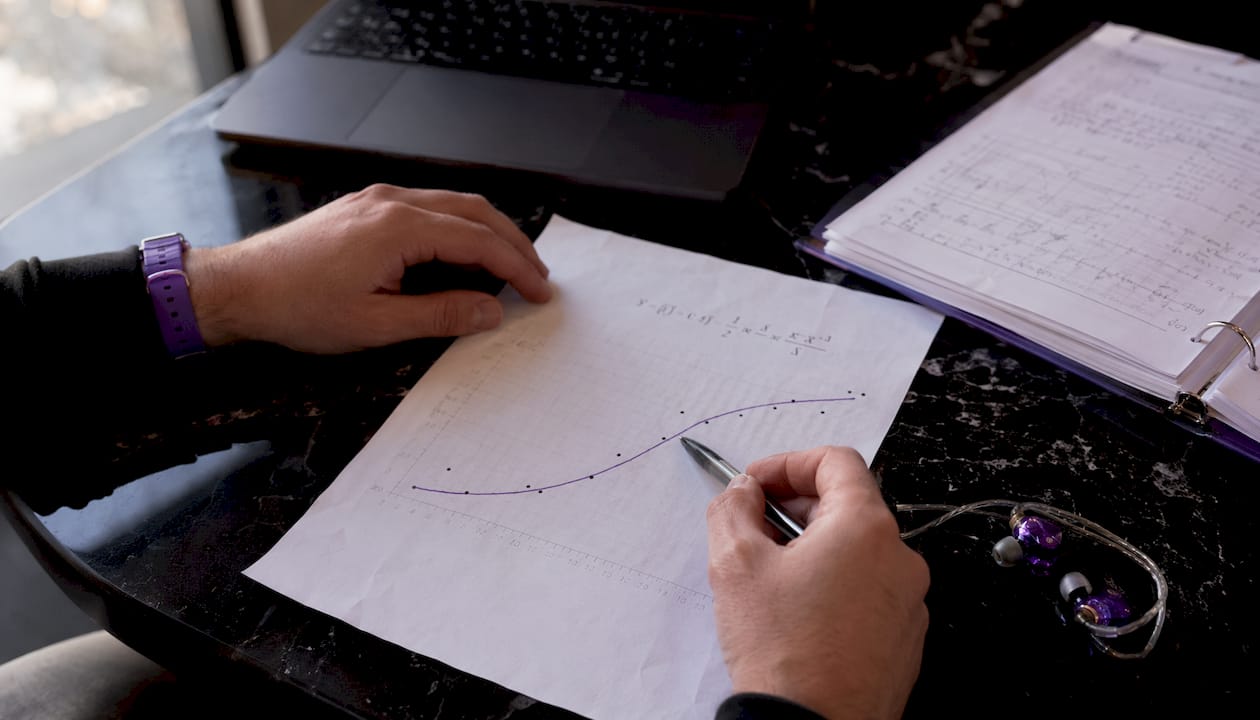
Every digital audio sample is stored as a binary number, a string of 1s and 0s. The bit depth tells you how many digits that string contains. One bit gives you two possible values, two bits give four, and the count doubles with every additional bit. The general rule is 2ⁿ, where n is the bit depth.
A 16-bit sample can land on any of 65,536 discrete values, ranging from −32,768 to +32,767 in signed integer representation. A 24-bit sample has nearly 16.8 million possible values. Audio samples use signed integers because a sound wave swings both above and below the centerline of silence, so the number needs to express both positive and negative amplitude.

The problem is that analog sound is continuous. A microphone captures a smoothly varying voltage, and the analog-to-digital converter (ADC) has to round each measurement to the nearest available rung on that discrete ladder. That rounding error is called quantization noise. Across millions of samples, those tiny errors accumulate into a faint background hiss, the digital equivalent of tape hiss.
More bits mean finer rungs, smaller rounding errors, and a lower noise floor. Fewer bits mean coarser steps and more audible distortion, especially at low signal levels where the signal itself is only a few rungs tall.
How bit depth shapes dynamic range and signal-to-noise ratio
Dynamic range is the gap between the loudest signal a system can hold without distorting and the quietest signal it can hold before it disappears into background noise. Bit depth sets that gap directly.
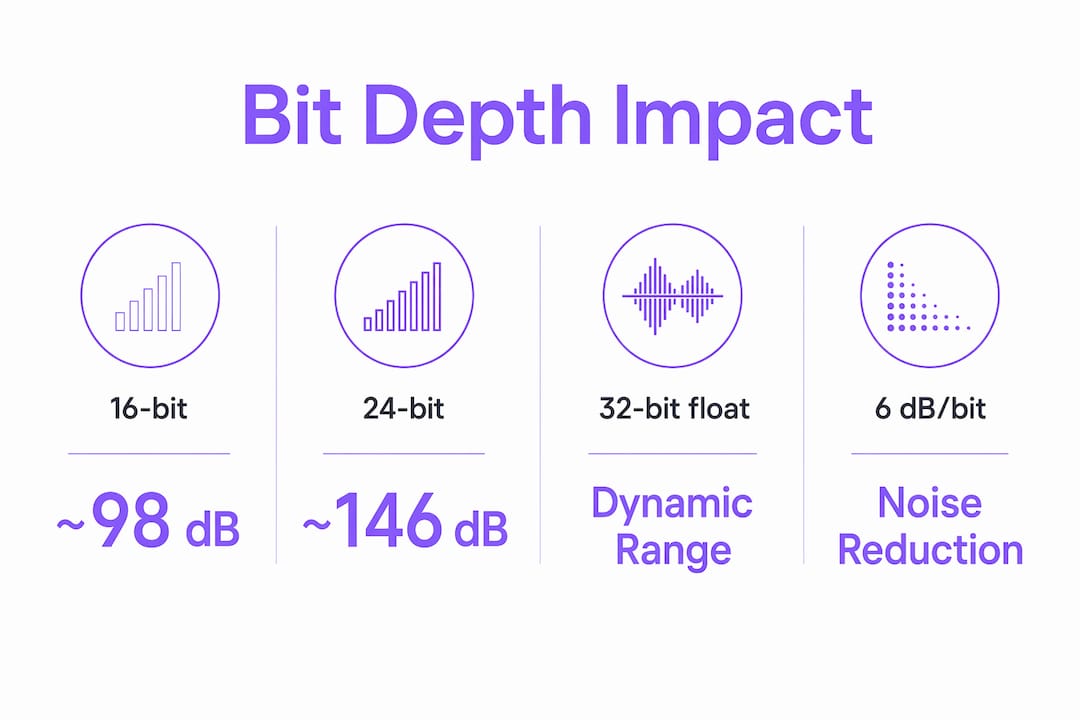
The SNR formula SNR = 6.02 × N + 1.76 dB gives precise values: 16-bit audio yields 98.09 dB, and 24-bit audio yields 146.26 dB. You will often see the round numbers 96 dB and 144 dB in everyday writing, which drop the 1.76 dB constant and simply count 6 dB per bit. Both framings are correct.
For recording, that distinction is everything. Leave 18 dB of headroom on a 16-bit session and you are burning through your effective range fast. On a 24-bit session, 18 dB of headroom barely registers against 144 dB of total range. The noise floor stays buried far below anything a listener will ever reach.
Dithering, noise shaping, and oversampling: managing quantization artifacts
Quantization noise is not fixed. Several techniques reduce its audible impact without changing the bit depth itself.
Dithering adds a tiny amount of low-level random noise to the audio signal before reducing bit depth. That sounds counterintuitive, but the added noise breaks up the correlated pattern of quantization distortion, replacing a harsh, harmonically related artifact with something that sounds like gentle hiss. When you apply dither before converting a 24-bit project to a 16-bit master, the quantization distortion becomes effectively inaudible.
Noise shaping goes a step further by redistributing the noise energy to frequency bands where human hearing is least sensitive, typically above 10 kHz. The total noise power stays the same, but it shifts away from the midrange frequencies where ears are sharpest. The result is a perceived noise floor that sits lower than the raw SNR numbers would suggest.
Oversampling processes audio at a multiple of the target sample rate, spreading quantization noise across a wider frequency band before filtering it back down. This improves the effective resolution of the conversion without requiring a higher bit depth in the final file.
Key practical points:
- Always apply dither when reducing bit depth, for example from a 24-bit session to a 16-bit delivery file
- Dither is unnecessary when working entirely within 32-bit float, since that format handles rounding differently
- Noise shaping profiles (such as those in professional mastering tools) let you tune where the noise lands
- Oversampling is built into most modern ADCs and DACs, so you benefit from it automatically
Common bit depths in audio: 16-bit, 24-bit, and 32-bit float
Three bit depths cover nearly every situation in professional and consumer audio. Each has a specific job, and using the wrong one for the wrong stage creates problems that are hard to fix later.
16-bit is the standard for CD-quality audio and final consumer distribution. Its ~98 dB dynamic range exceeds the practical limits of human hearing in a typical listening environment, especially once dithering is applied. Streaming platforms, download stores, and physical media all deliver 16-bit files. The format is compact and universally compatible.
24-bit is the professional standard for recording and mixing. The extra dynamic range, roughly 146 dB, is not there to make the delivered file sound better. It gives engineers the freedom to set conservative gain levels without worrying that quiet passages will disappear into the noise floor. Most digital audio workstations (DAWs) default to 24-bit for recording sessions.
32-bit floating point changes the rules entirely. Instead of storing samples as fixed integers, it uses a mantissa and exponent structure following the IEEE 754 standard. That sliding exponent means the format can represent an enormous dynamic range, effectively over 1,500 dB, making digital clipping impossible. If a signal exceeds 0 dBFS during recording, the value is stored with a larger exponent rather than truncated. Pull the level down afterward and the peak is intact.
| Bit depth | Typical use | Dynamic range | Key advantage |
|---|---|---|---|
| 16-bit | Distribution, streaming, CD | ~98 dB | Small file size, universal compatibility |
| 24-bit | Recording, mixing, mastering | ~146 dB | Headroom for imperfect gain staging |
| 32-bit float | Field recording, DAW processing | ~1,500+ dB | Clipping is impossible; recover any peak |
Why producers work at higher bit depths than the final delivery format
Recording and mixing at 24-bit or 32-bit float while delivering at 16-bit is standard practice, and the reason is arithmetic. Every digital process applied to audio, EQ, compression, reverb, gain changes, introduces small rounding errors. At 16-bit, those errors accumulate quickly across a long processing chain. At 24-bit, the noise floor is so far below the signal that the accumulated rounding errors never become audible.
Working at higher bit depths during production reduces rounding errors and noise accumulation, enabling cleaner mixing and more accurate DSP processing. The Audacity development team recommends 32-bit float as the default working format precisely because it eliminates the risk of permanent clipping during processing, regardless of what the final export format will be.
Pro Tip: Set your DAW's internal processing to 32-bit float even if you record at 24-bit. The conversion happens internally, and you gain clipping protection throughout the entire signal chain without any increase in your recorded file size.
For producers working with DSP algorithm design, bit depth at the processing stage directly affects how much precision survives through complex plugin chains. A plugin performing multiple sequential operations on a 16-bit signal will degrade it noticeably. The same chain on a 32-bit float signal produces results that are effectively transparent.
The practical workflow most engineers follow: record at 24-bit, process internally at 32-bit float, export the final master at 16-bit with dithering applied. Each stage uses the bit depth that serves its specific purpose.
Does higher bit depth actually make audio sound better?
The honest answer is: not for the listener, but absolutely for the engineer. Once a file reaches the listener, the room noise, the playback equipment, and the limits of human hearing all conspire to make anything beyond 16-bit inaudible. A properly dithered 16-bit file has a noise floor below the threshold of human perception in any real listening environment.
Where bit depth genuinely affects perceived quality is during production. A recording captured at 24-bit with conservative levels will sound cleaner than the same performance captured at 16-bit with the same conservative levels, because the 16-bit version has less margin before quiet details hit the noise floor. The difference shows up in the quietest passages, in the decay of reverb tails, and in the space between notes.
The importance of bit depth is therefore asymmetric. At the recording and mixing stage, more bits give you real, audible advantages. At the distribution stage, those advantages are already baked into the file, and the bit depth of the delivery format becomes irrelevant to the listener's experience.
One area where this gets complicated is streaming. Most major platforms transcode uploaded files to compressed formats, and a higher-bit-depth source file can sometimes survive that transcoding with slightly more headroom to spare. The effect is marginal, but it is one reason mastering engineers still prefer to deliver 24-bit files to platforms even when the final stream will be 16-bit or lower.
Bit depth vs. sample rate: two separate controls for two separate things
Bit depth and sample rate are often confused because both affect audio quality, but they control completely different aspects of a digital recording.
Sample rate determines how many times per second the ADC measures the analog signal. A sample rate of 44,100 Hz (44.1 kHz) takes 44,100 measurements every second. According to the Nyquist theorem, a sample rate can accurately capture frequencies up to half its value, so 44.1 kHz captures everything up to 22.05 kHz, which covers the full range of human hearing. Sample rate governs frequency response.
Bit depth has no effect on frequency response whatsoever. As Wikipedia's audio bit depth entry states directly: "The bit depth has no impact on the frequency response, which is constrained by the sample rate." Bit depth controls only the noise floor and dynamic range.
A useful way to think about it: sample rate is the horizontal axis of a digital audio waveform, controlling how finely time is divided. Bit depth is the vertical axis, controlling how finely amplitude is divided. You need both to be adequate, but increasing one does nothing for the other.
Common combinations and their contexts:
- 44.1 kHz / 16-bit: CD standard, consumer streaming delivery
- 48 kHz / 24-bit: Broadcast and film audio standard
- 96 kHz / 24-bit: High-resolution recording, preferred by many engineers for the oversampling headroom it provides during processing
- 192 kHz / 32-bit float: Field recording and archival capture, where maximum flexibility is the priority
The double precision DSP advantage in professional plugins relates to this same principle: processing at higher internal precision reduces accumulated rounding errors, independent of the session's sample rate.
Misconceptions about high bit depth audio
The most persistent misconception is that higher bit depth makes a finished track sound better to the listener. It does not. Once a file has more dynamic range than the ear can perceive, which 16-bit already provides when properly dithered, adding more bits only lowers a noise floor that was already below the threshold of hearing.
A second misconception is that 32-bit float files are "better quality" for distribution. They are not. A 32-bit float file delivered to a streaming platform or burned to disc offers no audible advantage over a properly dithered 16-bit file. The format's value is entirely in the production stage, where its clipping immunity and extended range protect the session during processing.
Third: many producers believe that simply recording at a higher bit depth will compensate for poor gain staging. It helps, but it is not a substitute. A signal recorded so quietly that it sits only a few dB above the noise floor will still sound thin and noisy at 24-bit, just less so than at 16-bit. Proper gain staging remains the foundation.
A few other points worth correcting:
- Higher bit depth does not reduce distortion caused by analog equipment, only digital quantization noise
- Increasing bit depth beyond 16-bit primarily increases file size without discernible quality improvement for consumers in a finished, dithered file
- 32-bit float is not the same as 32-bit integer; the two formats have very different properties, and 32-bit integer audio is rarely used in practice
- Bit depth affects bit rate and file size linearly: a 24-bit file is 50% larger than a 16-bit file at the same sample rate and channel count
Understanding these limits is part of what separates producers who chase specs from those who chase results. The fundamentals of digital signal processing make clear that every parameter in the chain has a specific job, and bit depth's job ends at the noise floor.
Key Takeaways
Audio bit depth sets the dynamic range of a digital recording at roughly 6 dB per bit, making it the primary control over noise floor and headroom throughout the production chain.
| Point | Details |
|---|---|
| 6 dB per bit rule | Each additional bit lowers the noise floor by ~6 dB, giving 16-bit ~98 dB and 24-bit ~146 dB of dynamic range. |
| SNR formula | SNR = 6.02 × N + 1.76 dB; 16-bit yields 98.09 dB, 24-bit yields 146.26 dB. |
| 32-bit float advantage | Stores samples with a mantissa and exponent, making digital clipping effectively impossible during recording and processing. |
| Dither before downsampling | Always apply dither when reducing from 24-bit to 16-bit; skipping it introduces audible quantization distortion. |
| Bit depth vs. sample rate | Bit depth controls dynamic range and noise floor only; sample rate controls frequency response. These are independent parameters. |

Vector-dsp builds professional audio plugins grounded in the same DSP principles that make bit depth matter during production. If you work at 24-bit or 32-bit float and want tools designed to preserve that precision through every stage of your signal chain, explore Vector-dsp and see what thoughtful DSP design actually sounds like in practice.