Best SmallSoundDSP.com Alternatives for Guitarists
Best SmallSoundDSP.com Alternatives for Guitarists

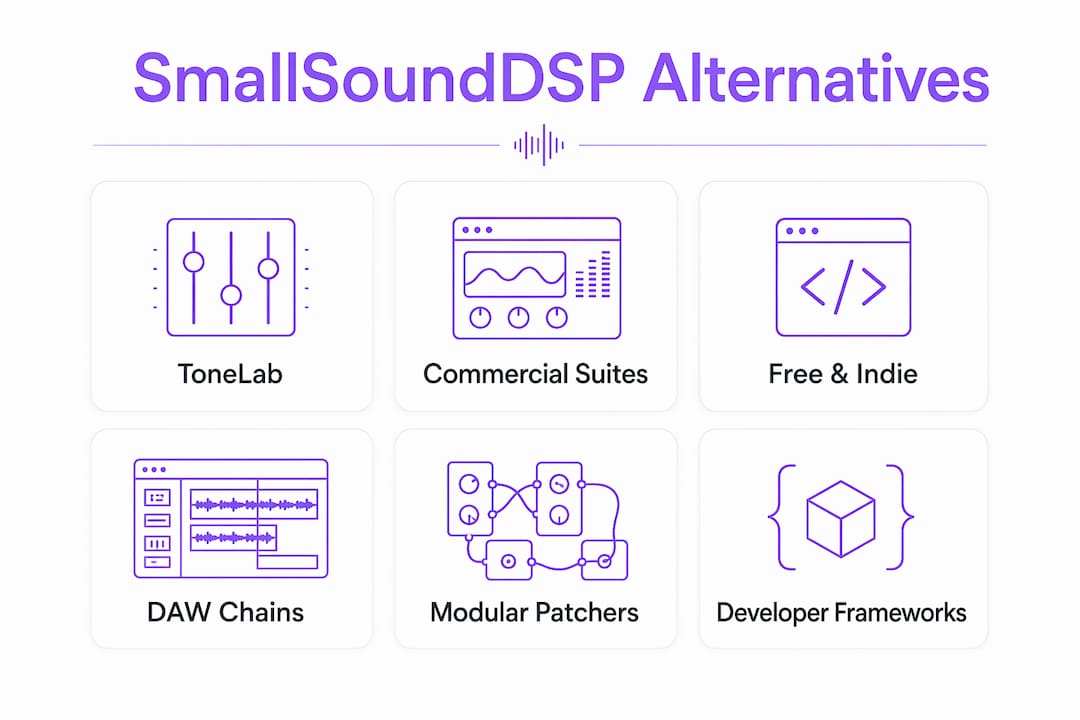
The best alternatives to smallsounddsp.com fall into four practical categories: commercial amp sim suites, free and indie amp sims, DAW-based effect chains, and developer frameworks. For guitarists and producers who want a ready-to-play, professionally supported plugin right now, ToneLab by Vector-dsp is the publisher's top pick.
Here's where each route makes sense:
- ToneLab — Vector-dsp: VST3/AU/AAX support, low-latency architecture, curated amp and pedal models. Best for guitarists who want a polished, immediately usable tone tool.
- Commercial amp sim suites (IK Multimedia AmpliTube, Positive Grid BIAS FX, Neural DSP): deep preset libraries, broad platform support, paid licenses with trials.
- Free and indie amp sims (Ignite Amps, LePou Plugins, TSE Audio, Kuassa, Mercuriall): zero cost, active communities, strong tone character for specific amp types.
- DAW-based chains (REAPER): modular VST routing, full automation, repeatable session recall.
- Developer frameworks (JUCE, Max/MSP): maximum customization, but require real development time.
Guitarists chasing instant amp tone should start with ToneLab or a commercial suite. Audio engineers who prefer modular routing will get more out of REAPER. Developers building custom DSP tools belong in JUCE or Max/MSP.
Table of Contents
- How do the top SmallSoundDSP.com alternatives compare at a glance?
- Why do musicians and engineers look for SmallSoundDSP.com alternatives?
- What are the best SmallSoundDSP.com alternatives ranked by use case?
- How do you choose the right alternative for your setup?
- Should you build your own DSP chain instead?
- Why Vector-dsp recommends ToneLab as the top alternative
- Key Takeaways
- The gap most players miss when switching plugins
- ToneLab — Vector-dsp is worth a closer look
- Useful sources and further reading
How do the top SmallSoundDSP.com alternatives compare at a glance?
| Category | Best For | Price / Trial | Platforms & Formats | Tone / Feature Focus | Ease of Use | Latency & Performance | Support / Updates |
|---|---|---|---|---|---|---|---|
| ToneLab — Vector-dsp | Guitarists, producers wanting a polished amp sim | Trial available; see ToneLab page | Win/Mac; VST3, AU, AAX | Amp sims, pedals, effects | High; curated presets | Low-latency architecture | Active updates |
| Commercial amp sim suites | Players wanting deep preset libraries | Paid; trials common | Win/Mac; VST/AU/AAX | Amp sims, cabs, pedals, modulation | High; preset-driven | Generally low latency | Strong vendor support |
| Free/indie amp sims | Budget-conscious guitarists, tone experimenters | Free | Win/Mac (varies); VST/VST3 | Specific amp characters, stompboxes | Moderate; community presets | Varies by plugin | Community-driven |
| DAW-based chains (REAPER) | Engineers needing modular routing and automation | Low-cost license; trial available | Win/Mac/Linux; VST/VST3/AU | Any hosted plugin; fully modular | Steeper learning curve | Depends on chain complexity | Active development |
| Modular patchers (Max/MSP, Pure Data) | Live performance, prototyping, research | Max/MSP paid; Pure Data free | Win/Mac/Linux | Custom DSP, interactive instruments | High effort; visual patching | Sample-accurate scheduling | Vendor (Max) / community (PD) |
| Developer frameworks (JUCE) | C++ developers building production plugins | Free (GPL) / commercial license | Win/Mac/Linux; all formats | Fully custom | Requires development skills | Production-grade low latency | Strong; widely adopted |
| Offline analysis tools (Audacity, Sonic Visualiser) | Waveform editing, spectral analysis, restoration | Free | Win/Mac/Linux | Editing, filtering, analysis | High for editing tasks | Not real-time optimized | Active open-source |
Why do musicians and engineers look for SmallSoundDSP.com alternatives?
The reasons vary more than you'd expect. Some players simply want a different amp character. Others hit a wall with plugin format support or CPU overhead on a live rig.
Common motivations include:
- Tone authenticity: wanting a specific amp voicing (British crunch, clean Fender, high-gain modern) that a current plugin doesn't capture convincingly.
- Plugin format or platform gaps: needing AAX for Pro Tools, AU for Logic, or Linux VST support that a current tool doesn't provide.
- CPU and latency constraints: live performance rigs demand buffer sizes suitable for live performance use; not every plugin delivers clean audio at those settings.
- Modular routing: engineers who want to split cab simulation from preamp, route parallel chains, or automate individual parameters need more than a single-chain plugin.
- Preset and community resources: a strong third-party preset ecosystem shortens the time from install to usable tone dramatically.
- Cost or licensing model: free and indie options like Ignite Amps and LePou Plugins remain genuinely competitive on tone, especially for specific amp types.
The core trade-off is out-of-the-box tone versus flexibility. A commercial amp sim suite gives you hundreds of presets and a polished UI on day one. A DAW-based chain or developer framework gives you total control, but you build it yourself. Platform and format compatibility is often the deciding factor before any tone comparison even happens: if a plugin doesn't load in your DAW, nothing else matters.
What are the best SmallSoundDSP.com alternatives ranked by use case?
1. ToneLab — Vector-dsp (publisher pick)
Vector-dsp built ToneLab around the same principles that define professional studio plugins: VST3/AU/AAX format support, a low-latency processing architecture, and curated amp and pedal models that hold up under close listening. It's the most direct replacement for guitarists who want a supported, modern plugin without assembling a chain from scratch.
Best for: guitarists and producers who want a ready-to-use amp sim with real-time performance and active development behind it. Pro: modern plugin formats, low-latency design, active updates. Con: newer to market than some established commercial suites.
2. Commercial amp sim suites (IK Multimedia AmpliTube, Positive Grid BIAS FX, Neural DSP)
These are the category leaders for a reason. IK Multimedia AmpliTube offers a modular gear-room approach with hundreds of licensed amp and cab models. Positive Grid BIAS FX leans into a tone-matching engine that lets you capture the character of a specific amp. Neural DSP has built a reputation for high-gain accuracy and artist-specific plugins.
All three ship with VST/AU/AAX support and trials. CPU overhead is generally manageable, though Neural DSP's more complex captures can push buffer requirements higher on older machines. Preset libraries are deep, and third-party preset communities are active on forums and YouTube.
Best for: players who want the widest amp selection and the most polished out-of-the-box experience. Pro: massive preset libraries, strong vendor support. Con: paid licenses add up; some require online activation.
3. Free and indie amp sims (Ignite Amps, LePou Plugins, TSE Audio, Kuassa, Mercuriall)
This category punches well above its price point. Ignite Amps' NadIR cabinet loader and Emissary high-gain amp are staples in metal production. LePou's Le456 and Hybrit models have been used on professional releases. TSE Audio's X50 v2 covers Mesa-style tones convincingly. Kuassa and Mercuriall both offer free tiers alongside paid expansions.
The catch is inconsistency. Some plugins are 32-bit only, some haven't been updated in years, and format support varies. Community presets exist but require hunting across forums. Still, for a guitarist on a tight budget or someone who wants to experiment with tone stacking, this route is hard to argue against.
Best for: budget-conscious players, tone experimenters, and anyone who wants to layer multiple free plugins. Pro: zero cost, strong tone character for specific amp types. Con: update cadence is unpredictable; format support varies by developer.
4. DAW-based effect chains (REAPER)
REAPER fits engineers and producers who need to quantify DSP behavior across routed track chains with automation and VST-based effects in a single project timeline. You load your preferred amp sim, cab loader, EQ, and compressor as individual VST instances, route them in series or parallel, and automate every parameter.
The learning curve is real: moving from a dedicated guitar plugin to a general-purpose DAW means manually chaining compressors, EQs, and distortion modules. That gives you control, but it increases setup and session-recall complexity. REAPER's low license cost and cross-platform support (Win/Mac/Linux) make it worth the investment for engineers who live in a DAW anyway.
Best for: engineers who need repeatable, automatable tone chains and already work in a DAW environment. Pro: full automation, modular routing, low cost. Con: steeper setup than a single plugin; recall requires saving and loading full project states.
Pro Tip: Check out the VST3 signal chain guide from Vector-dsp for a practical walkthrough of building a routed effect chain in a DAW host.
5. Modular patchers (Max/MSP, Pure Data)
Max/MSP and Pure Data are the right tools for live performance prototyping and interactive instrument design, not for quickly replacing a guitar plugin. Max/MSP supports sample-accurate scheduling in interactive audio workflows, and Pure Data's dataflow canvas handles sample-rate objects for high-performance DSP inside patches. Both are genuinely powerful for building custom effects that no off-the-shelf plugin offers.
The audience is narrow: performers who want to build their own effects from signal primitives, researchers, and educators. If you just want a good amp tone, this is the wrong route.
Best for: live performers, researchers, and educators building custom interactive effects. Pro: maximum flexibility, sample-accurate performance. Con: high effort; not a drop-in plugin replacement.
6. Developer frameworks (JUCE)
JUCE is rated highly for real-time DSP module development and remains the preferred C++ framework for production-grade, low-latency plugins. If you want to build a plugin that ships in VST3/AU/AAX and runs on any platform, JUCE is the standard starting point. The real-time audio architecture trend favors modular, streaming-friendly frameworks, and JUCE is at the center of that.
The time cost is significant. Non-developers who pick a framework expecting a quick tone tool face a steep learning curve before they hear a single note. JUCE is for developers, not players.
Best for: C++ developers building production plugins or custom DSP tools. Pro: production-grade performance, all major plugin formats, active community. Con: requires real development resources; not usable as a ready-made tone tool.
How do you choose the right alternative for your setup?
Start with your constraints, not your wish list. The right choice depends on whether you need a finished amp sim or a modular workspace. Picking a framework without development resources creates a large time cost.
Decision checklist:
- Host and format compatibility: confirm VST3, AU, or AAX support matches your DAW before downloading anything.
- Latency and CPU budget: live rigs need plugins that run cleanly at 64–128 sample buffers; studio work has more headroom.
- Workflow preference: preset-driven players benefit from commercial suites; engineers who automate everything belong in a DAW-based chain.
- Trial availability: cross-referencing reviewer roundups and running trials before committing is the standard approach for a reason.
- Community and preset ecosystem: a large preset library shortens the path from install to usable tone.
- Support and update cadence: a plugin that hasn't been updated in two years may break on the next OS or DAW version.
Evaluation steps:
- Install the demo or trial version.
- Load a factory preset closest to your target tone (clean, crunch, or high-gain).
- A/B the plugin against a reference track at matched levels.
- Check CPU usage and latency under load at your live buffer setting.
- Test automation recall by saving a session, closing it, and reopening to confirm parameter consistency.
Pro Tip: To catch hidden latency issues, record a dry signal through the plugin with bypass toggled on and off, then zoom in on the waveform in your DAW. Any buffer artifact or phase shift shows up immediately as a timing offset. This test takes two minutes and reveals problems that A/B listening misses. For a deeper look at what's happening under the hood, the low-latency audio thread guide from Vector-dsp explains the architecture behind it.
Should you build your own DSP chain instead?
For engineers and developers who want more control than any off-the-shelf plugin offers, building or assembling a custom chain is a legitimate route. Each tool below fits a different level of effort and technical background.
- REAPER: the practical choice for assembling a VST-based pedalboard chain with full automation. Load any combination of amp sim, cab loader, EQ, and dynamics plugins, route them in parallel or series, and save the whole thing as a reusable track template. Low cost, cross-platform, and actively developed.
- JUCE: for C++ developers who want to ship a production plugin. It provides the threading and low-latency building blocks needed for real-time audio, and it targets VST3/AU/AAX from a single codebase. The DSP algorithm design guide from Vector-dsp is a solid starting point for understanding the algorithmic choices involved.
- Max/MSP: visual patching for live performance and interactive instrument prototyping. Its Gen environment supports high-performance DSP inside patches with sample-rate objects. Paid license, but widely used in academic and experimental music contexts.
- Pure Data: the free, open-source counterpart to Max/MSP. Less polished UI, but the same dataflow model and strong community support. Good for prototyping and education.
- Audacity: practical for offline waveform editing, spectrogram-based filtering, and consistent parameter inspection. Not optimized for real-time playing, but useful for editing and restoration workflows.
- Sonic Visualiser: the right tool when you need traceable, time-aligned spectral analysis with exportable measurement steps. Not a tone tool; a measurement and analysis tool for DSP workflows that require reproducible metrics.
The runtime shape of each tool determines where it fits: scriptable pipelines for batch processing, DAW-hosted plugin GUIs for session work, visual patchers for live performance, and production SDKs for shipping plugins. Match the tool to the runtime you actually need.
Why Vector-dsp recommends ToneLab as the top alternative
ToneLab is Vector-dsp's direct answer to the gap between free indie plugins and expensive commercial suites. It's built on the same DSP principles Vector-dsp applies across its professional plugin lineup: intentional algorithm design, industry-standard plugin architecture, and real-time performance as a non-negotiable constraint.
Concrete product highlights:
- VST3, AU, and AAX format support covers every major DAW on Windows and Mac.
- Low-latency processing architecture designed for live and studio use.
- Curated amp and pedal models focused on tone authenticity, not just feature count.
- Preset library for quick audition, plus community resources for deeper customization.
- Active update cadence from a developer focused on professional audio tools.
ToneLab addresses the most common reasons players move away from smaller DSP plugins: better plugin format coverage, a supported update path, and a modern architecture that holds up on current OS and DAW versions. For the audio plugin architecture behind those choices, Vector-dsp's technical blog goes into detail.
How ToneLab maps to the comparison dimensions:
| Dimension | ToneLab — Vector-dsp |
|---|---|
| Best for | Guitarists, producers, engineers wanting a polished amp sim |
| Price / trial | Trial information available at the ToneLab page |
| Platforms & formats | Win/Mac; VST3, AU, AAX |
| Tone focus | Amp sims, pedals, effects |
| Ease of use | High; curated presets included |
| Latency & performance | Low-latency architecture |
| Support / updates | Active; professional-grade development |
Pro Tip: When trialing ToneLab, set your DAW buffer to 128 samples, load the first clean amp preset, and play a chord while watching the CPU meter. If CPU usage stays low at that buffer, you have headroom to add more effects without hitting performance issues. That test takes under a minute and tells you everything about real-world usability.
Key Takeaways
The clearest path to replacing SmallSoundDSP.com is matching your actual workflow to the right category: a polished amp sim for immediate tone, a DAW chain for modular control, or a developer framework only if you have the C++ skills to use it.
| Point | Details |
|---|---|
| Match tool to workflow | Preset-driven players need a finished amp sim; engineers who automate should use a DAW-based chain. |
| Free options are genuinely competitive | Ignite Amps, LePou, TSE Audio, and Mercuriall deliver strong tone for specific amp types at zero cost. |
| Developer frameworks require real effort | JUCE and Max/MSP are not drop-in replacements; expect significant development time before hearing usable tone. |
| Test latency before committing | Run a bypass-toggle record test at your live buffer size to catch hidden artifacts before a purchase decision. |
| ToneLab — Vector-dsp | Covers VST3/AU/AAX, runs at low latency, and ships with curated presets for immediate use. |
The gap most players miss when switching plugins
The conversation around smallsounddsp.com alternatives almost always focuses on tone character, which is the wrong starting point. Tone is subjective and adjustable. What actually determines whether a plugin works in your setup is architecture: does it load in your DAW, does it run cleanly at your buffer size, and will it still work after the next OS update?
Free indie plugins like LePou and Ignite Amps have excellent tone. But several haven't been updated in years, and 32-bit-only builds are a real compatibility problem on current systems. Commercial suites solve that, but they add cost and sometimes online-activation friction that's genuinely annoying on a live rig with no internet.
The thing most players underestimate is how much the DAW-based route changes the workflow. Assembling a chain in REAPER gives you more control than any single plugin, but you're now managing a signal chain, not just loading a preset. That's a different skill set. If you want the control without the assembly work, a well-designed amp sim with a strong preset library and active updates is the honest answer. ToneLab sits in that space.
ToneLab — Vector-dsp is worth a closer look
If you've been comparing options and want something that works in your DAW today, ToneLab by Vector-dsp is the practical next step. It covers the three format requirements that matter most (VST3, AU, AAX), runs on a low-latency architecture built for both live and studio use, and comes with curated presets so you're not starting from a blank slate.

Getting started takes three steps: download the trial from the ToneLab page, install it in your DAW, and load the first amp preset at a 128-sample buffer. From there, you'll know within five minutes whether it fits your signal chain. No extended setup, no manual routing required.
- Download the trial at vector-dsp.com/tonelab.html
- Set your DAW buffer to 128 samples on first load
- Audition the clean amp preset first, then move to crunch or high-gain
Useful sources and further reading
Research sources used in this article:
- Best Audio DSP Software (2026) — Worldmetrics.org: covers REAPER, Audacity, Sonic Visualiser, and DAW-based DSP workflows with setup and learning-curve context.
- Best Audio DSP Software: Top Picks — Gitnux.org: evaluation criteria for integration depth, automation, and parameter recall across DSP tools.
- Top 10 Best Real-Time DSP Software — Zipdo.co: covers JUCE, Max/MSP, and real-time architecture trade-offs for production plugin development.
Vector-dsp technical resources:
- Low-Latency Audio Thread Programming Guide — architecture guidance for understanding latency in plugin chains.
- DSP Algorithm Design for Audio Professionals — background on tone modeling and algorithmic choices.
- Digital Audio Workstation Comparison Guide — DAW comparison for producers evaluating REAPER and similar hosts.
- Vector-dsp Blog — product announcements, deep dives, and tutorials.