Hartleydsp.com Alternatives for Producers: Best Picks
Hartleydsp.com Alternatives for Producers: Best Picks

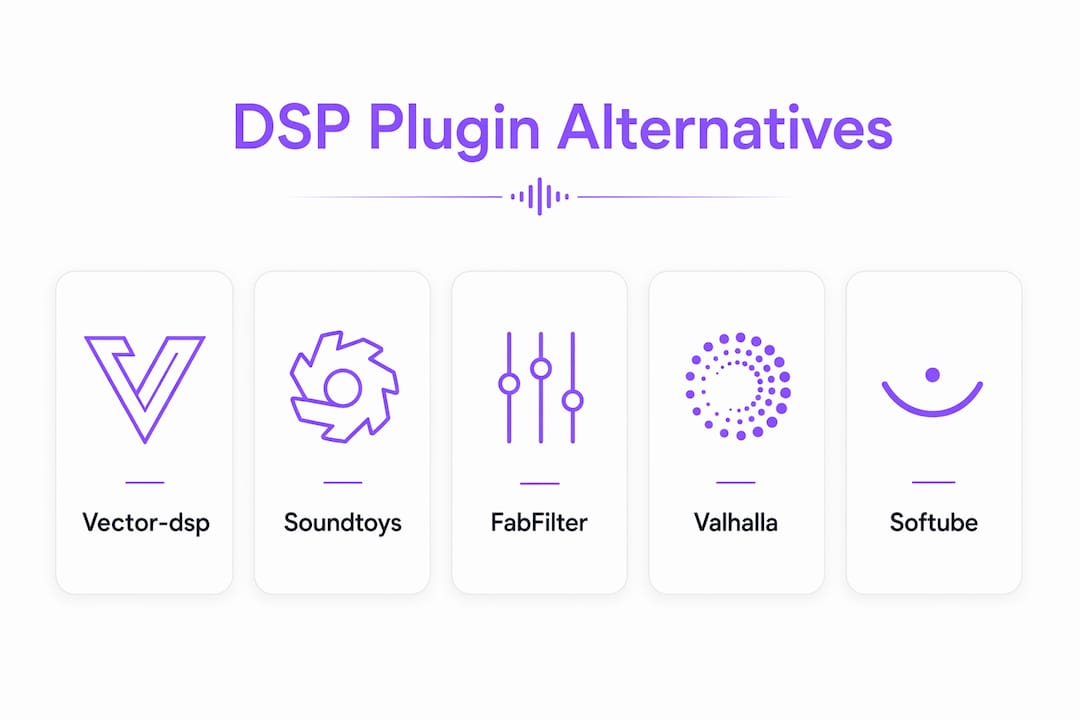
For producers looking to move beyond Hartley DSP, Vector-dsp is the recommended starting point: it delivers real-time low-latency DSP with VST3, AU, and AAX support across Windows and macOS, making it a direct fit for professional DAW workflows.
Quick shortlist:
- Vector-dsp — multi-lane parallel effects with per-lane EQ targeting; VST3/AU/AAX; one-time license; free demo available
- Soundtoys — creative modulation and saturation effects; strong community and preset library
- FabFilter — surgical EQ and dynamics with best-in-class visual feedback; VST3/AU/AAX
- Valhalla DSP — spatial reverb and delay at accessible price points; widely trusted in mixing
- Softube — analog-modeled processing with hardware-accurate DSP; AAX/VST3/AU
All five support both Windows and macOS and are available in the United States.
Table of Contents
- How do these Hartley DSP alternatives compare on formats and features?
- Which alternative fits your workflow best?
- How to choose the right Hartley DSP alternative for your setup
- How to trial, A/B test, and switch plugins safely in your sessions
- Why Vector-dsp is a strong alternative: what we build for producers
- Key Takeaways
- What actually matters when you are replacing a plugin
- Try Vector-dsp on your next session
- Useful sources and where to learn more
How do these Hartley DSP alternatives compare on formats and features?
| Alternative | Best for | Formats | OS | Latency note | Standout feature | Pricing |
|---|---|---|---|---|---|---|
| Vector-dsp | Parallel effects, mixing, sound design | VST3, AU, AAX | Win / macOS | Real-time, low-latency DSP | Multi-lane parallel architecture with per-lane EQ | One-time license; free demo |
| Soundtoys | Creative effects, saturation, modulation | VST3, AU, AAX | Win / macOS | Standard buffer-dependent | Effect Rack for chaining; deep modulation | Paid; bundle deals |
| FabFilter | Mixing, mastering, surgical processing | VST3, AU, AAX | Win / macOS | Low; optimized CPU | Interactive EQ with spectrum analyzer | One-time license; free trial |
| Valhalla DSP | Spatial reverb, ambient sound design | VST3, AU, AAX | Win / macOS | Standard | Algorithmic reverb quality at low price | One-time; $50 per plugin |
| Softube | Analog emulation, hardware modeling | VST3, AU, AAX | Win / macOS | Standard | Console 1 hardware integration | One-time license; free trial |
Hartley DSP's THeVerb is a spatial convolutional reverb that launched in early beta, so producers replacing it are primarily looking for spatial processing or a broader professional plugin suite. The alternatives above cover that range and then some.
Key format note: All five alternatives support VST3, AU, and AAX, so you are covered whether you are running Pro Tools, Logic Pro, Ableton Live, or Reaper. Free demos or trials exist for Vector-dsp, FabFilter, and Softube — a meaningful advantage when you are evaluating sound quality before committing.
Which alternative fits your workflow best?
Vector-dsp for parallel processing and mixing
Vector-dsp is built for producers who want precise, repeatable control over complex signal chains. The multi-lane parallel effects architecture lets you run separate processing paths with independent EQ targeting per lane, which is genuinely useful when you are sculpting a dense mix and need surgical separation between, say, a transient shaper and a harmonic exciter on the same channel. The DSP algorithm design behind the product is documented publicly, which tells you something about how the team thinks about transparency.

Soundtoys for creative and character-driven effects
If your sessions lean toward texture, saturation, and modulation, Soundtoys fills a different role. The Effect Rack lets you chain multiple Soundtoys plugins with tempo-synced modulation across the whole chain. It is a strong pick for electronic producers and sound designers who want character over clinical precision.
FabFilter for mixing and mastering engineers
FabFilter Pro-Q 3 remains one of the most widely used EQ plugins in professional studios, partly because the visual feedback is genuinely useful rather than decorative. The dynamic EQ mode and mid/side processing make it a go-to for mastering engineers. CPU efficiency is good, and the free trial is fully functional.
Valhalla DSP for spatial and ambient work
Valhalla DSP plugins punch well above their price. ValhallaDSP's algorithmic reverbs are used on major-label records and film scores, and at around $50 per plugin they are accessible without feeling like a compromise. If THeVerb's spatial positioning was the feature you valued most in Hartley DSP, Valhalla Room or Valhalla Shimmer are the natural places to look.
Softube for analog emulation
Softube's strength is hardware modeling accuracy. If you are mixing through a console emulation or want transformer saturation that behaves like the real thing, Softube's catalog covers that territory. Their Console 1 hardware controller integration is a differentiator for studios that want tactile control.
Pro Tip: When evaluating boutique DSP developers, check how actively they respond to forum threads and bug reports. Smaller teams often iterate faster and offer direct developer access, which matters when you need a specific behavior fixed before a deadline.
How to choose the right Hartley DSP alternative for your setup
Start with your hard requirements before you read any marketing copy.
Criteria checklist:
- Format compatibility: Does it ship as VST3, AU, and AAX? Missing AAX locks you out of Pro Tools.
- OS support: Confirm native Apple Silicon support if you are on an M-series Mac.
- Latency and real-time performance: Look for published buffer-size specs or latency compensation notes.
- CPU footprint: Test on your actual session size, not a demo project.
- Preset architecture: Can you save, export, and recall presets across projects and machines?
- Automation support: Does every parameter automate cleanly in your DAW?
- Session recall: Does the plugin state save reliably when you close and reopen a project?
Questions to ask before buying:
- What are the demo limitations? (Time-limited, save-disabled, or fully functional?)
- How many activations does the license include, and what is the deactivation process?
- What is the update policy? Are minor version updates included?
- Is there a public beta or early-access program?
- Where is the support channel: email, forum, or ticket system, and what is the typical response time?
Red flags to avoid:
- No demo or trial of any kind
- Licensing terms that require an always-on internet connection
- No public changelog or update history
- Forum or support presence that has gone quiet for six months or more
- Missing required format (e.g., no AAX for a Pro Tools user)
On pricing models: one-time licenses give you a fixed cost and no recurring obligation, which is what Vector-dsp, FabFilter, and Valhalla DSP all use. Subscription models can make sense for large bundles, but they introduce ongoing cost and potential access loss if you cancel. For most independent producers, a one-time license is the lower-risk path.
How to trial, A/B test, and switch plugins safely in your sessions
Step-by-step A/B testing workflow:
- Save a versioned copy of your session before loading any new plugin. Name it with the date and "plugin-test" so you can roll back cleanly.
- Load the demo plugin on a duplicate channel rather than replacing the original. Keep both active so you can bypass-compare without touching automation.
- Level-match the two channels using a gain utility or your DAW's trim control. Volume differences skew perception more than almost any other variable.
- Route both to a reference bus and switch between them in real time while the track plays. Use a short, representative loop (8–16 bars) that contains the full dynamic range of the source.
- Render a short stem from each version at the same settings and compare offline. Your ears fatigue during live A/B; an offline comparison often reveals differences you missed.
Migration checklist when you commit to a switch:
- Export offline renders of all tracks using the old plugin before removing it
- Save plugin presets as named files, not just session states
- Document automation lane assignments before deleting the old instance
- Confirm the new plugin's latency compensation value matches your DAW's PDC settings
Pro Tip: Set your buffer size to 256 samples or lower during live A/B comparisons. Higher buffers introduce audible latency that can make a technically superior plugin feel sluggish, skewing your judgment. Check the hardware vs. software processing trade-offs if you are unsure which buffer setting suits your system.
Quick rollback checklist:
- Versioned session file saved before the test
- Original plugin still installed and licensed
- Automation data intact on the original channel
- Stem renders available as a fallback reference
Why Vector-dsp is a strong alternative: what we build for producers
Vector-dsp is built around a specific set of priorities that map directly to what professional producers need when replacing a plugin in an active workflow.
Core feature highlights:
- Multi-lane parallel effects architecture with per-lane EQ targeting
- Real-time low-latency DSP designed for live monitoring and tracking sessions
- VST3, AU, and AAX support across Windows and macOS
- One-time license model with free demo available
- Compatible with major DAWs including Pro Tools, Logic Pro, Ableton Live, and Reaper
The parallel DSP architecture is the part that separates Vector-dsp from most alternatives in this list. Running independent processing lanes with their own EQ curves means you can blend a clean path and a processed path at the mix stage without committing to a single chain, which is a workflow advantage in both mixing and sound design. The algorithm types used are documented on the Vector-dsp blog, so you are not buying a black box.
On developer transparency: Vector-dsp publishes technical write-ups on DSP algorithm design that explain the reasoning behind performance and latency decisions. That kind of documentation is rare from smaller developers and signals a team that takes professional use seriously.
The free demo is the right first step. Load it in a session you already know well, run the A/B workflow from the section above, and let the audio tell you what you need to know.
Key Takeaways
Vector-dsp is the strongest hartleydsp.com alternative for producers who need low-latency, parallel-architecture DSP with VST3, AU, and AAX support across Windows and macOS.
| Point | Details |
|---|---|
| Start with format requirements | Confirm VST3, AU, and AAX support before evaluating any alternative. |
| Use the A/B workflow | Save a versioned session, level-match, and render stems before committing to a switch. |
| Prioritize one-time licenses | Vector-dsp, FabFilter, and Valhalla DSP all use one-time licensing, avoiding ongoing subscription costs. |
| Check demo availability | Free demos exist for Vector-dsp, FabFilter, and Softube — always test before buying. |
| Vector-dsp recommendation | Vector-dsp's multi-lane parallel architecture and real-time low-latency DSP make it the recommended pick for professional DAW workflows. |
What actually matters when you are replacing a plugin
Most producers spend too long comparing feature lists and not enough time asking one question: does this plugin behave predictably under pressure? A plugin that sounds great in a demo session but introduces CPU spikes at 256 samples, or loses preset state on a session reload, costs you more than the license fee in lost time.
Hartley DSP's THeVerb was an early beta release with genuine community interest, which tells you the underlying concept was sound. But beta-stage tools carry real risk in professional sessions, and the alternatives here are all shipping, stable products with documented support channels.
The producers who switch plugins most successfully are the ones who treat the trial as a real session test, not a demo-room audition. Load your actual mix, use your actual buffer settings, and push the plugin the way you would on a deadline. That is the only comparison that matters.
Try Vector-dsp on your next session
Vector-dsp gives you a professional-grade parallel effects architecture with real-time low-latency DSP, VST3/AU/AAX support, and a one-time license — no subscription, no recurring cost, and a free demo so you can test it in your actual DAW before spending anything.

The free demo is fully functional for evaluation. Load it in a session you know well, run a quick A/B against your current setup, and hear the difference the parallel-lane architecture makes on a dense mix. When you are ready to commit, the one-time license covers minor version updates and works across Windows and macOS.
Try Vector-dsp now and see how it fits your workflow.
Useful sources and where to learn more
- Tom Hartley — THeVerb product page — Developer's own announcement and description of THeVerb; the primary source for what Hartley DSP's spatial reverb actually does.
- Gearspace / Gearslutz — New Products thread — Community forum discussion of THeVerb's early beta release; useful for understanding the reception and feature expectations from the pro audio community.
- KVR Audio forum thread on THeVerb — Developer and user discussion thread; best source for understanding beta-phase iteration and direct developer feedback loops.
- KoalaDSP — Developer resources and SDKs — DSP library and consultancy resource for producers interested in custom algorithm development or understanding plugin architecture trade-offs.
- Vector-dsp — Company landing page — Product descriptions, demo access, and purchasing information for Vector-dsp plugins including ToneLab.
- Vector-dsp blog — Future of DSP Technology — Technical background on DSP trends and architecture; useful for understanding latency and algorithm trade-offs across plugin categories.