EnsoDSP.com Alternatives for Audio Professionals
EnsoDSP.com Alternatives for Audio Professionals

The quickest professional replacement for EnsoDSP is ToneLab by Vector-dsp. It covers VST3, AU, and AAX formats, runs real-time low-latency DSP on both Windows and macOS, and a free demo is available before you commit to a license.
Key reasons to start with ToneLab:
- Plugin format coverage: VST3, AU, and AAX out of the box, so it drops into Pro Tools, Logic Pro, Cubase, and REAPER without workarounds
- Real-time performance: Built around low-latency DSP with multithreaded CPU distribution, which matters for both mixing sessions and live installs
- Multi-lane parallel effects architecture: Per-lane EQ targeting gives you routing control that most single-chain alternatives skip
- Demo availability: Test the full plugin before purchasing a one-time license
One practical note: searching "Enso alternatives" in general software directories returns a flood of unrelated products. SaaSHub's Enso alternatives page flags this directly, listing security tools, launchers, and finance apps alongside audio results. Add "VST3," "audio plugin," or "DAW" to any search query to filter the noise.
Table of Contents
- How does ToneLab compare to EnsoDSP?
- What should you look for in a professional EnsoDSP alternative?
- How to A/B-test a plugin against EnsoDSP
- What pricing and licensing models should you expect?
- Why ToneLab fits the professional use cases EnsoDSP serves
- How to migrate from EnsoDSP to ToneLab without breaking sessions
- Key Takeaways
- The gap between feature lists and what actually ships
- ToneLab: demo and purchase details
How does ToneLab compare to EnsoDSP?
| Dimension | ToneLab (Vector-dsp) | EnsoDSP |
|---|---|---|
| Primary use / best for | Pro mixing, sound design, parallel effects processing | General DSP/effects processing |
| Plugin formats | VST3, AU, AAX | Not publicly listed |
| Real-time latency | Low-latency, real-time DSP engine | Not publicly listed |
| DSP architecture | Multi-lane parallel effects with per-lane EQ | Single-chain architecture |
| CPU / multithreading | Multithreaded, efficient core distribution | Not publicly listed |
| Preset & workflow | Preset support with snapshot workflow | Not publicly listed |
| Price / license | One-time license, free demo available | Not publicly listed |
| OS / DAW compatibility | Windows & macOS; Pro Tools, Logic, Cubase, REAPER | Not publicly listed |

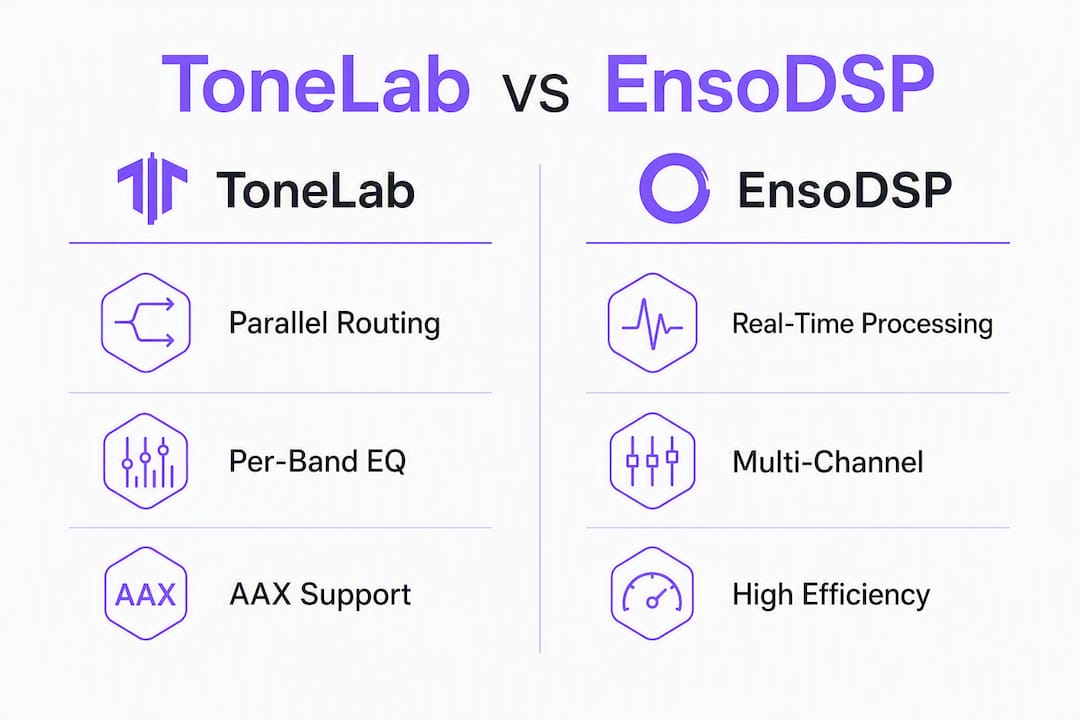
ToneLab is the stronger pick when your workflow depends on parallel signal routing, per-band EQ precision, or AAX compatibility for Pro Tools sessions. The multi-lane architecture also makes it a natural fit for sound designers who need to audition multiple processing chains simultaneously without bouncing to separate tracks.
What should you look for in a professional EnsoDSP alternative?
Not every plugin that surfaces in an "ensodsp.com alternatives" search is built for professional use. Here is a prioritized checklist:
Format and host compatibility
- VST3, AU, and AAX support covers the major DAWs; missing AAX locks you out of Pro Tools entirely
- Confirm 64-bit support and check the developer's tested DAW version list before purchasing
- Windows and macOS installers should both be current and actively maintained
Performance specifications
- Real-time latency profile: look for published buffer-size behavior, not just a marketing claim
- CPU average and spike behavior under load, particularly at 44.1 kHz and 96 kHz sample rates
- Multithreading: does the plugin distribute across cores, or does it pin to a single thread?
- Understanding DSP algorithm trade-offs helps you evaluate whether a plugin's precision claims are backed by real filter design choices
Routing and signal architecture
- Multichannel and matrix routing for broadcast or surround work
- Sidechain input support where your workflow requires it
- Offline rendering capability for non-real-time export workflows
Workflow and licensing
- Preset and snapshot support with exportable formats
- Automation responsiveness and parameter resolution
- License type: per-seat vs. machine-locked, and whether transfers are permitted
- Update policy: are minor version updates included, or does every point release cost extra?
Pro Tip: For live installs, weight CPU spike behavior and round-trip latency above feature count. A plugin that averages 4% CPU but spikes to 40% during parameter automation is a liability on stage. Studio mixing tolerates higher average CPU; live sound does not.
How to A/B-test a plugin against EnsoDSP
A structured test takes about 90 minutes and gives you objective data instead of impressions.
- Prepare reference assets. Export dry stems and a mix-ready bus from your current session at a fixed sample rate and bit depth. These are your ground-truth references.
- Set a controlled DAW environment. Lock buffer size (128 or 256 samples is a useful middle ground), disable other real-time plugins, and close background applications. Document the settings.
- Install the candidate plugin and load a comparable preset. Match the DSP topology first: serial vs. parallel chain. Then match filter algorithm type (IIR vs. FIR) before touching parameter values. This order preserves timbral behavior while avoiding CPU surprises, as outlined in Vector-dsp's guide to DSP algorithm types.
- Run a blind A/B comparison. Use your DAW's A/B routing or a null-test approach. Listen on reference monitors and headphones.
- Measure CPU and latency. Open the DAW performance window during playback. Note average CPU, peak CPU, and reported plugin latency. Run the same stem through both plugins and compare.
- Test multichannel routing and sidechain behavior if your workflow uses either. Mismatched channel counts are a common failure point.
- Export identical offline renders of the same stem through both plugins. Load both files into an audio editor and run a null test or visual waveform comparison.
Checklist items to log per candidate:
- Round-trip latency in milliseconds at your target buffer size
- CPU average and spike percentage at 44.1 kHz and 96 kHz
- Core distribution behavior (single-thread vs. multithread)
- Memory footprint during a full mix session
- Preset load/save round-trip without data loss
For repeatable results, use fixed-length test stems and the DAW's offline render comparison rather than live monitoring. This removes host scheduling variance from the equation, giving you file-to-file comparisons you can revisit across sessions.
What pricing and licensing models should you expect?
Professional DSP plugins typically follow one of four models:
- One-time license with free demo: The most common model for studio tools. You pay once, get minor version updates included, and own the license. ToneLab follows this model.
- Subscription: Monthly or annual fee, often with cloud preset sync. Useful for teams but adds ongoing cost to every project budget.
- Per-seat / machine-locked: License ties to a specific machine or a fixed number of activations. Check transfer policies before buying for a touring rig.
- Dongle-protected: Hardware key required for activation. Reliable for live use but adds a single point of failure.
For studio work, a one-time license with a free demo is the lowest-risk entry point. You can validate the plugin against your specific session before spending anything. For touring, prioritize license portability and offline activation over feature breadth. A plugin that requires an internet check-in mid-show is a liability. Vector-dsp's comparison of hardware vs. software audio processing covers the reliability trade-offs in detail.
Demo availability should be a hard requirement in your evaluation. Any developer unwilling to offer a trial period on a professional-grade plugin is asking you to buy blind.
Why ToneLab fits the professional use cases EnsoDSP serves
ToneLab's multi-lane parallel effects architecture is the feature that separates it from most single-chain alternatives. Each lane carries its own EQ targeting, so you can apply precise spectral shaping per processing path without routing to separate tracks in your DAW. That architecture maps directly to the kind of work EnsoDSP users typically do: detailed effects processing where tonal control per signal path matters.
Key ToneLab features for professional workflows:
- VST3, AU, and AAX support across all major DAWs on Windows and macOS
- Real-time low-latency DSP engine suited to both mixing and live installs
- Multi-lane parallel processing with per-lane EQ for precise parallel routing
- Free demo before a one-time license purchase
Vector-dsp's engineering focus is on modern DSP priorities: real-time execution, multithreading, and cross-platform format support. The product documentation and blog posts reflect that design intent rather than marketing copy.
ToneLab is built for producers and engineers who need precise control over parallel signal paths. The per-lane EQ targeting exists because broad-stroke processing rarely survives a critical mix. Every architectural decision in ToneLab traces back to a real-time performance constraint or a workflow requirement from professional practice.
Practical scenarios where ToneLab is the recommended pick: mixing sessions that use parallel compression or parallel saturation chains, live low-latency installs where CPU predictability is non-negotiable, and sound design work that requires audible A/B comparison of multiple processing topologies in real time.
How to migrate from EnsoDSP to ToneLab without breaking sessions
- Inventory your EnsoDSP preset use. List every preset and note the signal chain topology (serial, parallel, or hybrid) and the primary processing type per chain.
- Export stems for reference. Bounce processed outputs from EnsoDSP before removing it from any session. These are your calibration targets.
- Rebuild signal chains lane by lane in ToneLab. Match topology first, then algorithm type, then parameters. Refer to Vector-dsp's DSP algorithm types guide when matching filter behavior.
- Calibrate latency compensation and automation offsets. Different plugins report latency differently to the host. Verify that your DAW's automatic delay compensation is reading ToneLab's reported latency correctly, then check automation timing against the reference stems.
- Validate offline renders. Export the same session through ToneLab and compare against your EnsoDSP reference stems using a null test or spectral comparison.
Common pitfalls to watch for:
- Mismatched automation lanes when parameter names differ between plugins
- Sample-rate differences between the original session and your test environment
- AAX-specific quirks in Pro Tools around plugin delay compensation reporting
- Preset formats that do not transfer between platforms
Pro Tip: For large-scale migrations involving many sessions, build a staging DAW session with a representative set of stems and run the full rebuild there first. Validate the renders before touching any production sessions. Batch-testing in a controlled environment catches systematic issues before they reach a deadline.
Multichannel routing and latency compensation strategies for broadcast and live installs are covered in detail in Vector-dsp's loudspeaker DSP processing examples.
Key Takeaways
ToneLab by Vector-dsp is the recommended EnsoDSP replacement for audio professionals who need VST3/AU/AAX support, real-time low-latency DSP, and multi-lane parallel effects architecture with a free demo before purchase.
| Point | Details |
|---|---|
| Recommended alternative | ToneLab (Vector-dsp) covers VST3, AU, and AAX with real-time low-latency DSP and a free demo. |
| Top evaluation criteria | Prioritize plugin format support, CPU spike behavior, and latency profile before any other feature. |
| A/B test in one session | Export dry stems, lock buffer size, run offline renders, and compare with a null test. |
| Use demos before buying | Any professional DSP plugin should offer a trial; no demo is a red flag. |
| Vector-dsp ToneLab | Multi-lane parallel effects with per-lane EQ; one-time license, Windows and macOS, major DAW support. |
The gap between feature lists and what actually ships
The most common mistake audio professionals make when evaluating DSP plugins is treating a feature list as a performance guarantee. A plugin can claim "low latency" and "multithreaded processing" in its marketing copy while delivering single-thread CPU pinning and 20ms round-trip latency at 256 samples. The only way to know is to run the test.
What I find underappreciated in most alternatives discussions is the importance of DSP architecture over individual features. A plugin built around a coherent parallel routing model, like ToneLab's multi-lane approach, gives you structural flexibility that no amount of added effects modules can replicate in a serial chain. You are not just getting more processing options; you are getting a fundamentally different way to shape a signal. That distinction shows up immediately in a mix session and compounds over time as your workflow matures.
The "Enso" naming problem is also worth taking seriously. General software directories return security tools, blockchain utilities, and desktop launchers under the same search term. Filtering by VST3 or AAX in your queries is not optional; it is the only way to get a list that is actually relevant to your work.
ToneLab: demo and purchase details
ToneLab from Vector-dsp is available now as a one-time license purchase with a free demo download. It supports VST3, AU, and AAX formats on both Windows and macOS, and it installs cleanly into Pro Tools, Logic Pro, Cubase, and REAPER.

The free demo lets you run ToneLab in your own sessions before committing. No subscription, no machine-count surprises on the standard license. Download the ToneLab demo and run the A/B checklist from the testing section above in your next session.