What Is Beat Making? A DSP-Focused Producer's Guide
What Is Beat Making? A DSP-Focused Producer's Guide
What beat making actually is
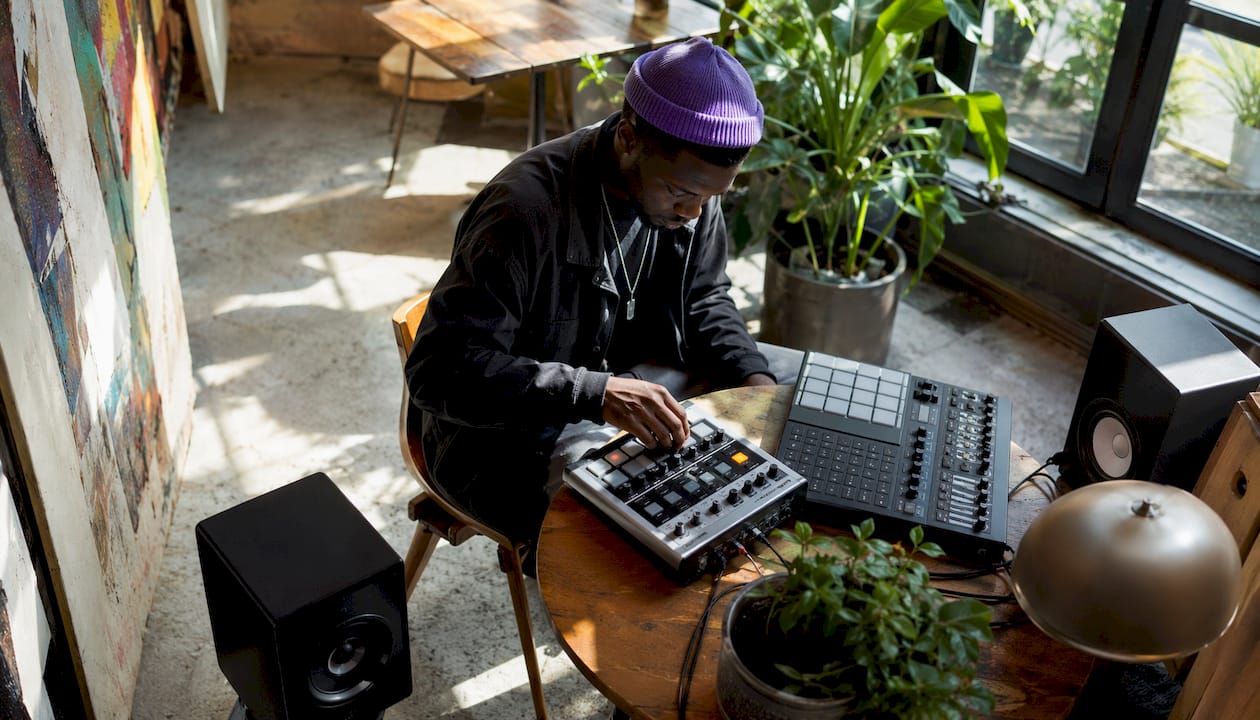
Beat making is the process of creating rhythm-driven instrumental tracks using digital tools, forming the sonic backbone of genres from hip-hop to EDM. It is not full song production. A beat is the foundation: the rhythm, the groove, the harmonic bed that a vocalist or instrumentalist builds on top of. Think of it as architecture before the interior design.
The craft operates from the bottom up. You start with rhythm, layer in bass and harmony, then shape the texture through sound design and signal processing. That workflow is fundamentally different from traditional songwriting, which typically starts with melody or lyric.
Key elements that define beat making as a discipline:
- Rhythmic programming: Drum patterns, percussion loops, and sequenced hits that establish tempo and feel
- Harmonic foundation: Basslines, chord stabs, and melodic loops that give the track tonal identity
- Sound design: Synthesis and sample manipulation to craft the individual sounds within the beat
- Signal processing: EQ, compression, saturation, and time-based effects that shape each element's character
- Arrangement: Structuring the beat across time so it builds, breathes, and holds attention
Table of Contents
- How beatmaker and producer roles differ in practice
- Advanced DSP techniques that define professional beat production
- How humanization and micro-variations give beats a natural feel
- How beat making evolved from drum machines to DAWs
- What tools you actually need for beat making
- How genre shapes beat making style
- The beat making process, step by step
- How MIDI and audio samples work together in beat making
- Key Takeaways
How beatmaker and producer roles differ in practice
The terms get used interchangeably, but the distinction matters, especially when you are designing tools for either workflow.
A beatmaker's scope is primarily instrumental. They craft the rhythmic and harmonic foundation, deliver a finished or semi-finished instrumental, and their creative authority ends roughly there. A producer's role is broader: they oversee the artistic vision of a full recording, direct vocal performances, make arrangement decisions, and hold final approval over the sound. A beatmaker hands off a track; a producer shepherds a song.
That said, the line has blurred significantly. Self-producing artists now handle both functions. Producers who started as beatmakers often retain tight control over the instrumental, while also directing the full session. For audio software developers, this overlap has real implications: tools need to serve both the focused, loop-centric beatmaker workflow and the broader session management demands of a full producer.
Key distinctions worth keeping in mind:
- Beatmaker: Delivers instrumentals, works independently or on spec, optimizes for groove and sonic character
- Producer: Manages the full creative process, collaborates with artists, makes final mix and arrangement calls
- Overlap zone: Self-producing artists, producer-beatmakers, and hybrid roles increasingly dominate the market
Understanding this split shapes how audio effects vs instruments get designed and marketed. A beatmaker reaching for a drum processor has different latency tolerance and UI expectations than a producer mixing a full session.
Advanced DSP techniques that define professional beat production
This is where beat making separates from casual music-making. The difference between a beat that sounds amateur and one that sounds finished almost always comes down to signal processing decisions, not the sounds themselves.
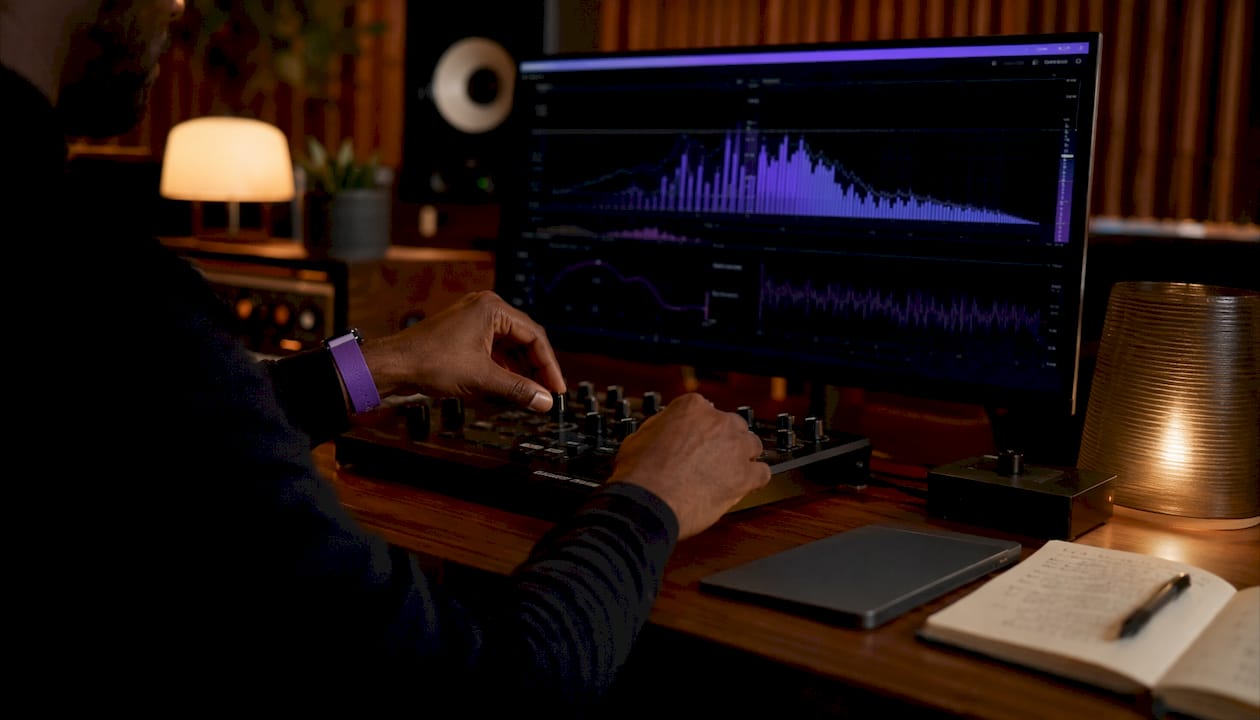
Amplitude ramping and envelope design are foundational. According to Miller Puckette's DSP principles, amplitude control signals require a ramp time of several milliseconds to avoid audible popping artifacts, with pure sinusoids being the most sensitive signal class. An envelope generator that cuts amplitude abruptly on a sustained synth pad will pop. That 5–30 ms window is not a suggestion; it is the engineering constraint every plugin developer building envelope generators should treat as a hard floor.
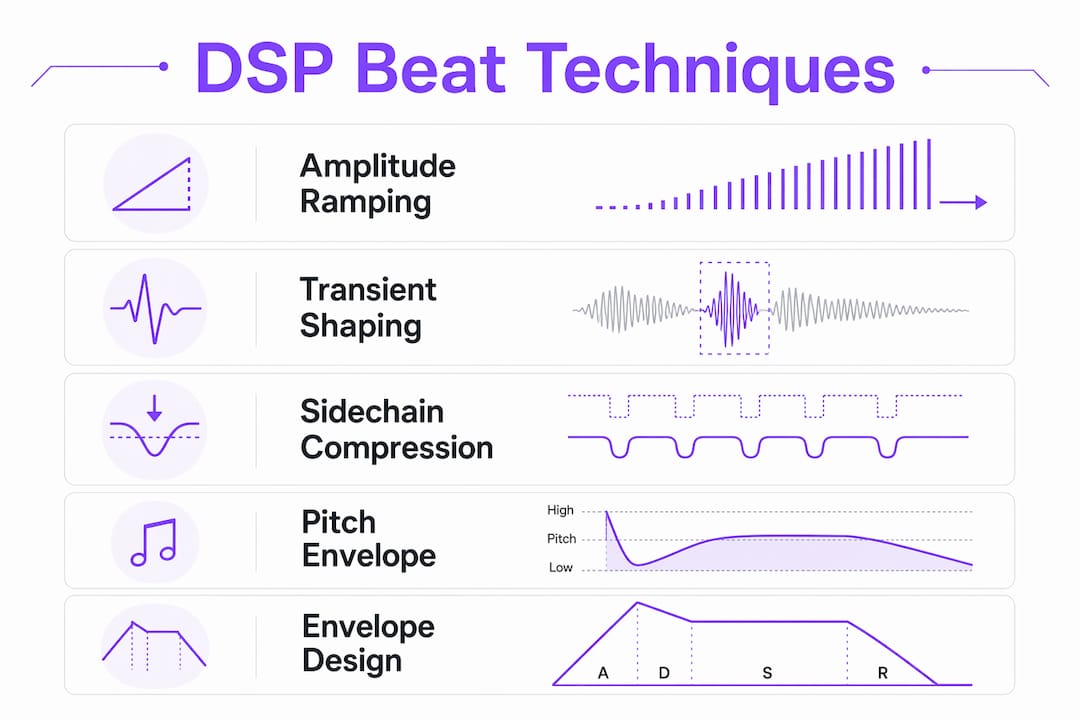
Transient shaping controls the attack and sustain character of percussive elements. Tightening the transient on a kick drum changes how it sits in a mix without touching its pitch or tonal body. For DSP algorithm design, transient shapers require fast attack detection, typically using peak followers with sub-millisecond response, and gain reduction applied with enough lookahead to avoid pre-ringing.
Sidechain compression manages the relationship between kick and bass. In trap production specifically, medium attack times of 5–15 ms and release times of 100–250 ms keep the kick transient punchy while ducking the 808 sub enough to prevent low-frequency masking. Too fast an attack and you lose the kick's snap. Too slow and the 808 bleeds through.
Pitch envelope modulation gives 808 bass hits their characteristic downward pitch sweep. The modulation curve shape matters: a linear ramp sounds mechanical, while an exponential decay sounds organic. This is a detail that separates a convincing 808 from one that sounds like a MIDI note with a pitch bend.
Pro Tip: When designing envelope generators for beat-making plugins, implement amplitude transitions as linear ramps of at least 5 ms even when the user sets attack to zero. This prevents clicks on note-on events without any perceptible change in perceived attack speed.
Vector-dsp's emphasis on real-time, low-latency DSP architecture directly addresses these constraints. Beat production demands sample-accurate timing; a plugin that introduces unpredictable latency breaks the rhythmic precision the entire workflow depends on.
How humanization and micro-variations give beats a natural feel
Perfectly quantized beats sound mechanical. Every producer knows this, but the DSP implications are worth spelling out precisely.
Swing settings around the mid-range of possible values on 16th notes push the off-beat hits slightly late, creating the rhythmic tension that makes a groove feel like it breathes rather than marches. Velocity sensitivity adds a second dimension: hits that vary between roughly 80–110 velocity units sound like a drummer who is playing, not a sequencer that is firing. Ghost notes, those quieter snare hits below the main hits, fill rhythmic space without cluttering the pattern.
Common humanization methods and their DSP relevance:
- Swing/shuffle: Timing offset applied to subdivisions; implemented as a delay in the sequencer's event scheduler
- Velocity randomization: Small random offsets applied per-hit; affects gain staging downstream of the sampler
- Micro-timing deviation: Sub-10 ms timing shifts that fall below conscious perception but register as feel
- Ghost notes: Low-velocity hits that require samplers to handle wide dynamic ranges without noise floor issues
- Pitch variation: Subtle per-hit pitch randomization on hi-hats mimics the inconsistency of live playing
The relationship between humanization and DSP is tighter than it looks. Micro-timing deviations require a sequencer engine with sub-millisecond resolution. Velocity-to-amplitude mapping needs to be smooth and nonlinear to feel natural. These are mixing workflow considerations that plugin developers often underestimate.
How beat making evolved from drum machines to DAWs
Beat making as a modern practice traces directly to the Roland TR-808 and TR-909, released in 1980 and 1983 respectively. Those machines gave producers programmable rhythm patterns without a live drummer, and their sounds became so embedded in hip-hop, house, and techno that they remain in active use today, either as hardware or as meticulously sampled plugins.
The Akai MPC series, starting with the MPC60 in 1988, added sampling to the equation. Producers could now chop vinyl records into rhythmic fragments and trigger them from pads. That workflow, chopping and flipping samples, defined boom-bap hip-hop and persists in lo-fi production today.
DAWs shifted the paradigm again in the 1990s and 2000s. Software like Pro Tools, then Ableton Live, moved beat making into the computer entirely. The piano roll replaced the step sequencer for many producers, and unlimited tracks replaced the hardware's fixed voice count. Today, a producer can run hundreds of audio and MIDI tracks simultaneously on a laptop that costs less than a single vintage drum machine.
The current frontier is real-time beat tracking and automation. Research from AudioLabs Erlangen demonstrates systems that extract beat and tempo information from live audio and use it to generate LFO control signals that automate effect parameters in sync with the detected beat, a workflow that was purely theoretical a decade ago.
What tools you actually need for beat making
The core toolkit has stabilized around a few categories, though the specific choices within each category vary by genre and workflow.
DAWs are the central environment. Ableton Live dominates electronic and hip-hop production for its session view and real-time performance capabilities. Logic Pro is the default for many Mac-based producers. FL Studio has a strong foothold in trap and EDM. Pro Tools remains the standard in professional recording studios, though its beat-making workflow is less fluid than the others.
Drum machines and samplers exist both as hardware and software. The Native Instruments Maschine ecosystem bridges both worlds. Software samplers like Battery and Kontakt handle sample playback with deep modulation routing. Hardware options like the Akai MPC Live II offer standalone operation.
Synthesizers provide the melodic and bass elements. Serum and Vital are the dominant wavetable synthesizers in current production. For 808 bass specifically, producers often use a combination of a sine wave oscillator and a pitch envelope, either in a dedicated plugin or built from scratch in a modular environment.
VST3 plugins have become the standard format for effects and instruments on Windows and Mac. The format supports sample-accurate automation, side-chain inputs, and dynamic channel configurations, all of which matter in a beat-making context.
Session templates with pre-configured routing, color-coded tracks, and pre-labeled markers reduce cognitive overhead and let producers focus on creative decisions rather than session management.
How genre shapes beat making style
Genre is not just an aesthetic category. It dictates BPM range, rhythmic subdivision, bass treatment, and the specific DSP choices that make a beat feel authentic.
Hip-hop typically runs 85–95 BPM with a strong emphasis on the snare on beats two and four. Sample-based production dominates, with heavy use of vinyl-sourced drums and melodic loops. Compression is aggressive; the kick and snare are often heavily saturated.
Trap sits at 130–160 BPM but uses half-time feels that land around 65–80 BPM perceptually. The 808 bass is the defining element, with pitch envelope sweeps and heavy sidechain compression. Hi-hat rolls at 32nd-note subdivisions are rhythmically central.
House and techno operate at 120–140 BPM with a four-on-the-floor kick pattern. The groove comes from subtle swing on the off-beat hi-hats and the interplay between the kick and a filtered bassline. Sidechain compression between kick and bass is genre-defining.
Drum and bass runs 160–180 BPM with syncopated, chopped-up breakbeats. The Amen break remains the most sampled drum loop in history. Time-stretching algorithms are critical here; stretching a breakbeat to 174 BPM without introducing artifacts requires high-quality phase vocoder processing.
Lo-fi hip-hop deliberately introduces imperfections: vinyl crackle, tape saturation, pitch wobble. The DSP goal is controlled degradation, which is technically more demanding than clean processing.
The beat making process, step by step
Beat making follows a consistent structure regardless of genre, though the decisions within each step vary widely.
- Set tempo and key: Every session starts with BPM and root key. These two parameters constrain every subsequent decision about samples, synthesis, and arrangement.
- Build the drum pattern: Kick, snare, and hi-hat placement establishes the rhythmic skeleton. Most producers start here before adding any melodic content.
- Add the bassline: The bass locks to the kick rhythmically and to the key harmonically. In trap, this is the 808; in house, it is a filtered synth bass.
- Layer melodic elements: Chords, pads, leads, and counter-melodies fill the harmonic space above the bass.
- Apply sound design and processing: Each element gets shaped through EQ, compression, saturation, and time-based effects. This is where DSP decisions have the most audible impact.
- Arrange the structure: Intro, verse, chorus, bridge, and outro sections get built by muting, adding, and transitioning between elements. The "one-beat silence" technique before a drop creates tension more effectively than automated risers.
- Mix and master: Levels, stereo width, and loudness get finalized. Streaming targets around -14 LUFS for most platforms.
How MIDI and audio samples work together in beat making
MIDI and audio are complementary, not competing, data types in a beat-making session. Understanding the distinction matters for both producers and the developers building their tools.
MIDI carries performance data: note pitch, velocity, timing, and controller values. It contains no audio. A MIDI note triggers a software instrument or sampler, which then generates audio in real time. This means the same MIDI pattern can drive a completely different sound by swapping the instrument, a flexibility that audio clips cannot match.
Audio samples are fixed recordings. A chopped drum break is audio; it plays back exactly as recorded, subject only to time-stretching and pitch-shifting algorithms. The quality of those algorithms, particularly phase vocoders and granular time-stretching engines, determines whether a stretched sample sounds natural or smeared.
The practical workflow combines both: MIDI-programmed drums using a sampler (so individual hits can be replaced or retuned), audio loops for textural elements like vinyl samples or live-recorded instruments, and MIDI-driven synthesis for bass and melodic content. Latency compensation across all three data types is a non-trivial engineering problem, and it is one that plugin preset management and session templates help address by pre-configuring routing and buffer settings.
Key Takeaways
Beat making is a bottom-up, DSP-intensive process where rhythm, groove, and signal processing decisions made at the foundational level determine the professional quality of the finished track.
| Point | Details |
|---|---|
| Amplitude ramping prevents artifacts | Envelope generators need 5–30 ms ramp time to avoid clicks, especially on sustained sinusoidal signals. |
| Sidechain compression defines genre clarity | Attack times of 5–15 ms and release of 100–250 ms keep kick transients punchy while controlling 808 sub-bass bleed. |
| Humanization requires sub-millisecond precision | Swing, velocity variation, and micro-timing deviations demand sequencer engines with high timing resolution to feel natural. |
| MIDI and audio serve different roles | MIDI carries performance data for flexible instrument triggering; audio samples are fixed recordings shaped by time-stretching algorithms. |
| Genre dictates DSP priorities | BPM range, subdivision, and bass treatment vary by genre, each demanding specific signal processing approaches. |

Vector-dsp builds professional audio plugins grounded in the same DSP principles that define high-quality beat production: real-time performance, sample-accurate automation, and low-latency processing. If you are building or refining your production toolkit, ToneLab is worth a close look.