Ship Lookahead Latency Plugins Under 2 ms
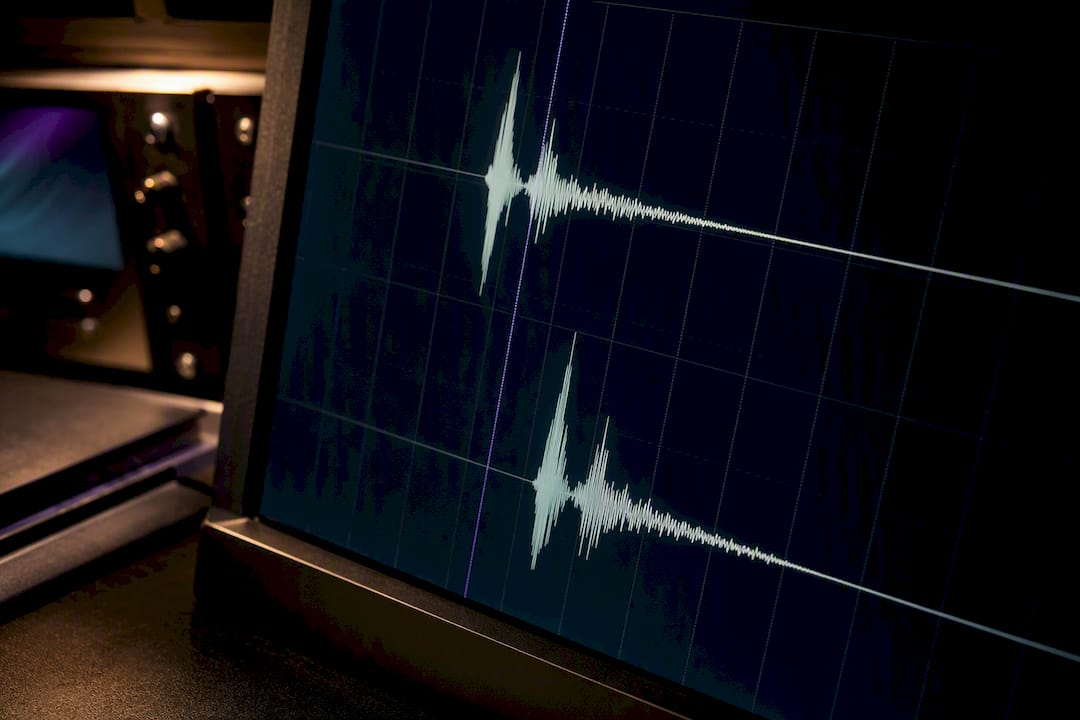
Yes: lookahead requires buffering, so it adds latency equal to the lookahead window plus any processing overhead from oversampling or filtering. That total gets reported to your DAW in samples, and the host uses plug-in delay compensation to hold every other track in sync. The practical effect: your mix stays phase coherent, but real-time monitoring and tracking through that plugin will feel delayed.
TL;DR:
- The total latency from lookahead plugins includes the buffer delay, oversampling filters, linear-phase filters, and spectral analysis window sizes, which can add several milliseconds.
- Hosts compensate for plugin latency using plug-in delay compensation, delaying other tracks to maintain phase alignment, but this creates sluggish monitoring during recording.
- Accurate latency reporting requires static sample-based values, recalculated at sample rate changes, and verified with loopback tests to prevent drift and synchronization issues.
- Implementing multiple latency sources correctly in the plugin code ensures reliable PDC and prevents session drift, especially when changing lookahead time mid-session.
- Using minimal, application-appropriate lookahead windows improves performance without sacrificing transient detection, while longer windows are better suited for offline processing.
Table of Contents
- How Lookahead Latency Plugins Actually Work
- How DAWs Compensate: PDC and Sample Reporting
- Every Source of Latency Beyond the Lookahead Window
- Getting Latency Reporting Right in Your Plugin Code
- Workarounds Producers Use to Keep Sessions Playable
- Choosing Between Full Lookahead and Zero-Latency Alternatives
- A Practical Checklist for Shipping Low-Latency DSP
- Why Minimal Viable Lookahead Beats Maximum Lookahead
- Try Low-Latency Lookahead Design in Vector-dsp Plugins
- Sources
How Lookahead Latency Plugins Actually Work
A lookahead limiter or compressor cannot react to a peak before it happens. It has to see the peak first, which means it buffers incoming audio and analyzes a delayed copy while the "live" signal waits its turn. That's the entire mechanism behind lookahead limiting and peak anticipation: the plugin trades time for foresight.
The standard pattern is a circular buffer. Incoming samples get written into a ring; the gain computer reads ahead into that ring to find the peak, calculates the needed reduction, then applies it to samples as they exit the buffer. Two paths exist inside the plugin: an analysis path that scans forward, and an output path that lags behind it by exactly the lookahead time. That gap is your added latency.
This all has to happen inside the constraints of the audio callback, which fires every time the driver needs another block of samples, typically 256, 512, or 1,024 samples per call. Analysis work either finishes within that window or gets offloaded to a background thread with careful synchronization. Miss the deadline and you get dropouts, not just delay.
Converting a lookahead time to samples is simple math:
- 5 ms lookahead at 44.1 kHz = 220.5 samples, rounded to 221
- 5 ms lookahead at 48 kHz = 240 samples exactly
- 5 ms lookahead at 96 kHz = 480 samples exactly
- 10 ms lookahead at 96 kHz = 960 samples
Higher sample rates need more samples to represent the same millisecond window, which is the first thing developers forget when they hardcode a buffer size instead of scaling it to the session's sample rate.
How DAWs Compensate: PDC and Sample Reporting
Plugins don't report latency in milliseconds. They report it in samples, and the host does the millisecond math using whatever sample rate the session runs at. Ableton's documentation on viewing plugin latency lays this out clearly: every plugin and instrument declares a sample count, and the DAW reads it to figure out how far behind that track has fallen.
Once the host knows the number, it applies plug-in delay compensation, or PDC. Every other track in the session gets delayed by the same amount so nothing drifts out of phase. Without PDC, a vocal running through a 5 ms lookahead limiter would land 5 ms later than an untouched drum bus, and the mix would smear.
A few mechanics worth knowing:
- The host reads latency once, typically at plugin initialization, and builds its compensation map from that number.
- PDC delays the entire session relative to input, which is why monitoring through a heavily lookahead-laden mix bus feels sluggish even when you're not touching the limiter itself.
- Automation and recorded audio get shifted together, so timing between tracks stays intact even though everything is now later than real time.
Total added latency, in practice: a typical lookahead limiter reports somewhere between roughly 0.1 ms and 10 ms of pure lookahead time, before oversampling or filter delay gets added on top.
Changing that reported number mid session is where things break. Many hosts have to rebuffer their entire compensation map when a plugin's reported latency changes during playback, and that rebuffer is often audible as a click, a dropout, or a brief silence.
Every Source of Latency Beyond the Lookahead Window
Lookahead is rarely the only thing adding delay. A plugin's total reported latency is the sum of every buffering stage inside it, and several common DSP techniques quietly stack on top of the lookahead window itself.
Oversampling is the biggest hidden cost. Running a limiter's saturation stage at 4x oversampling means upsampling, processing, then downsampling, and each of those filtering steps carries its own group delay. Anti-aliasing filters used in oversampling can add on the order of half a millisecond at moderate oversampling ratios, and that number grows with steeper filters or higher multiples.
Linear-phase EQs and filters are the next contributor. A minimum-phase filter reacts instantly but smears phase; a linear-phase filter preserves phase relationships but only by delaying the signal by half the length of its FIR kernel. Longer filters with steeper slopes need longer kernels, which means more latency, so a surgical linear-phase EQ can add several milliseconds all on its own before lookahead even enters the picture.
FFT-based analysis and processing add a third layer. Any plugin doing spectral work, whether it's a dynamic EQ, a de-esser with spectral detection, or a spectral repair tool, needs a full analysis window before it can output a result. That window size directly sets a floor on latency independent of any lookahead setting.
To compute a plugin's real total latency:
- Start with the lookahead time converted to samples.
- Add oversampling filter group delay, in samples, if oversampling is active.
- Add linear-phase filter delay (roughly half the FIR length) for any linear-phase stages.
- Add FFT window size for any spectral analysis component.
- Sum everything and report that single number to the host.
Skip any one of those and the reported latency will be short, which means your plugin's actual output no longer lines up with what the DAW believes it does.
Getting Latency Reporting Right in Your Plugin Code
Most implementation bugs in this space come from treating latency reporting as an afterthought instead of a first-class part of plugin state. Handle it right and PDC works invisibly. Handle it wrong and every session using your plugin drifts out of sync in ways that are miserable to debug.
- Report latency in samples at initialization, computed from your sample-rate-aware lookahead time plus every internal processing delay described above.
- Keep reported latency static through the life of a processing session whenever your design allows it. Hosts build their entire compensation graph around a fixed number.
- If latency must change (a user adjusts lookahead mid session, for example), document that this triggers a host rebuffer, and warn users in your plugin's interface that a brief interruption is expected.
- Recalculate on sample rate change. A plugin that hardcodes a sample count instead of a millisecond value will report the wrong latency the moment a session runs at a different rate than it was designed against.
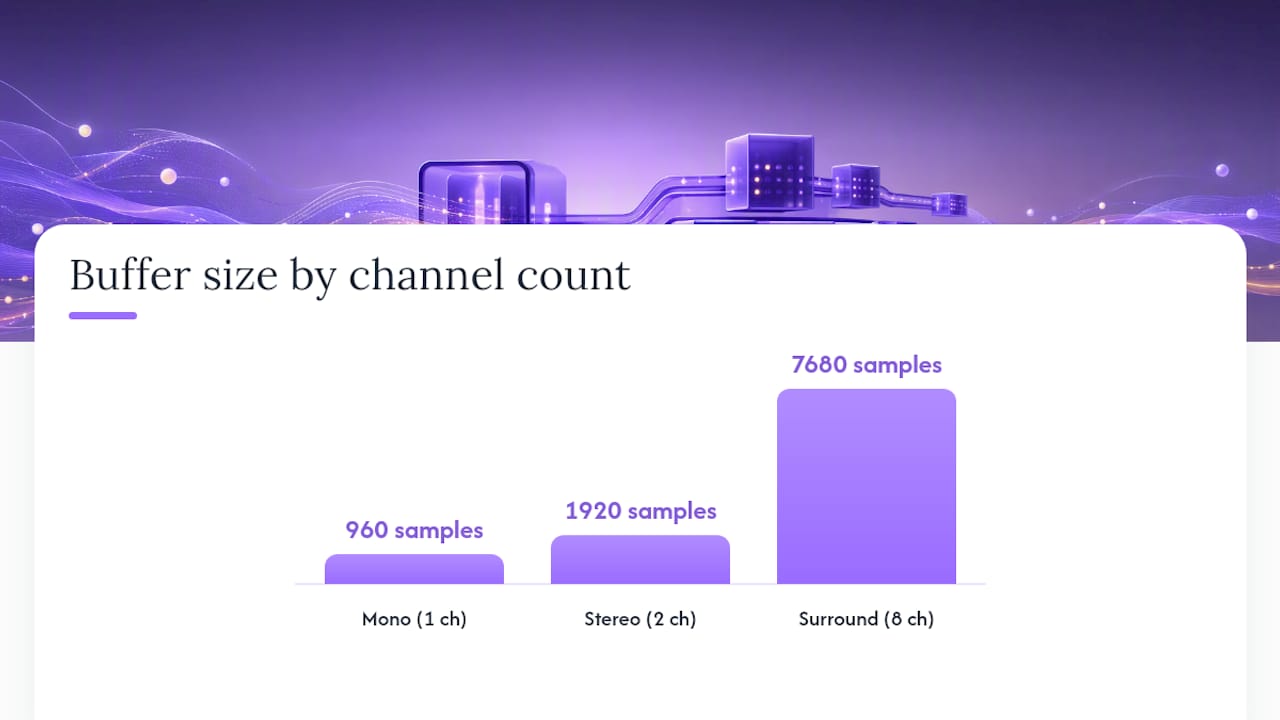
- Size buffers explicitly per channel. At 96 kHz with a 10 ms lookahead window, each mono channel needs 960 samples of buffer. A stereo instance needs double that, and an eight-channel surround instance needs eight times that, before you even account for memory alignment padding.
In VST3, latency gets reported through getLatencySamples(), and AU plugins expose it through the kAudioUnitProperty_Latency property. Both expect a static answer once processing has started; call the appropriate host notification function if you must change it, and expect the DAW to pause audio momentarily while it rebuilds its compensation map. Toolchains like Faust are a reasonable place to prototype the buffering logic before wiring it into a full VST3 or AU project, since they let you test the analysis and output path split without fighting host integration code first.
Pro Tip: Build a small unit test that feeds a known impulse into your plugin and measures the sample offset between input and output at the wire level. If that offset doesn't match your reported latency exactly, your PDC math is wrong somewhere, and no amount of listening will catch it as reliably as that test will.
Workarounds Producers Use to Keep Sessions Playable
Latency reporting solves the sync problem for playback, but it does nothing for real-time tracking or performance monitoring, where a delayed signal in your headphones is disruptive no matter how well PDC compensates the recorded file. Producers have developed a handful of practical fixes.
- Feed-forward delay on the dry signal. In a wet/dry blend, delay the dry path by the same amount as the wet path's processing latency so the two sum without smearing transients. Some plugins do this internally; others require manual compensation with a delay utility on a parallel bus.
- The sidechain trick for dynamics processing. Route an undelayed copy of your signal into a dynamics processor's sidechain or control input while delaying the actual output bus by a matching amount. This gets you lookahead-style peak anticipation without the plugin itself reporting any latency, since the control signal sees the future relative to the delayed output.
- Offline rendering or bounce-in-place. When latency during tracking is simply unacceptable, print the processed track to audio and work with the rendered file. You lose real-time tweakability, but you gain a zero-latency file to build the rest of the session around.
- Bypass heavy processing during tracking, then commit it after. Track dry or through a light monitoring chain, then apply the lookahead-based processing once the performance is captured and timing no longer matters.
The sidechain trick deserves particular attention because it's underused outside mastering circles. Typical delay amounts run 1 to 5 ms, which is enough foresight for a compressor or limiter to catch a transient before it hits the output bus, without the plugin's own reported latency ever showing up in your DAW's PDC calculations.
Choosing Between Full Lookahead and Zero-Latency Alternatives
The real design choice isn't whether lookahead is "better." It's whether your use case can tolerate the latency it costs.
Full-buffer lookahead gives you the most accurate peak detection possible, because the algorithm genuinely sees the transient coming and can shape gain reduction ahead of it rather than reacting after the fact. That's why mastering-grade limiters lean heavily on lookahead: transparency matters more than immediacy when you're not performing in real time.
Adaptive-attack and predictive heuristic designs trade some of that accuracy for speed. Instead of buffering the full window, they estimate incoming transients from recent signal history and adjust attack behavior on the fly. Latency drops dramatically, sometimes to near zero, at the cost of occasional overshoot on unpredictable material.
- Use full lookahead for mastering, print stems, and any non-real-time process where transparency outranks speed.
- Use zero-latency or adaptive-attack designs for live performance, tracking, and any monitoring chain a performer hears directly.
- Keep lookahead windows as short as the material allows. A 1 to 2 ms window often captures most of the audible benefit while staying well under the latency budget most mixing workflows can absorb.
- Minimize oversampling ratios unless the harmonic benefit is audible on the actual source material, not just in isolation.
Pro Tip: If you're building a plugin meant for both mastering and live use, expose lookahead time as a user parameter with a sensible minimum instead of hardcoding a large fixed window. Let engineers choose their own latency budget rather than assuming your ideal setting fits every context.
A Practical Checklist for Shipping Low-Latency DSP
Getting lookahead right isn't complicated once you treat it as arithmetic instead of guesswork. Here's the sequence that keeps a plugin's reported latency honest across every host it runs in:
- Define the maximum lookahead time your plugin will ever need, in milliseconds, not samples.
- Compute buffer size in samples for every sample rate your plugin supports, recalculating on any sample-rate change notification.
- Sum lookahead samples with oversampling filter delay, linear-phase filter delay, and any FFT window size to get true total latency.
- Report that total to the host at initialization through the correct API call for VST3, AU, or AAX.
- Validate the reported number against measured output in at least two different DAWs, since PDC implementations vary slightly in edge cases.
- Document CPU cost per instance, especially for oversampled or linear-phase modes, so users can budget track counts realistically.
Loopback measurement remains the most reliable test: feed a click or impulse into your plugin, record the output, and measure the sample offset directly against what your plugin reports. Accurate measurement of latency offsets is an essential step in low-latency real-time DSP architecture, since a mismatch between reported and actual latency can cause a session to drift out of sync for no obvious reason.
Why Minimal Viable Lookahead Beats Maximum Lookahead
Every lookahead design is a negotiation between accuracy and cost, and the honest answer is that bigger windows rarely buy you as much as they cost you. A 10 ms window catches slightly more transient information than a 2 ms window, but the difference is often inaudible on most program material, while the latency difference is very audible the moment you try to track vocals through it.
The stance worth taking: default to the smallest lookahead that solves the actual peak-detection problem, and reserve larger windows for offline, non-real-time contexts like mastering chains where nobody is monitoring live through the plugin. Vector-dsp's approach to real-time DSP design starts from that same constraint. Test your own signal chain against both extremes and listen for where the accuracy gain actually stops mattering.
— Kai
Try Low-Latency Lookahead Design in Vector-dsp Plugins
Some audio plugins are built around precisely these tradeoffs: precise DSP with real-time performance as a design constraint from the first line of code, rather than as a fix applied after the fact. Such plugins ship in VST3, AU, and AAX formats, built to report latency accurately and keep PDC behavior predictable across major DAWs on Windows and macOS.

If you want to see how a plugin's lookahead and buffer math plays out in a real session, start with the Vector-dsp product page, where demo versions are available to test latency reporting and PDC behavior directly in your own DAW before you commit to a license. For deeper technical reading on the callback constraints and thread handling behind low-latency design, the audio callback breakdown and the thread programming guide cover the implementation details this article only had room to summarize. Download a demo and run your own loopback test. It's the fastest way to know exactly what latency you're working with before it ever shows up in a mix.
Sources
- Viewing the latency of a plugin or Live device – Ableton
- Lookahead limiting and peak anticipation - Tonalux Blog
- Add Look Ahead to Any Dynamics FX with a Sidechain - PCAudioLabs
- plugin_latency — PlugData API