Why Use Plugin Presets: a Producer's 2026 Guide
Why Use Plugin Presets: a Producer's 2026 Guide

Plugin presets are saved snapshots of plugin parameter settings that give producers instant access to professional-quality sounds without manual configuration. The reason to use plugin presets is simple: well-designed presets get a production 80–90% of the way to a finished, professional sound before you touch a single knob. That figure alone explains why presets have become standard practice across vocal chains, instrument processing, and full mix bus setups. Whether you produce hip-hop, electronic music, or cinematic audio, understanding plugin preset management is the fastest way to close the gap between a raw session and a polished result.
Why use plugin presets for faster workflow and better results?
Presets eliminate the single biggest time drain in a session: manual parameter setup. Presets save roughly 30 minutes of manual setup time per vocal track alone. Multiply that across a full project with drums, synths, guitars, and bus processing, and you are looking at hours recovered every week.
The benefits of plugin presets go beyond raw speed. Presets remove the cognitive load of technical decisions at the moment you should be making creative ones. When you load a compressor preset for a snare drum, you are not guessing at attack and release times. You are listening to the music and deciding whether the groove feels right.

Advanced plugins use presets to reduce manual adjustments and mixing time by up to 50%. That kind of efficiency compounds across a full album or client project. Producer Pete Boxsta Martin describes presets as essential starting points that help finish songs faster by overcoming creative blocks. The technical setup is done. The creative work can begin.
The practical workflow gains break down into four clear areas:
- Instant session startup. Load a preset and your signal chain is ready. No rebuilding from memory.
- Faster project turnaround. Less time on setup means more time on arrangement, performance, and mixing decisions.
- Reduced creative interruption. You stay in the zone instead of stopping to recall what settings you used last week.
- Consistent starting points. Every session begins from a known, tested baseline rather than a blank slate.
Pro Tip: Create a folder called "Session Starters" and fill it with your five most-used presets for vocals, drums, bass, synths, and mix bus. Load these at the start of every project and you will never stare at an empty channel strip again.
What role do presets play in sonic consistency and professional sound?
Sonic consistency is the defining quality that separates professional releases from amateur ones. Music professionals rely on presets to maintain consistent "sonic branding" across complex projects. That means the same EQ curve, the same compression character, and the same reverb tail across every track in a catalog.
Presets make exact recall possible. Without them, recreating a specific plugin chain from memory introduces small errors that accumulate across a mix. A compressor threshold off by 2 dB on the lead vocal changes the entire energy of a chorus. Presets lock those decisions in place and reproduce them perfectly every time.
The table below shows how preset use affects key production metrics compared to manual setup.
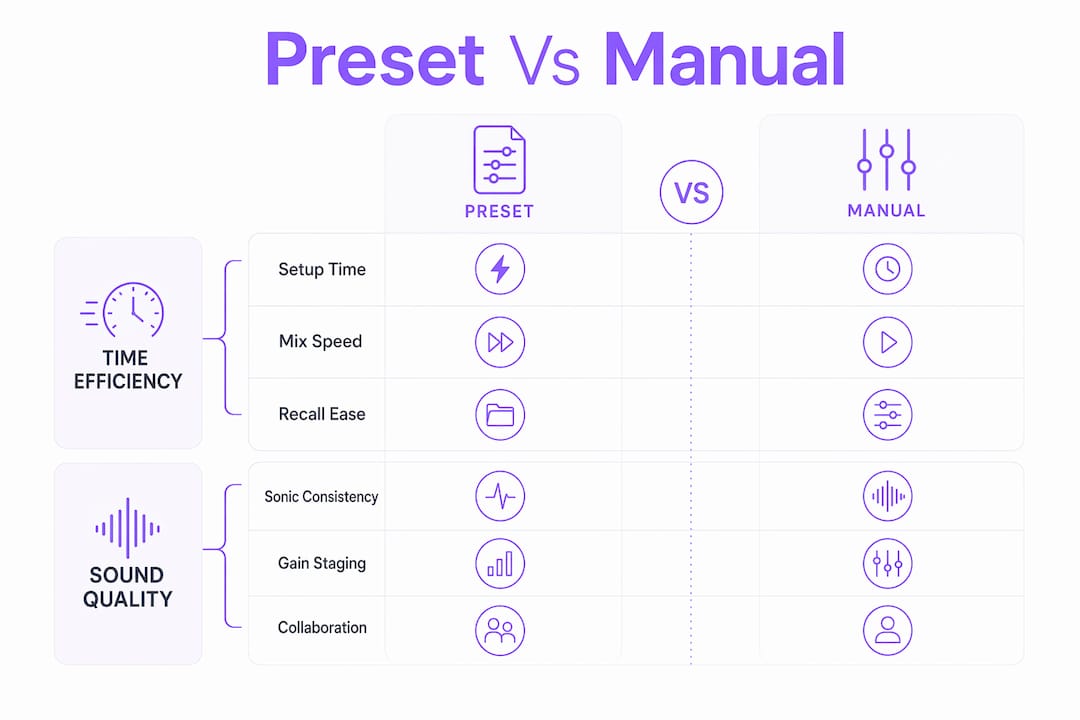
| Metric | Manual setup | Preset-based setup |
|---|---|---|
| Vocal chain setup time | 25–35 minutes | Under 5 minutes |
| Parameter recall accuracy | Approximate | Exact |
| Consistency across sessions | Variable | Standardized |
| Collaboration handoff speed | Slow (requires documentation) | Fast (preset file shared) |
| Creative interruptions per session | Frequent | Minimal |
One critical nuance: many presets do not save gain staging settings correctly. Loading a preset can reset output levels to the original author's settings, causing clipping or sudden volume jumps in your mix. Always check the output gain after loading any preset, especially on compressors and saturators where output level directly affects the mix balance.
Presets also accelerate collaboration. When you send a session to a mixing engineer or co-producer, shared preset files communicate your intent precisely. There is no ambiguity about what a plugin should sound like. The preset is the documentation.
How can producers use presets as tools for learning sound design?
Presets are one of the most underused educational resources in music production. Producers shorten learning curves by analyzing curated presets instead of spending months on trial-and-error experimentation. Every factory preset in a professional plugin is a lesson in applied signal processing.
Reverse-engineering a preset means loading it, then reading every parameter to understand what it does and why. A vocal reverb preset might use a short pre-delay of 20ms to keep the vocal upfront while still adding space. A multiband compressor preset might show you exactly which frequency bands a professional targets for a punchy mix. These are techniques that would take years to discover independently.
The learning process works best when you follow a structured approach:
- Load a preset you like. Listen to it on your source material.
- Identify the key parameters. What is the threshold? The ratio? The EQ curve?
- Change one parameter at a time. Hear what each adjustment does to the sound.
- Save a modified version. Document what you changed and why it worked better.
- Build a custom patch from scratch using what you learned. This locks the knowledge in.
This method bridges the gap between beginner and advanced sound design faster than any tutorial. You are learning from the actual decisions of experienced engineers, not from abstract theory.
Pro Tip: When you find a preset that sounds close but not quite right, resist the urge to keep browsing. Spend 10 minutes tweaking it instead. That process teaches you more about the plugin than auditioning 50 presets ever will.
Exploring presets also reveals how professional audio plugins improve production by encoding expert knowledge directly into the tool. The preset is not just a shortcut. It is a transfer of expertise.
What are best practices for managing and using plugin presets effectively?
Plugin preset management is the skill most producers ignore until their library becomes unmanageable. Without standardized naming conventions, finding a preset in a large library can take longer than building the patch from scratch. That defeats the entire purpose of having presets.
Building a naming system that works
Top producers manage presets like a structured file system. Hierarchical folders with descriptive names such as "Lead_Vintage" or "Vocal_Pop_Dry" dramatically improve retrieval speed as libraries grow. A practical folder structure looks like this:
- By instrument: Vocals, Drums, Bass, Synths, Guitar
- By function: Compression, EQ, Reverb, Saturation, Dynamics
- By character: Warm, Bright, Punchy, Airy, Dark
You can combine these layers. A preset named "Vocals / Compression / Warm_Vintage_Slow" tells you exactly what it does and where to find it. A preset named "New Preset 47" tells you nothing.
Avoiding preset fatigue
Preset "surfing" is the habit of auditioning sounds for too long without committing. It derails creative momentum and wastes the time presets were supposed to save. The fix is the "5-minute rule": if a preset does not fit within five minutes of light tweaking, move on or build a custom patch. Time-boxing the audition process keeps sessions moving forward.
The table below compares organized and disorganized preset workflows across key production scenarios.
| Scenario | Disorganized preset library | Organized preset library |
|---|---|---|
| Finding a vocal compressor | 10+ minutes of browsing | Under 60 seconds |
| Recalling last week's drum sound | Impossible without notes | Instant via saved session preset |
| Handing off a session | Requires manual documentation | Preset file included |
| Avoiding preset fatigue | No system to limit browsing | 5-minute rule applied |
| Growing the library | Chaotic, duplicates accumulate | Structured, easy to expand |
Using presets as foundations, not final answers
Experts emphasize that presets are foundations, not destinations. The best use of a preset is as a 90% solution that you then shape to fit your specific source material. A vocal compressor preset designed for a bright pop voice will need different threshold and ratio settings for a deep baritone. Adjust it. Save a new version. Build a library that reflects your actual work, not someone else's defaults.
Good plugin organization practices extend this principle to your entire signal chain. The goal is a library where every preset has a clear purpose and a clear location. That is the difference between a tool that saves time and one that creates new problems.
Key Takeaways
Plugin presets are the most direct path from a blank session to a professional-sounding mix, provided producers use them with a clear system for organization, gain staging verification, and intentional customization.
| Point | Details |
|---|---|
| Presets save significant time | Well-designed presets get a production 80–90% of the way to a finished sound instantly. |
| Gain staging requires manual checks | Always verify output levels after loading a preset to prevent clipping or volume jumps. |
| Organization prevents wasted time | Use hierarchical folders and descriptive names so retrieval takes seconds, not minutes. |
| Presets teach signal processing | Reverse-engineering factory presets reveals professional techniques faster than trial and error. |
| Presets are starting points | Customize every preset to your source material rather than treating it as a final setting. |
Presets are not shortcuts. They are creative infrastructure.
The common criticism of presets is that they make producers lazy. I have heard it from engineers who pride themselves on building every chain from scratch. After years of professional production, I think that view gets it exactly backward.
A surgeon does not grind their own scalpels. A chef does not mill their own flour. The tools are prepared so the skilled work can happen. Presets serve the same function in a session. They handle the technical baseline so you can focus on the decisions that actually require your ears and your taste.
What I have found in practice is that producers who use presets well tend to finish more music. They do not get stuck in setup. They do not lose the energy of an idea while they rebuild a reverb chain. They load a solid starting point, make it their own, and move forward. That is not laziness. That is discipline.
The producers who struggle with presets are usually the ones with no system. They browse for 45 minutes, load something random, and wonder why their mix sounds inconsistent. The preset is not the problem. The lack of organization and intention is.
The 2026 generation of audio plugins has made preset management significantly more capable, with better tagging, search, and recall features built directly into plugin interfaces. That makes the organizational habits even more valuable. A well-built library in a modern plugin environment is genuinely fast to navigate. Build the system once and it pays off on every project after.
— Kai
Vector-dsp ToneLab: presets built for professional producers
Producers who want presets designed with real DSP precision have a direct option in Vector-dsp's ToneLab. ToneLab is built around the principle that presets should be starting points with genuine professional quality, not generic defaults that require complete rebuilding.

Vector-dsp designs its plugins using industry-standard VST3, AU, and AAX formats, with real-time performance and low latency at the core of every preset. The preset architecture in ToneLab reflects the same organizational thinking this article covers: clear categories, consistent gain staging, and settings that translate across different source material. Producers who want to explore what thoughtfully designed presets feel like in practice can start at Vector-dsp.com.
FAQ
What is a plugin preset?
A plugin preset is a saved snapshot of all parameter settings within an audio plugin. Loading a preset instantly recalls a complete configuration, such as a compressor chain or reverb setting, without manual adjustment.
How do plugin presets save time in music production?
Presets eliminate manual parameter setup, saving roughly 30 minutes per vocal track and reducing overall mixing time significantly across a full project.
Do presets affect gain staging in a mix?
Yes. Many presets reset output levels to the original author's settings. Always check and adjust the output gain after loading a preset to avoid clipping or unexpected volume changes in your mix.
What is the best way to organize plugin presets?
Use hierarchical folders organized by instrument, function, and character, with descriptive names like "Vocal_Warm_Slow." This system makes retrieval fast even as your library grows.
Should producers always customize presets or use them as-is?
Presets work best as starting points. Adjust key parameters to fit your specific source material, then save a new version. Using presets without customization produces generic results that do not serve the track.