Why Use Audio Plugins: a Producer's 2026 Guide
Why Use Audio Plugins: a Producer's 2026 Guide
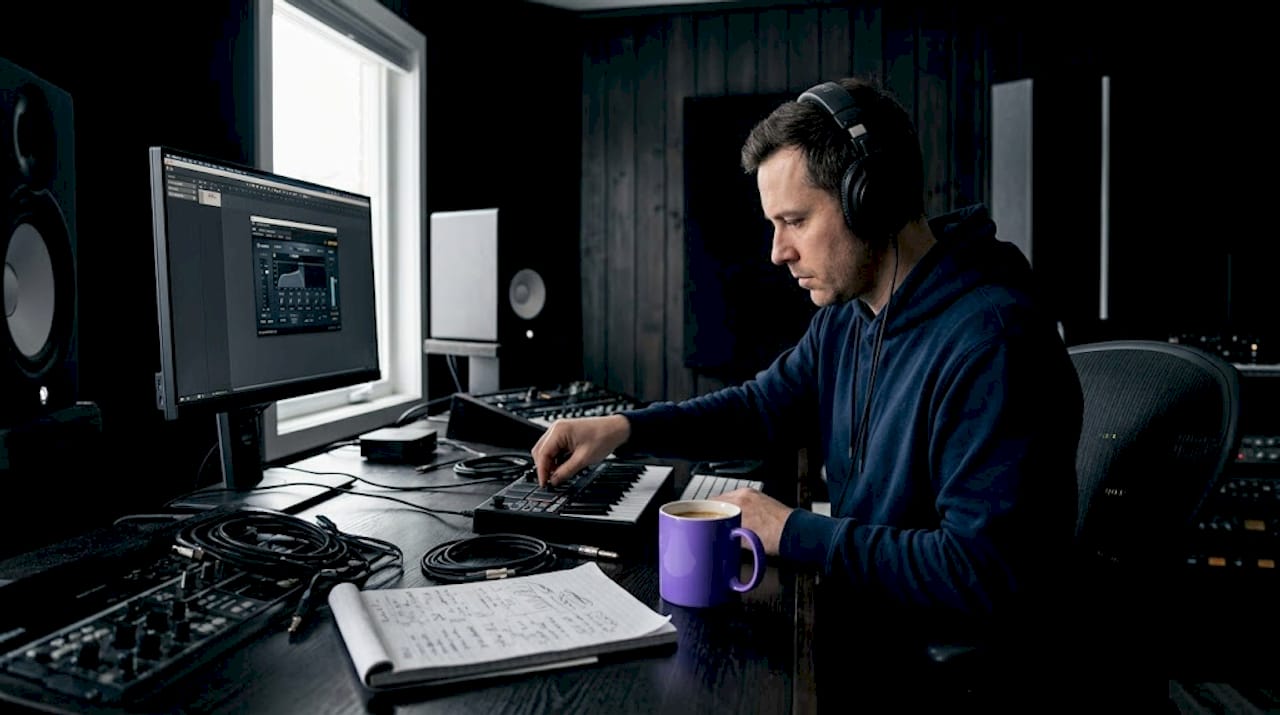
Audio plugins are not optional accessories for serious creators. They are the core infrastructure of modern music production, and dismissing them as gimmicks is like dismissing a studio's outboard gear. Whether you are just opening a DAW for the first time or finishing your tenth album, understanding why use audio plugins shapes every decision you make about sound. This guide breaks down what plugins actually do, the measurable benefits they deliver, where they fall short, and how to build a toolkit that serves your creative goals in 2026 and beyond.
Table of Contents
- Key takeaways
- Why use audio plugins: the foundation of modern production
- The real benefits of audio plugins
- The 2026 audio plugin market: what's driving adoption
- Limitations and pitfalls of plugin use
- Building your plugin toolkit the right way
- My take on plugins after years in production
- Take your production further with Vector-dsp
- FAQ
Key takeaways
| Point | Details |
|---|---|
| Plugins are foundational, not optional | Audio plugins expand DAW capabilities and are central to professional sound design and mixing. |
| High-quality plugins beat stock tools | Third-party plugins offer processing precision and creative depth that most DAW stock tools cannot match. |
| Plugin overuse harms your mix | Long plugin chains cause phase issues and cumulative gain buildup that degrade audio quality when unmanaged. |
| Free plugins can reach professional results | Tools like Vital and Valhalla SuperMassive prove you do not need a large budget to produce quality work. |
| Fundamentals come before plugin accumulation | Master your DAW's built-in tools before expanding your collection to solve actual creative problems. |
Why use audio plugins: the foundation of modern production
Audio plugins are software components that integrate directly into a digital audio workstation to process, generate, or analyze audio signals in real time. Think of your DAW as a blank canvas and your plugins as the brushes, textures, and tools that actually make the painting possible. Without them, you are limited to whatever built-in processing came with the software.
Plugins come in several distinct categories, and knowing the difference matters for how you build your workflow.
- Effects processors alter existing audio signals. Reverb, delay, compression, EQ, saturation, and modulation effects all fall here. These are the workhorses of mixing and sound shaping.
- Virtual instruments generate audio from scratch. Synthesizers, sample-based instruments, and drum machines let you create sounds without recording a single note.
- Utility plugins handle technical tasks like metering, phase alignment, mid-side processing, and gain staging.
- Analysis plugins give you visual feedback on frequency content, loudness levels, and stereo width.
Compatibility is determined by plugin format. The three dominant formats today are VST3 (Windows and Mac, widely supported), AU (Audio Units, Mac-only, used in Logic Pro and GarageBand), and AAX (Avid's format, required for Pro Tools). Most professional third-party developers release in all three. When you are evaluating any plugin, confirming format compatibility with your DAW is the first practical step.
How do audio plugins work at the signal level? They sit in the signal chain as inserts or sends, processing audio as it flows through. A compressor plugin, for example, analyzes the incoming signal's amplitude in real time and reduces gain when it crosses a threshold. A reverb plugin convolves or algorithmically simulates acoustic spaces. The processing happens entirely in software, but the math is often modeled from physical hardware behavior.
The real benefits of audio plugins
The benefits of audio plugins extend far beyond "more sounds." Here is where plugins separate serious producers from those stuck with mediocre results.
The most direct advantage is creative range. A single synthesizer plugin like Serum or Vital gives you access to thousands of possible sounds through wavetable manipulation, modulation routing, and effects chains. Without it, you would need physical hardware worth tens of thousands of dollars to get close.
Professional-grade effects used to require expensive outboard gear. Now, a high-quality plugin compressor or EQ can sit on every track without taking up rack space or adding cabling complexity. The benefits of high-quality audio plugins become clearest when you compare what dedicated third-party tools offer versus what ships with a DAW by default.
| Feature | Stock DAW plugins | High-quality third-party plugins |
|---|---|---|
| Sound quality ceiling | Good for basic tasks | Engineered for professional results |
| Analog modeling depth | Minimal or generic | Deep saturation, transformer emulation |
| Creative flexibility | Limited parameters | Extensive modulation and routing |
| Preset ecosystem | Small libraries | Thousands of professionally designed presets |
| CPU optimization | Variable | Often purpose-built for low-latency performance |
| Specialization | General purpose | Task-specific with surgical precision |
Workflow is where plugins often deliver their least-discussed advantage. Preset management inside well-designed plugins lets you recall complex signal chains instantly. You can save a chain you spent two hours building, then load it on a future session in seconds. Today's production toolkit prioritizes workflow integration and creative ability over accumulating many plugins, which is a significant shift from the "more is more" mentality of previous decades.
On cost, the picture has also shifted dramatically. High-quality production is achievable with a $0 budget using free plugins like Vital, TDR Nova, and Valhalla SuperMassive, while a professional-level toolkit covering 95% of production needs costs around $600. That is a fraction of what a single piece of vintage hardware would cost.

Pro Tip: Before spending anything, spend three months with your DAW's stock plugins exclusively. The constraints will force you to learn signal flow and mixing fundamentals that no plugin purchase can replace.
The 2026 audio plugin market: what's driving adoption
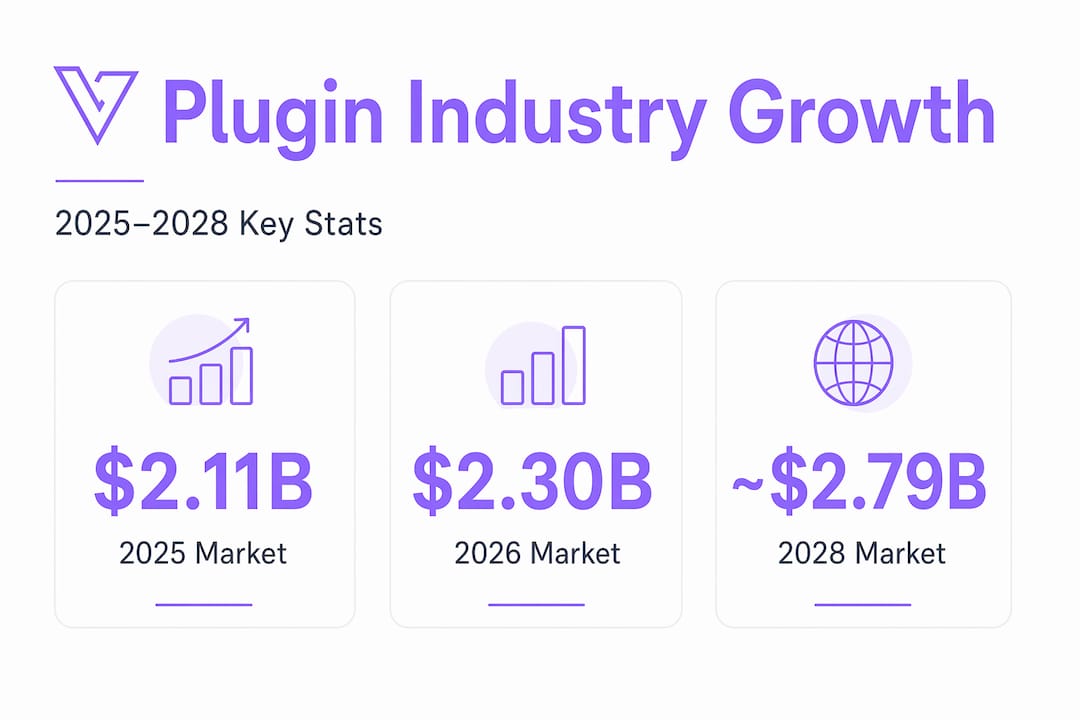
The numbers confirm what producers already feel: the audio plugin industry is growing fast. The global audio plugin market is projected to reach $2.3 billion in 2026 with a CAGR of 9.4%, on track for $3.32 billion by 2030. That is not just hobbyist spending. That reflects adoption across music production, post-production, broadcast, and game audio.
| Year | Projected market size |
|---|---|
| 2025 | $2.11 billion |
| 2026 | $2.30 billion |
| 2028 | ~$2.79 billion (estimated) |
| 2030 | $3.32 billion |
Technology is driving much of this growth. Plugin developers are pushing into territory that was technically difficult just a few years ago. Tone2's RayBlaster 3.5 update in April 2026 reduced aliasing by up to 12dB at standard sample rates, meaning the digital artifacts that once separated plugin synths from hardware are becoming far less audible.
The DIY movement is reshaping the market from another angle. Modern AI and accessible frameworks are enabling audio professionals to build custom plugins that fit their specific workflows. Rather than adapting your process to whatever the market offers, you can now define your own tools. Industry expert Russ Hughes has noted a clear shift toward personalized tools tailored to individual workflows rather than mass-market general-purpose products.
Cloud-based plugin licensing and subscription models are also lowering the barrier to entry, allowing creators to access professional tools without large upfront costs.
Limitations and pitfalls of plugin use
No honest guide to the importance of audio effects leaves out the downsides. Plugins carry real technical liabilities that many producers discover too late.
The most common issue is cumulative gain and phase distortion. Typical plugin chains can introduce up to a 12dB cumulative gain increase and cause phase rotation, which degrades mix clarity when left unmanaged. Every plugin you add to a chain is another opportunity for phase shift and frequency interaction. The result is often a mix that sounds powerful inside the DAW but loses definition on other playback systems.
Analog emulation plugins add another layer of complexity. Digital plugins simulate analog hardware but typically replicate only about 73% of the original unit's response, missing nuances like transformer saturation and non-linear transient behavior. This matters when you are chasing the texture of a specific vintage compressor or tape machine. The plugin gets you close. It does not always get you there.
Here are the most common plugin-related pitfalls and how to address them:
- Masking real mixing problems. Plugins can cover up phase errors and gain staging problems, which means visual plugin meters can mislead you into thinking a mix is healthy when it is not.
- Over-processing. Adding reverb, saturation, and compression to every element crowds the mix and washes out transient clarity.
- Plugin accumulation without purpose. Mastering fundamentals using stock DAW plugins before expanding your collection is the widely recommended path. Buying plugins before you understand what you are solving delays your growth as a producer.
- Latency in dense chains. Long plugin chains can introduce latency that disrupts recording and monitoring, especially on instruments tracked live.
Pro Tip: Always reference your mix on two or three different playback systems before finalizing it. Speakers, headphones, and earbuds each reveal different problems. Critical listening on real speakers remains the final authority on mix translation regardless of what your plugin meters say.
Building your plugin toolkit the right way
Assembling an effective plugin collection is not about having the most plugins. It is about having the right ones for how you actually work. Here is a practical framework for building yours:
-
Start with your DAW's stock tools. Spend enough time with them to understand what each processor actually does to audio. Producers are recommended to use stock plugins for several months before making outside purchases. This forces you to learn signal flow rather than reach for a new plugin every time you hit a problem.
-
Identify real gaps, not perceived ones. Before buying anything, ask whether the limitation is the plugin or your understanding of the tool you already have. Most producers who feel limited by their EQ are not limited by the plugin. They are limited by their understanding of frequency relationships.
-
Prioritize one excellent tool per category. One high-quality compressor, one EQ, one reverb, one synthesizer. Master each one deeply before adding more. A producer who knows one synthesizer inside out will always outperform someone with ten plugins used shallowly.
-
Balance free vs. paid based on actual use. Free tools like Vital, TDR Nova, and Valhalla SuperMassive deliver professional results. Paid tools justify their cost when they solve a specific need you cannot address otherwise, not as a shortcut to better sounding music.
-
Evaluate compatibility first. Confirm the plugin supports your DAW format (VST3, AU, or AAX), runs efficiently on your hardware, and has an active development cycle. An abandoned plugin becomes a liability as your system updates.
-
Keep your toolkit maintained. Update plugins regularly, archive sessions with frozen tracks to avoid compatibility issues later, and remove any plugins you no longer use from your library.
The future for aspiring producers points toward customization. As AI-assisted plugin development tools become more accessible, building plugins for your own specific needs will become a realistic option even without a deep programming background.
My take on plugins after years in production
I have watched a lot of talented producers stall out. Not because they lacked skill, not because their ideas were weak. They stalled because they confused having plugins with knowing how to mix. I spent two years collecting plugins before I admitted I did not understand gain staging. When I finally stripped my sessions back to stock tools only, my mixes improved more in three months than they had in the previous two years.
The audio plugins advantages conversation usually focuses on capability. What I have learned is that the real advantage is constraint. A well-chosen plugin forces you to make decisions. A poorly chosen one gives you so many options that you make none.
My experience with analog emulation plugins reinforced the honest truth: close is not the same as identical. I spent serious money on hardware emulations and found the gap between plugin and original still audible on high-end monitoring. That is not a reason to avoid them. It is a reason to be clear-eyed about what you are buying and why.
What genuinely excites me about 2026 is the DIY direction. The idea that a producer can build a plugin engineered specifically for their own workflow feels like the logical endpoint of everything that has been happening in this industry. I think the best audio plugins for production in the next five years will not come from large companies. They will come from individual creators who built exactly what they needed.
— Kai
Take your production further with Vector-dsp
If this guide clarified why plugins matter, the next step is choosing tools built with the precision your work deserves. 
Vector-dsp designs professional-grade audio plugins grounded in advanced digital signal processing, built specifically for creators who need meticulous control over sound. Every tool in the Vector-dsp lineup reflects intentional DSP architecture, low-latency real-time performance, and compatibility across VST3, AU, and AAX formats. Whether you are working on effects processing or sound design instruments, these are tools built for the same precision this article has been describing. Explore what Vector-dsp has available and see how purpose-built professional audio tools fit into the workflow you are building.
FAQ
Why use audio plugins instead of stock DAW tools?
Stock DAW plugins handle basic tasks well, but third-party plugins offer deeper analog modeling, broader creative parameters, and processing precision that stock tools typically cannot match, especially at the professional level.
How do audio plugins work inside a DAW?
Plugins integrate into a DAW's signal chain as inserts or sends, processing audio in real time by applying mathematical operations like compression, filtering, or convolution to the incoming signal.
Are free audio plugins good enough for professional production?
Yes. Free tools like Vital, TDR Nova, and Valhalla SuperMassive deliver professional results across synthesis, EQ, and reverb, proving that budget does not determine quality when the fundamentals are solid.
What are the biggest risks of using too many plugins?
Long plugin chains can introduce up to a 12dB cumulative gain increase and phase rotation, degrading mix clarity. Over-processing also masks real problems like poor gain staging that need to be addressed at the source.
What plugin formats should beginners prioritize?
VST3 works across Windows and Mac and is supported by most DAWs, making it the safest starting point. AU is required for Mac-only DAWs like Logic Pro, and AAX is necessary for Pro Tools.