Developer Checks and 6 Fixes for VST3 Missing in Ableton
Developer Checks and 6 Fixes for VST3 Missing in Ableton

Most of the time, a missing VST3 shows up because Ableton never got permission to scan the VST3 system folder, or because the plugin sat through a rescan without a deep rescan clearing its blacklist entry. Turn on "Use VST3 Plug-in System Folders" in Preferences, then hold Option (Mac) or Alt (Windows) while clicking Rescan.
TL;DR:
- Plugins must be installed in the correct directories, such as C:\Program Files\Common Files\VST3 on Windows or /Library/Audio/Plug-Ins/VST3 on macOS, to be detectable by Ableton.
- Ensure that the plugin architecture matches Ableton's version, with Live 10.1 and later only supporting 64-bit plugins and Apple Silicon Hosts needing Silicon-native versions.
- Performing a deep rescan by holding Option or Alt during rescan can clear blacklists and fix recognition issues caused by previous crashes or version updates.
- If a plugin is missing despite a proper install, verify the file exists in the system folder and check for compatibility issues related to architecture or permissions before reinstalling.
- Advanced users should validate plugin integrity with tools like pluginval, avoid manual file copying, and prepare detailed info when contacting support for unresolved issues.
Table of Contents
- Why Is VST3 Not Showing in Ableton?
- Quick Checklist: Step-By-Step Fixes to Try Now
- Check Compatibility and Architecture (64-Bit and Apple Silicon vs. Intel)
- Plugin Locations and Permissions: VST3 System Folders vs. Custom Folders
- Rescan, Deep Rescan, and Clearing Ableton's Plugin Cache
- Reinstalling and Verifying Plugin Installation
- Platform-Specific Troubleshooting: Windows vs. macOS
- Vector DSP Developer Checks and Validation Steps
- When to Contact Plugin Support or Ableton
- Sources
Why Is VST3 Not Showing in Ableton?
The short version: Ableton Live has to be told where to look, and it has to be told to look again after something changes. A plugin can be installed correctly and still stay invisible if Live scanned before the install finished, if the plugin got quietly blacklisted after a crash, or if it was compiled for the wrong CPU architecture entirely.
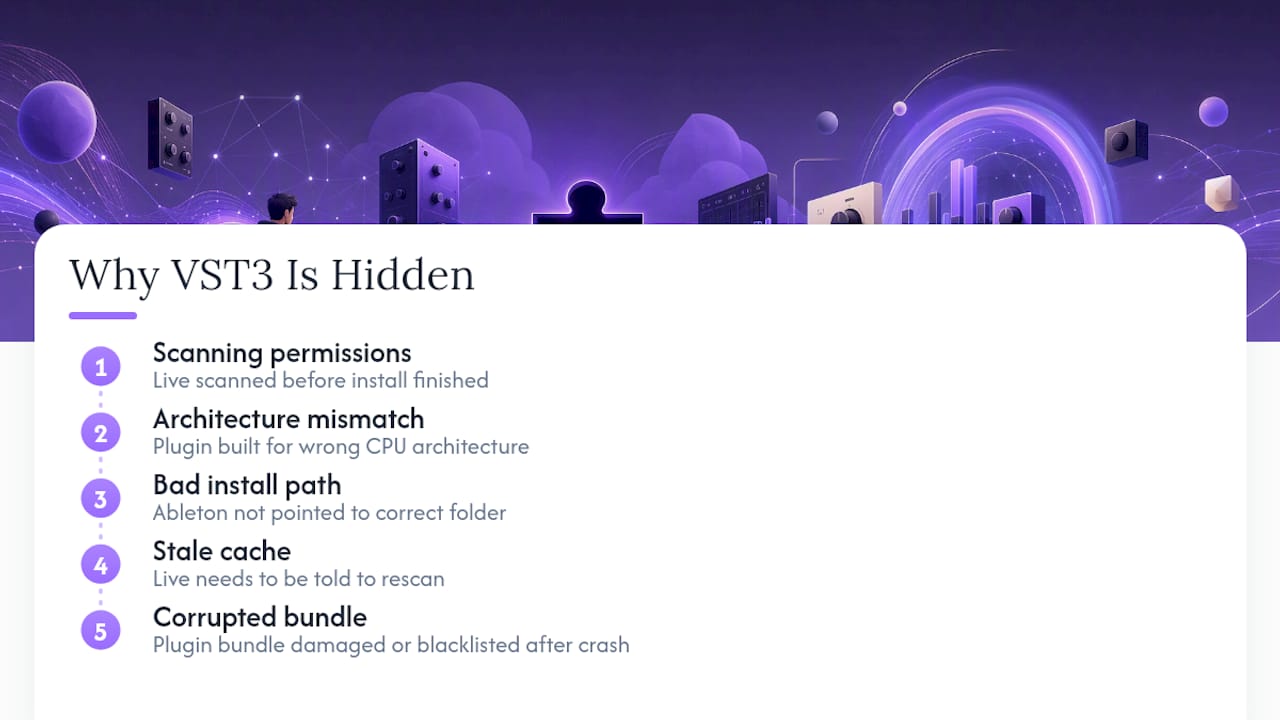
Ableton not detecting VST3 files is rarely a single bug with a single fix. It's usually one of five things: scanning permissions, architecture mismatch, a bad install path, a stale cache, or a corrupted plugin bundle. The fixes below go roughly in order of how often each one turns out to be the culprit, so working top to bottom saves you the most time.
Quick Checklist: Step-By-Step Fixes to Try Now
Before touching folders or reinstalling anything, run through this sequence. It resolves the majority of VST3 plugin issues in Ableton without any file surgery.
- Restart Live and your computer. A stuck scan process or a locked file handle from a previous crash can block detection until you clear it with a fresh boot.
- Give it a few minutes. Ableton's Browser indexes plugins in the background, and forcing a manual scan too soon can make a properly installed plugin look missing.
- Open Preferences → Plug-ins and confirm "Use VST3 Plug-in System Folders" is switched on. Live won't scan system directories without explicit permission.
- Click Rescan. This catches newly installed plugins that Live hasn't indexed yet.
- Still missing? Hold Option or Alt and click Rescan again. That triggers a deep rescan.
- Check the actual file. Browse to the VST3 system folder and confirm the
.vst3file is physically there. If it's not, the installer failed silently, and reinstalling is your next move.
Check Compatibility and Architecture (64-Bit and Apple Silicon vs. Intel)
Architecture mismatches cause a specific kind of missing plugin: one that will never show up no matter how many times you rescan, because Live is correctly ignoring something it can't run.
- Live 10.1 and later only load 64-bit plugins; a 32-bit VST3 simply won't appear in the Browser, full stop.
- On Apple Silicon Macs, a plugin compiled only for Intel can go unrecognized when Live runs natively, because the host is looking for Silicon-native code.
- Running Live under Rosetta changes what it can see; if you're testing native versus Rosetta, be consistent about which mode you're checking in.
- Most developers list supported architectures directly on the download page or in the installer's release notes, which takes thirty seconds to check before you assume the worst.
Given that Live has enforced the 64-bit-only rule since version 10.1, any plugin older than that era is worth checking twice. Modern plugins, including formats built with contemporary VST3, AU, and AAX architecture, generally ship 64-bit and Silicon-native by default, but legacy installers and older freeware often haven't caught up.
Plugin Locations and Permissions: VST3 System Folders vs. Custom Folders
Where the .vst3 file actually lives matters more than most people expect, and it's one of the most common reasons Ableton VST3 plugins fail to load even after a successful install.
- On Windows, plugins belong in
C:\Program Files\Common Files\VST3. Moving or renaming files out of this path after installation frequently breaks the registry links the installer set up, so Live loses track of them. - On macOS, VST3 plugins typically install to
/Library/Audio/Plug-Ins/VST3, and unless you have a strong reason to redirect them, leaving them there avoids a whole category of scanning errors. - If you do set a custom folder, keep it a dedicated, single-purpose location. Custom setups introduce far more permission and indexing headaches than the default paths, and vendors generally recommend defaults for exactly that reason.
- Never store VST2 and VST3 files in the same folder. Ableton's own troubleshooting guidance is explicit that mixing formats in one directory causes detection failures; give each format its own folder.
If you're building out a plugin library from scratch, it's worth reading through some plugin organization tips for producers before you end up with a folder structure that fights you every time you install something new.
Rescan, Deep Rescan, and Clearing Ableton's Plugin Cache
A regular rescan tells Live to look for anything new. A deep rescan does something different: it clears out cached data about plugins Live has already decided to ignore.
- Standard rescan: Preferences → Plug-ins → Rescan. Good for picking up freshly installed plugins.
- Deep rescan: hold Option (Mac) or Alt (Windows) while clicking Rescan. This can clear a plugin off Live's internal blacklist and re-index it from scratch, which fixes cases where a plugin crashed during a previous scan and got quietly benched.
- Watch the status bar during the scan. If it hangs on a specific plugin name for an unusually long time, that plugin is likely the one causing trouble.
Pro Tip: If you've recently updated a plugin to a new version, a deep rescan is worth doing even if the old version was working fine. Live sometimes treats a version bump as a new plugin entirely and needs the blacklist cleared to accept it.
Give the scan a few minutes to finish before concluding anything is actually missing. Plenty of forum complaints about a "missing" plugin resolve themselves once indexing finishes.
Reinstalling and Verifying Plugin Installation
If the file isn't where it should be, or the folder check above turned up nothing, reinstalling correctly beats troubleshooting a broken install.
- Download the installer directly from the vendor's product portal rather than copying a
.vst3file from another machine or an old backup. - Run the installer itself. Manually copying files bypasses the registration steps that link the plugin to your system, which is a common, avoidable cause of Ableton VST3 not loading.
- After installing, confirm the
.vst3file exists in the expected folder and check its file size and modification date. A file that's suspiciously small or has a timestamp from a failed install is a red flag for a corrupted bundle. - On Windows, confirm your Visual C++ redistributables are current. Plenty of plugins depend on them silently, and a missing runtime can cause a plugin to install "successfully" while still failing to load.
Platform-Specific Troubleshooting: Windows vs. macOS
Windows and macOS fail in different ways, so it helps to know which quirks belong to which OS.
- Windows: Double-check the VST3 path is the default one, and try running Live as Administrator if permissions seem to be the blocker. Confirm Visual C++ redistributables are installed, since a missing one is an easy thing to overlook.
- macOS: AU and VST3 versions of the same plugin can behave differently. If VST3 fails but AU works (or vice versa), that's a strong clue the issue is format-specific rather than a broader install problem. Check Gatekeeper hasn't quarantined the plugin, and confirm whether Live itself is running under Rosetta or natively, since that changes what it can load.
- Both platforms: If Live shows the plugin's name during scanning but it never populates the Browser or fails when you try to load it, that points to a partial install or a corrupted bundle rather than a scanning setting. Reinstalling with the vendor's installer is the fix, not another rescan.
Vector DSP Developer Checks and Validation Steps
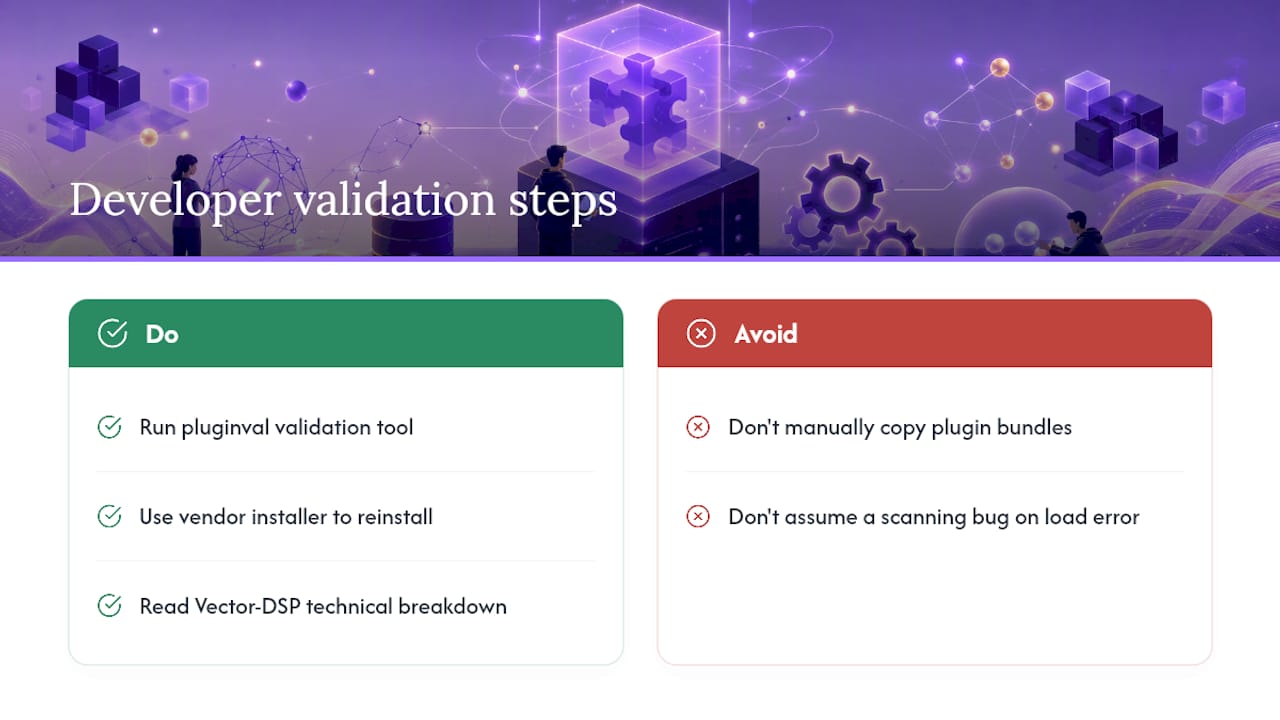
Engineers and advanced users can go a step further than the standard troubleshooting flow. Running a plugin through pluginval, an open source cross-platform validation tool, checks whether a .vst3 bundle actually complies with the format spec and flags corruption that a simple file-size check would miss.
Avoid manually copying .vst3 bundles between machines or folders. It's tempting when you're trying to move a setup quickly, but it skips the manifest and registry steps the vendor's installer handles automatically, which is exactly what causes plugins to go undiscoverable even though the file appears intact. If you're building or evaluating VST3 architecture yourself, Vector-dsp's own technical breakdown of VST3 plugin development covers how bundle structure affects host detection at a level most troubleshooting guides skip.
Pro Tip: A plugin bundle that lists its name during scanning but throws an error on load is almost always a partial install, not a scanning bug. Reinstall from the vendor's original installer before you assume anything else is wrong.
When to Contact Plugin Support or Ableton
Before emailing anyone, gather your Live version, OS build, plugin version, and the exact steps that reproduce the issue. If a plugin fails pluginval or crashes Live outright, that's your signal to escalate rather than keep rescanning. A minimal, reproducible test case, built in a blank Live set, gets you a faster answer from either the developer or Ableton's support team than a vague "it's not showing up" ever will.
— Kai