Sidechain EQ: Start With 3–6 dB, Ableton Fix, Vector-dsp Tips
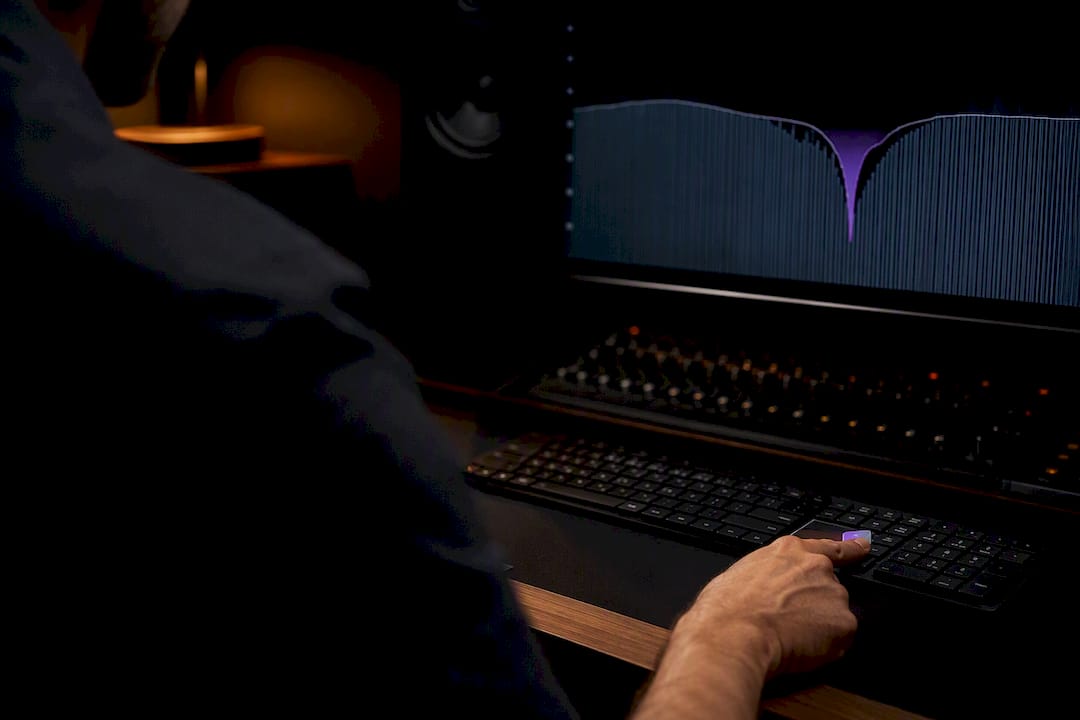
Sidechain EQ is a dynamic EQ band that ducks (or boosts) a specific frequency only when another track triggers it, and it exists for one reason: to fix narrow-band clashes without touching the rest of the signal. Reach for it when two instruments fight in a tight frequency range, like a kick and bass fighting over 60 Hz, and you want that space carved out transparently instead of pumping the whole track.
TL;DR:
- Sidechain EQ targets a narrow frequency band to reduce clash without affecting the rest of the signal, preserving transients and clarity.
- Proper setup involves identifying the exact conflict frequency, narrowing the Q, and routing the trigger correctly, preferably with pre-fader signals.
- Common mistakes include setting Q too wide, over-using gain reduction, or routing to the wrong input, all of which degrade sound or responsiveness.
- Use sidechain EQ mainly for sudden, narrow conflicts like kick and bass or vocal reverb, rather than broad or constant issues best handled by compression.
- Fast, low-latency DSP with precise frequency response is essential for effective use, as sloppy processing turns surgical fixes into new problems.
Table of Contents
- What Is Sidechain EQ, and How Is It Different From Sidechain Compression?
- When Should You Use Sidechain EQ Instead of Compression?
- How Do You Set Up Sidechain EQ Step by Step?
- DAW Notes and an Ableton Live Workaround
- What Settings Should You Start With for Sidechain EQ?
- Common Sidechain EQ Mistakes and How to Fix Them
- Engineering Checklist From Vector-dsp
- Where Sidechain EQ Fits in a Modern Mixing Workflow
- Try Precision Dynamic EQ Built for This Exact Workflow
- Sources
What Is Sidechain EQ, and How Is It Different From Sidechain Compression?
Sidechain EQ lets you attenuate one specific frequency band on a track based on the level of another track, rather than turning the whole signal down. A dynamic EQ band listens to an external "key" input and pulls gain only in the band you've targeted, while everything above and below that band plays untouched.
Sidechain compression works differently. It grabs a full-band gain reduction triggered by another track's level, which is why a kick sidechained into a synth pad produces that recognizable pumping breath. That's a legitimate creative effect, but it colors the entire signal, not just the part that's actually clashing.
The practical difference shows up fast once you A/B the two:
- Sidechain compression on a bass track triggered by the kick pulls down the whole bass signal, including the upper harmonics that were never a problem.
- Sidechain EQ triggered by the same kick only dips the 50 to 80 Hz range where the fundamentals actually collide, leaving the bass's midrange growl and attack intact.
- Dynamic EQ preserves transients outside the targeted band, so a kick's click or a bass note's pluck stays crisp even while the low end gets managed.
That transient preservation is the whole selling point. You get separation without the audible side effect of a track breathing in and out.
When Should You Use Sidechain EQ Instead of Compression?
Sidechain EQ earns its place when the conflict lives in a narrow slice of the spectrum and you don't want collateral damage anywhere else. The classic case is kick versus bass: ducking the bass fundamental where it overlaps with kick energy lets both instruments read clearly without pulling the entire bass part down. You hear the kick's punch and the bass's tone, not a compromise between the two.
Beyond low end, dynamic EQ with sidechain also handles vocal clarity against reverb tails, unmasking a lead vocal from a dense stereo bed, and balancing internal frequency conflicts within a single track. A few situations where it's the right tool:
- A vocal reverb send that gets muddy under a busy verse. A dynamic EQ ducking the reverb's low mids whenever the vocal is present clears the mud without gating the reverb entirely.
- A pad or synth that masks a lead melody in the same octave. Targeting just the overlapping band keeps the pad's texture while the lead cuts through.
- Two rhythm guitars or synths clashing at a specific resonant frequency, where a narrow dynamic cut on one, triggered by the other, avoids a static EQ compromise that dulls both.
If the problem is broader than a frequency band, like a whole instrument needing to duck under a vocal for arrangement reasons, a full-band sidechain compressor or a volume shaper does the job faster and with less fuss. Save the surgical tool for surgical problems.
How Do You Set Up Sidechain EQ Step by Step?
Before touching a plugin, decide how you're routing signal. Two choices shape everything downstream: insert versus send, and pre-fader versus post-fader.
Inserting the dynamic EQ directly on the track you want to duck is the simplest setup and works for most cases, like ducking bass with a kick that's already on its own channel. A send/aux approach makes more sense when you need the same trigger driving several destinations, say a kick ducking both a bass track and a rhythm guitar. Pre-fader sends give you a trigger signal that ignores the channel's fader moves, which matters if you're riding levels during mixdown and don't want your sidechain response changing with them.
Here's the sequence that works across most plugins with sidechain-capable bands:
- Insert a dynamic EQ on the track you want to control, such as the bass channel.
- Find the trigger frequency. Solo the two clashing tracks together and sweep a narrow bell filter across the low end until you hear the exact overlap. A spectrum analyzer showing both signals stacked helps confirm it visually, usually somewhere between 50 and 100 Hz for kick/bass conflicts.
- Create a narrow bell band at that frequency on the dynamic EQ, set to reduce gain when triggered.
- Enable the sidechain or key input on that specific band and route the trigger track, in this example the kick, into it.
- Set an initial threshold so the band only activates on kick hits, not on background noise or bleed.
- Set the gain-range (how much the band can duck) conservatively at first, then adjust by ear.
- Solo just that EQ band if your plugin supports band solo monitoring, so you can hear exactly what's being cut in isolation before judging it in context.
Verification is where most people skip a step and regret it later. Bypass the dynamic EQ and listen to the raw mix, then re-enable it and compare directly, not from memory. Listen in full context with all other tracks playing, since a fix that sounds great soloed can sound thin once the rest of the arrangement returns. Watch the band's gain reduction meter while the track plays. If it's barely moving, your threshold is too high; if it's slamming on every hit, you're probably overducking.
Pro Tip: Automate a quick A/B by assigning bypass to a MIDI controller or keyboard shortcut. Flipping it on and off in real time while the track plays exposes problems that switching in a static plugin window tends to hide.
DAW Notes and an Ableton Live Workaround
Routing behavior varies more between hosts than most producers expect. Some DAWs default sidechain inputs to post-fader, which means automating the trigger track's volume changes what the dynamic EQ hears. Others default to pre-fader. Check your host's documentation before assuming, because a pre/post mismatch is one of the most common reasons a sidechain setup that worked in one session mysteriously behaves differently in another.
Ableton Live doesn't include a native sidechain-EQ feature in its stock EQ Eight or EQ Three, which trips up producers coming from hosts with built-in dynamic EQ sidechain routing. The standard workaround uses Live's envelope follower:
- Insert an Envelope Follower on the trigger track (or a return track fed by it) to convert its amplitude into a control signal.
- Map that envelope follower's output to the gain parameter of an EQ Eight band using Live's MIDI mapping or Max for Live devices built for this purpose.
- Scale the mapping range carefully. If the envelope follower outputs 0 to 100% and you only want 4 dB of movement on the EQ band, map the full range to that narrow gain window rather than the band's entire range, or the response will feel like an on/off switch instead of a smooth duck.
- Adjust the envelope follower's attack and release times to match the trigger's rhythm. Faster release settings suit percussive triggers like kicks; slower release works better for sustained sources like vocals.
- Alternatively, load a third-party dynamic EQ plugin with native sidechain support as an insert, which sidesteps the workaround entirely.
Whichever host you're using, double check that the trigger track isn't also running through the same bus you're monitoring, since feeding a processed version of the trigger back into itself creates phase and timing artifacts that are hard to diagnose by ear alone.
What Settings Should You Start With for Sidechain EQ?
Starting values save time, even though every mix eventually asks for adjustment. For surgical low-end ducking between kick and bass, a gain-range of 3 to 6 dB handles most conflicts without sounding obvious. Push toward 8 dB only when the clash is severe or the arrangement is unusually sparse and can tolerate a more noticeable dip.
Q setting depends entirely on the goal. A narrow Q, something tight enough to affect less than half an octave, isolates just the fundamental frequency without smearing into adjacent harmonics that give the instrument its character. A wider Q spreads the reduction across a broader range, which sounds smoother but risks thinning out tone you actually wanted to keep. Start narrow and widen only if the transition sounds abrupt.
Threshold and gain-range work together: threshold decides when the band activates, gain-range decides how far it can move once triggered. Set the threshold first, low enough that the band responds to every kick hit but not to quiet ambient noise, then dial in gain-range by ear against the mix.
Timing behaves like compression's attack and release, and release timing usually decides whether the effect sounds musical or mechanical. Locking release time to the track's tempo, or at least to the feel of the trigger's rhythm, keeps the ducking from lagging behind the beat or snapping back too abruptly.
One more move matters more than most people realize: filter the sidechain key input itself. Applying a high-pass filter around 100 to 120 Hz to the trigger signal means the dynamic EQ responds to the kick's mid-frequency click instead of its variable sub content, which produces far more consistent triggering from hit to hit.
| Control | Starting point | Adjust when |
|---|---|---|
| Gain-range | 3–6 dB | Increase for severe clashes, sparse mixes |
| Q | Narrow (under 1/2 octave) | Widen if transition sounds abrupt |
| Threshold | Just above noise floor | Raise if band triggers on bleed |
| Key filter | High-pass at 100–120 Hz | Always, for percussive triggers |
Common Sidechain EQ Mistakes and How to Fix Them
Most sidechain EQ problems trace back to three culprits: Q set too wide, gain-range set too aggressive, or routing sent to the wrong input entirely.
A Q that's too wide is easy to spot by ear. The ducked instrument sounds thinner across a broad range instead of losing just the conflicting frequency, and it often sounds like the tone changed rather than the level. The fix is narrowing the Q until only the offending frequency moves.
Excess gain reduction shows up as audible pumping on the target track, similar to what you'd expect from full-band sidechain compression, defeating the entire purpose of using a dynamic EQ in the first place. Pull the gain-range back until the movement is felt rather than clearly heard.
Wrong routing is the sneaky one. If the band isn't reacting at all, check that:
- The key input is actually receiving the trigger track, not a duplicate or muted bus.
- The trigger track isn't routed post-fader when you needed pre-fader (or vice versa), which changes response as the mix evolves.
- There's no unexpected latency or phase issue between the trigger and target, especially if either has gone through additional plugins with look-ahead processing.
Run a quick debug pass: bypass the EQ, solo the band if your plugin allows it, and glance at your spectrum analyzer to confirm the frequency you're targeting is actually where the conflict lives. Most routing issues reveal themselves within thirty seconds of doing this.
Engineering Checklist From Vector-dsp
A repeatable template beats guessing every time. Vector-dsp's engineers build sidechain EQ sessions around a simple sequence:
- Find the fundamental. Solo the two clashing tracks and sweep until the overlap is obvious, not assumed.
- Set Q narrow first. Start tight, widen only if the cut sounds unnatural in context.
- Set gain-range conservatively. Begin at 3 to 4 dB and increase only if the clash persists.
- Verify in full context. A/B with the entire arrangement playing, never in isolation.
- Key-filter the trigger. High-pass the sidechain input to avoid inconsistent triggering from sub-bass variation.
Pro Tip: Bus the kick to a dedicated, unprocessed trigger aux before any parallel compression or saturation touches it. A processed trigger signal changes the dynamic EQ's response in ways that are hard to trace back to the source.
This is the same logic behind a broader mixing workflow built around dynamic EQ plugins. Fewer decisions are made by feel, more decisions by verifying what's actually happening in the frequency domain.
Where Sidechain EQ Fits in a Modern Mixing Workflow
Sidechain EQ gets treated like a trick, and that undersells it. It's closer to a precision tool that replaces guesswork with a targeted cut exactly where two sounds collide, which is a fundamentally different job than a static EQ move made once and left alone.
Static EQ still wins when a conflict is constant throughout a track, since there's no reason to add dynamic processing to a problem that never changes. Arrangement fixes, like simply not playing bass and kick at the exact same rhythmic moment, solve some clashes before any plugin gets involved. Sidechain EQ earns its keep specifically when the conflict is intermittent and dependent on another track's timing, which is exactly the scenario static processing can't handle gracefully.
What separates a usable sidechain EQ implementation from a distracting one usually comes down to latency and precision in the DSP itself. A dynamic band that reacts a few milliseconds late, or that smears the targeted frequency into neighboring ones, turns a surgical fix into a new problem. That's a genuine engineering constraint, not a marketing detail, and it's worth weighing when you choose which plugin does this job in your sessions.
— Kai
Try Precision Dynamic EQ Built for This Exact Workflow
Vector-dsp builds audio plugins around real-time, low-latency DSP specifically because sidechain workflows punish sloppy processing. When a dynamic EQ band needs to react to a kick transient without smearing timing or coloring adjacent frequencies, the underlying signal processing has to be tight from the ground up, not patched together after the fact.

ToneLab is an effects processor that uses a multi-lane parallel architecture with per-lane EQ targeting, enabling sidechain EQ setups alongside other dynamic processing without stacking plugins and adding latency at every stage. It is available in VST3, AU, or AAX formats on Windows and macOS, compatible with many DAWs. If you've been routing around missing sidechain-EQ features or fighting laggy dynamic bands, download the free demo from the Vector-dsp product page and hear the difference precision DSP makes on a real kick-and-bass conflict.
Sources
- What is Sidechain EQ and How to Use It - Music Guy Mixing
- Sidechain Compression: Learn how and when to use it - Sonarworks blog