Top 3 Reactordsp.com Alternatives for 2026
Top 3 Reactordsp.com Alternatives for 2026

Choosing a professional audio plugin that fits current DAW workflows and studio demands is confusing. Many alternatives force complex routing, require iLok licensing, or hide compatibility information. This guide lets audio engineers, producers, and sound designers match their workflow and software setup to the right plugin without wasted effort.
Table of Contents
ToneLab
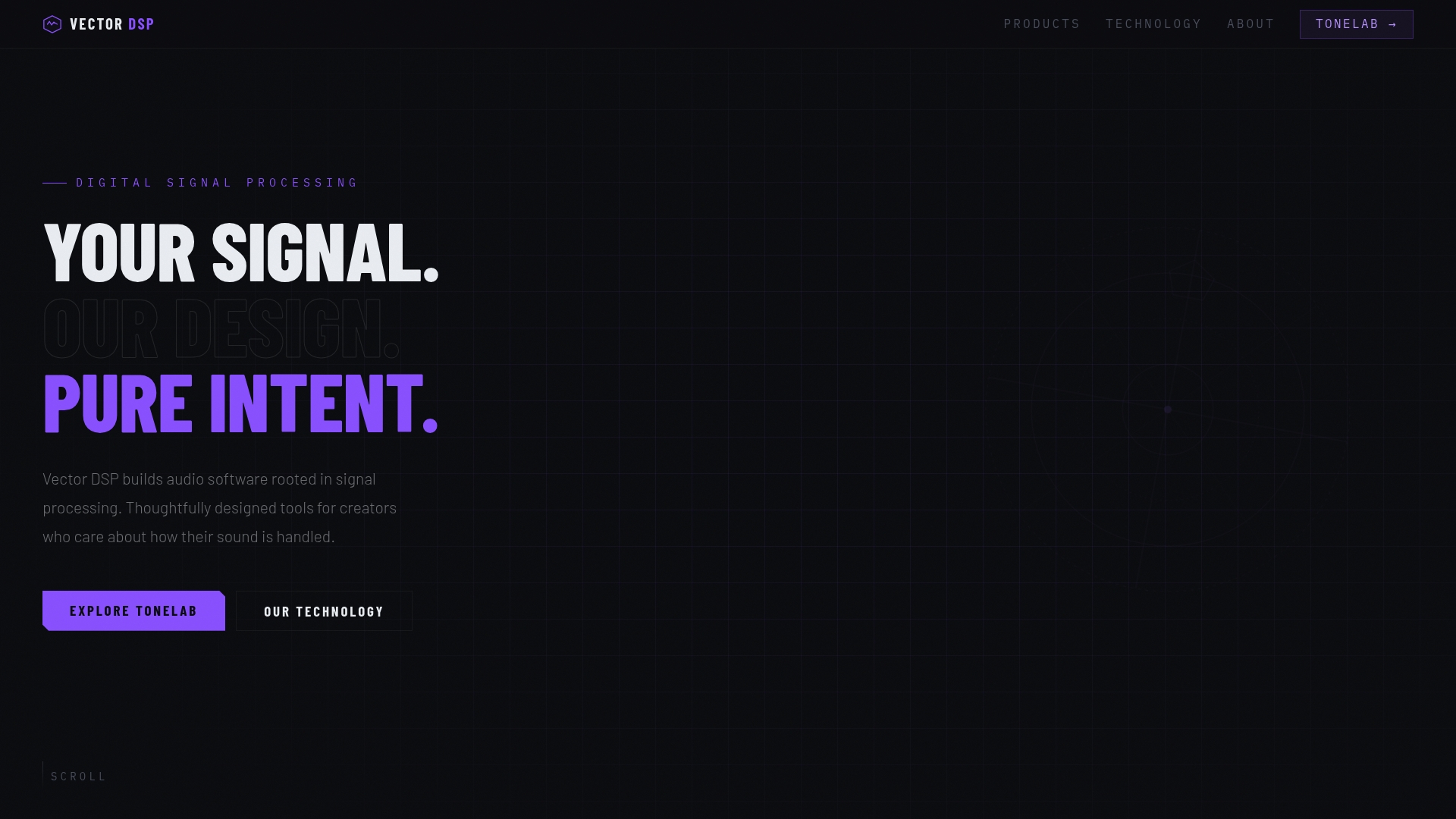
At a Glance
Five independent effect lanes each include their own EQ, letting you apply Chorus, Distortion, Reverb, Delay, or Saturation to narrow frequency bands inside a single insert. That design eliminates complex sends and parallel routing for many common tasks. ToneLab runs on Mac and Windows and supports VST3, AU, and AAX hosts.
Core Features
ToneLab places five independent lanes with per-lane EQ and a fixed set of effect types so you can sculpt where each effect sits in the spectrum. The plugin consolidates mixing and layered sound design into one insert, avoiding multiple plugin instances and extra busses. It ships as VST3, AU, and AAX and runs with high performance thanks to its JUCE-based implementation.
Key Differentiator
The defining feature is frequency specific effect application inside one insert. That removes the need to route tracks to auxiliary channels just to restrict an effect to a frequency band. For mix sessions this reduces CPU overhead and session clutter, and it keeps automation and plugin management simpler than multi-bus approaches.
Pros
ToneLab gives precise control over where effects act, which helps reduce muddy or smeared processing in dense mixes. The single insert workflow replaces several plugin instances and complex routing, so setup time drops and recall becomes cleaner. Vector DSP builds professional grade audio software rooted in advanced DSP, with a focus on thoughtful DSP design, industry standard architecture, and low latency real time performance.
Cons
- Limited to predefined effect types in each lane, so you cannot load arbitrary third party modules.
Notable Integrations
- VST3
- AU
- AAX
Who It's For
Music producers, mix engineers, and sound designers using professional DAWs who want tight control over where effects live in the frequency spectrum. Those who prefer working inside a single insert instead of building complex send chains will benefit most. Users on Mac or Windows who rely on VST3, AU, or AAX hosts will find immediate compatibility.
Unique Value Proposition
A one time purchase priced for a single license makes ToneLab economical for project based studios. The purchase includes future v1.x updates, so you avoid recurring fees while keeping the plugin current. That combination lowers long term cost and simplifies plugin inventory for engineers who manage many sessions.
Real World Use Case
A mix engineer applies reverb only to mid frequencies of a vocal track by loading the reverb in one lane and setting its EQ band. Other lanes remain dry or add subtle saturation to high frequencies within the same insert. The session keeps fewer return busses and stays easier to recall when revisiting the mix.
Pricing
$73.99 for a single license as a one time purchase, inclusive of all future v1.x updates. No subscription is required and the price covers both Mac and Windows plugin formats.
Website: https://vector-dsp.com
oeksound Spiff
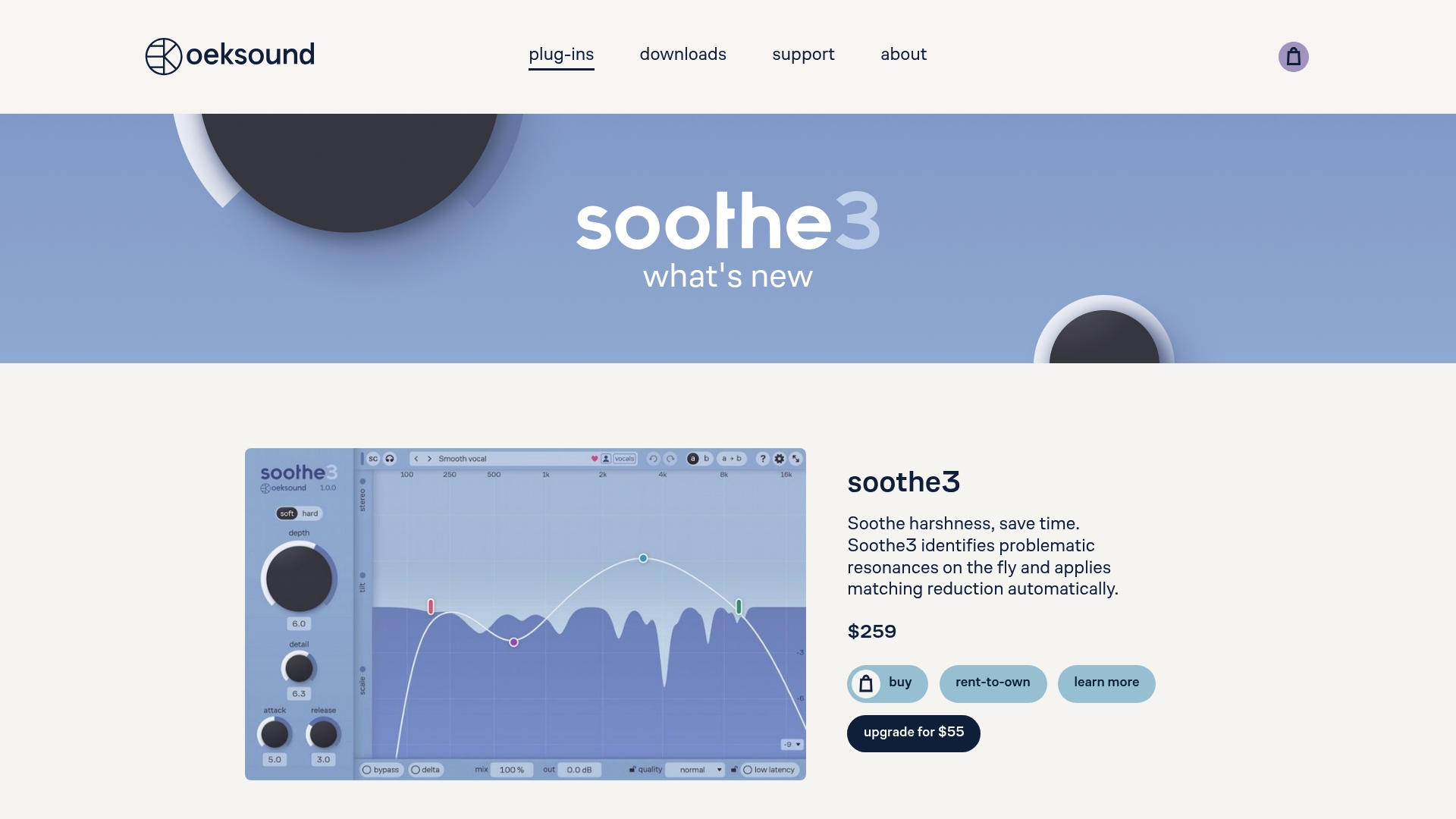
At a Glance
Spiff started as a tool to remove mouth clicks and now handles multichannel processing up to 9.1.6, a specific capability many transient plugins do not list. It ships with a simple interface and a 20-day free trial. The plugin runs on Mac and Windows and uses iLok for license management.
Core Features
Spiff uses adaptive transient detection and spectral analysis to isolate and alter transients across frequency bands. It applies frequency-dependent transient control without crossover artifacts, and it performs dynamic, context-aware processing that preserves natural sound. The plugin supports spectral transient shaping in stereo and multichannel sessions.
Key Differentiator
The defining technique is Spiff's no-crossover spectral analysis approach that prevents the ringing or phase artifacts typical of multiband transient processors. That method yields transient edits that feel local to the hit rather than spread across nearby frequencies. For mixing engineers, that means punch and clarity without introducing new tonal problems.
Pros
Spiff delivers a unique transient workflow that handles small flaws and creative shaping within one plugin. Its frequency-aware detection makes it possible to tighten drum hits while leaving room tone intact. The multichannel support and artifact-free processing slot into mastering chains and complex stems with minimal surgical tuning.
Cons
- Requires iLok license management. Some engineers find iLok adds setup friction and extra accounts.
- No ARM support. The plugin does not run natively on Apple Silicon without Rosetta, which limits modern Mac workflows.
- Host dependency. Spiff depends on compatible DAW and OS updates, so older hosts may miss features or stability fixes.
When It May Not Fit
If you want native Apple Silicon performance on new Macs, Spiff will not meet that need. Teams that avoid hardware dongles or centralized license managers may reject the iLok requirement. Also, if your DAW lacks modern plugin format support, you will not be able to run it.
Notable Integrations
Spiff comes in common audio plug-in formats: VST3, AAX, and AU. These formats cover the main professional DAWs on Mac and Windows and allow use in mixing, mastering, and post workflows.
Who It's For
Audio engineers and producers working on mixing, mastering, or sound design who need precise, artifact-free transient control will get the most from Spiff. It suits people who prefer surgical fixes over broad compression and who work with multichannel or film mixes.
Real World Use Case
Load Spiff on a drum bus to tighten attack without adding harshness to the cymbals. Use its spectral detection to pull body thump forward while leaving bleed soft. The result is punchier drums and a cleaner glue on the mix bus.
Pricing
Spiff offers a free trial to test features before purchase. Full purchase details, licensing options, and any upgrade policies are available on the vendor site.
Website: https://oeksound.com
Newfangled Audio
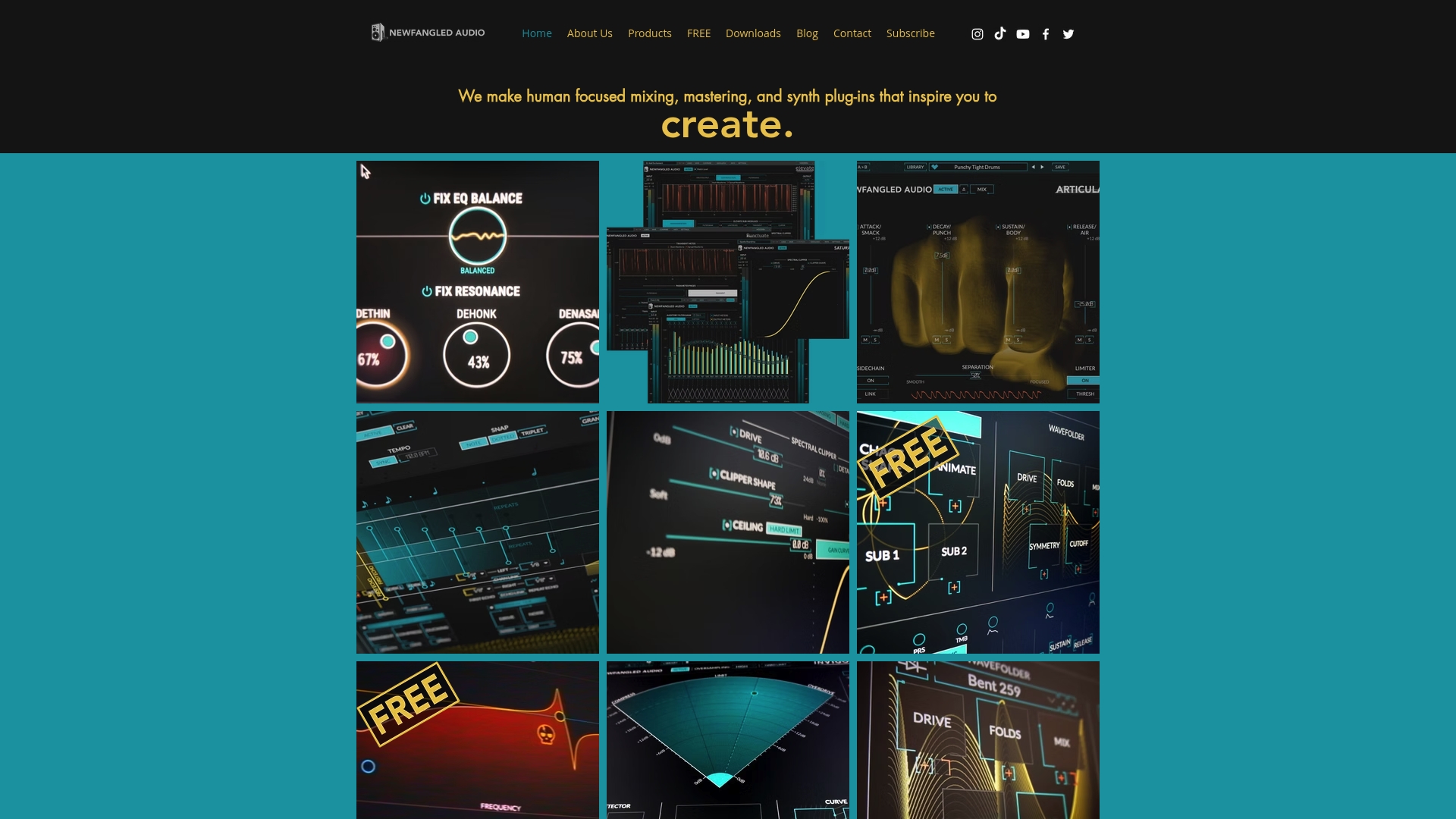
At a Glance
Includes plugins such as FixateMidrange and the Elevate Mastering Bundle, with some releases available as free or trial versions. The product line targets creative mixing, mastering, and synth workflows. Public pages lack full technical details, so compatibility specifics are not listed.
Core Features
Newfangled Audio ships several audio plug-ins for mixing and mastering that focus on musical results rather than technical overload. The collection blends creative synth and effects processing with tools that use intelligent audio analysis to shape sound. Several products appear to be offered as free trials or free plugins, which lowers the barrier to test the workflow.
Key Differentiator
The standout trait is a focus on human centered sound design that encourages musical choices. That emphasis pushes controls and processing toward creative outcomes rather than purely clinical correction. Producers who prefer tactile, ear-first tools will find this approach distinct.
Pros
The product suite centers on inspiring, creative controls that speed decisions during mix and master sessions. Free plugin options make it easy to audition tools on real projects without financial commitment. The company maintains an active social presence to share presets, tips, and community feedback, which helps with learning and staying current on releases.
Cons
- Limited public documentation; detailed feature descriptions and signal flow diagrams are missing.
- The focus on musical, human-centric controls may not match engineers who need metric driven or surgical tools.
- No explicit listing of supported DAWs, system requirements, or plugin formats on the public pages.
When It May Not Fit
If you require clear compatibility matrices or official system requirements, this offering may frustrate your procurement process. Teams that depend on strict format lists for AAX, AU, or VST3 cannot confirm support from public pages. If a workflow demands highly clinical mastering tools, the musical focus here may feel limiting.
Who It's For
Music producers, audio engineers, and sound designers seeking intuitive, creative processing will find this appealing. Producers who prioritize musical decisions and quick tonal shaping will get the most value. Engineers who need exhaustive technical specs before buying will want to verify compatibility first.
Real World Use Case
A producer runs Elevate on a final stereo bounce to add perceived loudness while preserving dynamics and tonal balance. The same producer uses FixateMidrange to carve a vocal pocket quickly, relying on ear guided controls rather than long corrective EQ passes. Community presets speed initial setup for both tasks.
Pricing
Pricing is not listed as a standard tiered model on the public pages. Several plugins are noted as free or offered as trials, which lets you evaluate before committing to purchase.
Website: https://newfangledaudio.com
Comparison of alternatives
Efficient and precise audio processing is a necessity for music professionals. Each reviewed alternative contributes distinct features and workflows to the creative landscape.
Focused workflows and feature designs
vector-dsp.com’s ToneLab offers an combination of frequency-isolated effects within a single plugin instance, streamlining project complexity and providing precise audio control without additional routing needs.
On the other hand, oeksound’s Spiff enables pinpoint-accurate spectral transient shaping, targeting issues like drum hits or mouth clicks while maintaining natural tonality without artifacts. This makes it in mixing or mastering contexts where transients play a role.
Meanwhile, Newfangled Audio plugins emphasize an intuitive, musically driven interface, catering to users who prioritize ear-guided editing over technical precision. Their design steers towards fostering creativity during shaping audio, enabling intuitive decisions without requiring exhaustive parameter configurations.
Audience considerations
Musical insights and user workflows reveal where each product integrates best:
- ToneLab suits productions where frequency specificity alongside plugin efficiency is needed. By simultaneously applying five different effects limited to specific spectral ranges, ToneLab simplifies signal paths, aiding dense mixes.
- Spiff addresses scenarios focused on handling transients meticulously, enhancing drum bus dynamics or removing intrusive clicks.
- Finally, Newfangled Audio provides options for creativity-oriented users who seek to enhance mixdown decision-making with intuitive controls over complexity.
Best fit
- Professional music mixers benefiting from frequency-isolated effects within one insert will find ToneLab indispensable.
- Engineers requiring transient-focused processing should consider Spiff for nuanced control without compromising audio fidelity or introducing artifacts.
- Creatives exploring sound design who prefer intuitive controls, ensuring musicality trumps technicality, will resonate with Newfangled Audio’s tools.
Our pick
For professionals prioritizing streamlined workflows and frequency-spectrum-specific versatility, vector-dsp.com’s ToneLab is a compelling choice. Its skillful integration of essential features supports dense, efficient audio production, benefiting both mixes and designs where frequency accuracy is.
To identify the professional audio plugin that optimally serves specific sound processing needs, compare the listed alternatives based on their characteristics.
| Product | Core Feature | Key Differentiator | Best For | Pricing | Notable Limitation |
|---|---|---|---|---|---|
| Vector-dsp | Five independent lanes with per-lane EQ | Frequency-specific effects in one insert | Mix engineers and music producers | $73.99 (Single license) | Limited to predefined effect types |
| oeksound Spiff | Adaptive frequency-dependent transient shaping | Phase aware no-crossover approach | Mixing with multichannel support | Price not published | Requires iLok license management |
| Newfangled Audio | Creative and musical sound shaping plugins | Intuitive ear-guided design | Producers needing creative processing | Price not published | Limited public documentation of features |
Managing Complex Audio Effects Without Extra Routing
When looking for reactordsp.com alternatives, many music producers, mix engineers, and sound designers face the challenge of controlling effects precisely within the frequency spectrum without creating cluttered sessions. Complex send chains and multiple plugin instances can increase CPU load and make session recall a burden. Vector-dsp offers a smart solution with its ToneLab plugin, which combines five independent effect lanes with per-lane EQ in a single insert. This setup reduces CPU overhead and simplifies automation by eliminating the need for auxiliary channels.
Key benefits from Vector-dsp include:
- Precise frequency-specific effects inside one plugin insert
- Streamlined session management with fewer busses
- Compatibility with VST3, AU, and AAX hosts on Mac and Windows
Explore Vector-dsp and find out how you can tighten control over effects without added complexity.
FAQ
How does Vector-dsp handle frequency-specific effects in a single insert?
Vector-dsp provides five independent lanes with EQ for each lane, allowing you to apply effects precisely where needed in the frequency spectrum. This design helps avoid multiple plugin instances and complex routing setups. You should expect streamlined mixing sessions and easier management of your audio tracks.
What is the difference between Vector-dsp and oeksound Spiff?
Spiff excels in adaptive transient detection across frequency bands, making it ideal for tightening transients without introducing artifacts. Vector-dsp, however, focuses on frequency-specific effect application in a single insert, which reduces CPU overhead and simplifies session management. Choose Spiff if you primarily need transient control, while Vector-dsp is better for layered audio effects in a more comprehensive mixing setup.
How does the pricing for Vector-dsp compare to oeksound Spiff?
Vector-dsp is available for a one-time purchase of $73.99, which includes future v1.x updates without any subscription fees. In contrast, oeksound Spiff offers a free trial but has no listed pricing in the provided content. This makes Vector-dsp a cost-effective solution for project-based studios, especially if you're looking for long-term support without recurring costs.
Can I use Vector-dsp for multichannel processing?
Vector-dsp currently supports standard plugin formats like VST3, AU, and AAX but does not explicitly mention multichannel capabilities in the provided content. This limitation means that if you often work with multichannel setups, you may want to explore other options, including those that specifically mention multichannel support.
What should I consider if I need low-latency performance?
Vector-dsp is designed with low-latency real-time performance in mind, making it a suitable choice for mixing and sound design tasks that require immediate feedback. Be prepared for high performance during use, as the JUCE-based implementation boosts efficiency and effectiveness in real-time applications. Keep in mind, however, to check compatibility with your specific DAW to ensure optimal performance.