The Plugin Demo Workflow That Actually Converts Evaluators
The Plugin Demo Workflow That Actually Converts Evaluators
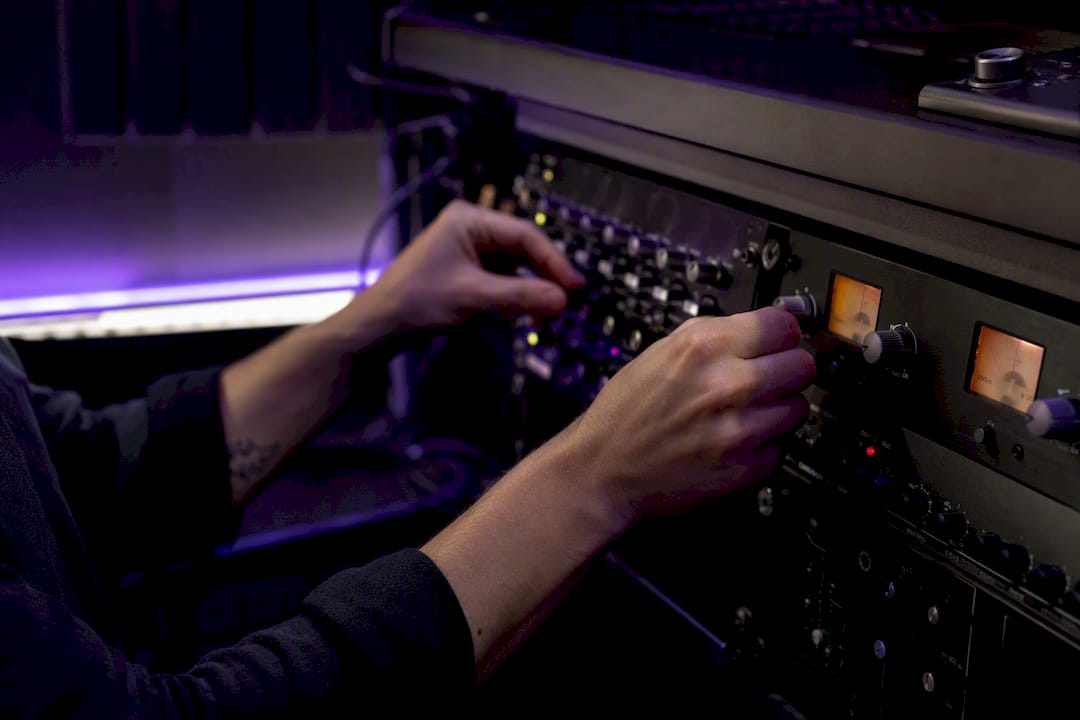
Ship either a feature-limited demo build or a signed-entitlement auto-demo with an offline grace period, and pair it with a small DAW "lab" project. That combination lets a producer judge your plugin's sound and stability in under five minutes instead of hunting through menus. A properly built plugin demo workflow does three things at once: it protects your IP without punishing honest evaluators, it gives testers a fast, repeatable way to hear what the plugin actually does, and it points toward an upgrade the moment they're convinced.
- Build the right demo type. A feature-limited binary or an auto-demo issued through PACE/iLok beats runtime sabotage like periodic silence.
- Include a lab project. Ship a tiny session with presets and a one-page quick-start note so testers don't have to build a test bed themselves.
- Make activation invisible. Keep license checks off the audio thread and give evaluators an obvious, low-friction path to buy.
TL;DR:
- Using feature-limited binaries or signed auto-demos with offline grace periods significantly improves trial conversion rates.
- Shipping a small, pre-configured DAW session with presets helps testers evaluate sound and stability within minutes.
- Licensing checks should run outside the audio thread and be triggered via UI settings to prevent audio dropouts and lockups.
- Proper packaging and notarization for each platform format (VST3, AU, AAX) is essential to avoid silent failures and installation issues.
- Implementing a clear, one-click upgrade process and maintaining a robust demo workflow across releases boosts customer confidence and retention.
Table of Contents
- What Does a Complete Plugin Demo Workflow Look Like?
- Why Signed Entitlements Beat Nag Screens
- How Should You Package Demos for VST3, AU, and AAX?
- Building a Repeatable Producer Audition Lab
- Engineering the Demo Build Without Intrusive Anti-Piracy
- What Should QA Check Before a Demo Ships?
- Why Vector DSP Builds Demos This Way
- Try ToneLab's Demo Workflow Yourself
- Key Takeaways
- Sources
What Does a Complete Plugin Demo Workflow Look Like?
A demo workflow process breaks into five stages, and skipping any one of them is usually where conversion leaks out. Here's the sequence that holds up across VST3, AU, and AAX releases.
- Prepare. Decide early whether you're shipping a feature-limited binary or a full-featured build gated by a signed entitlement. This decision shapes your build targets, your QA matrix, and the lab project you'll bundle with it.
- Distribute. Choose between an auto-demo through PACE/iLok, which deposits a trial license straight into the user's account, or activation-code gated downloads that let you control exactly who receives a trial. Capture opt-in analytics consent here if you plan to track conversion.
- Install. Package the demo correctly for each format: VST3 bundles, AU components, AAX installers with the right code signing. Sloppy packaging is the single fastest way to lose a tester before they've heard a note.
- Evaluate. Hand testers a lab DAW project, a short curated preset list in a DAW, and a quick-start note. This is the moment that decides whether they keep going.
- Convert. Use unobtrusive trial reminders, not intrusive pop-ups, and make the jump from demo to full license a one-click affair rather than a fresh download.
Treat this as a checklist you revisit every release, not a one-time setup. Formats evolve, DAW hosts change their plugin scanning behavior, and a workflow automation tool for your build pipeline (a CI script that stamps demo vs. full builds automatically) saves you from manual errors during crunch weeks.
Why Signed Entitlements Beat Nag Screens
The most durable commercial auth architecture looks like this: the user logs in or activates a license key, your backend issues a signed entitlement, and the plugin caches that entitlement locally while refreshing it quietly in the background. This is the flow vst3go's commercial authentication documentation lays out, and it solves the two problems that sink most home-grown licensing systems: what happens offline, and what happens when your server hiccups.
- Build in an offline grace period so a plugin doesn't lock up mid-session because a laptop was on a plane.
- Support offline activation through a machine ID plus a signed file, for studios that intentionally air-gap their DAW rig.
- Put activation UI in the plugin's editor or a settings panel, never in a code path the audio engine touches.
- Weigh the trade-off honestly: auto-demo is frictionless for the end user, while activation codes give you control over exactly who gets trial access, which matters for beta programs or influencer seeding.
Pro Tip: Log entitlement refresh failures separately from playback errors in your crash reports. Conflating them makes it nearly impossible to tell whether a support ticket is a licensing bug or a DSP bug.
Auth checks belong nowhere near the realtime audio thread. A network call or disk read that blocks even briefly shows up as a click or a dropout, and evaluators remember dropouts far longer than they remember your pricing page. Keep licensing logic in the UI layer, poll it asynchronously, and let the audio engine run oblivious to whatever state your entitlement system is in.
How Should You Package Demos for VST3, AU, and AAX?
Format handling is where a well-designed demo workflow quietly falls apart. ZL Audio's installation documentation notes that packaging and installer expectations differ by platform, and a demo that installs cleanly on one DAW host can fail silently on another.
- Package VST3 as a proper bundle, AU as a component, and AAX through its dedicated installer, matching each host's scanning conventions.
- Code-sign and notarize every macOS installer; an unnotarized demo triggers Gatekeeper warnings that make your plugin look broken before it even loads.
- On Windows, document clearly whether an MSI or EXE installer replaces the demo in place or requires manual removal first.
- Some distributions skip legacy formats entirely, so state plainly which formats your demo build actually includes.
- Design the full-version installer to detect and clean up demo leftovers automatically, so upgraders don't end up with two conflicting copies. Our plugin format comparison guide covers the packaging differences in more depth.
Building a Repeatable Producer Audition Lab
A five-minute plugin evaluation only works if the test material is boring and predictable. Novel or overly musical test audio introduces variables that have nothing to do with the plugin.
- Build a lab session with four elements: a one-bar bass loop, a two-bar percussive loop, a sustained pad, and a short vocal or lead snippet.
- Run each element through the plugin at default settings, then sweep the key parameters to their extremes and back.
- Listen specifically for texture change, transient response, perceived loudness shift, CPU load, latency, and how cleanly automation tracks parameter moves.
- Use quick A/B toggling between processed and dry signal rather than trusting memory across long gaps, and jot down which preset settings actually earned a callback.
This mirrors the audition method used in professional mixdown workflows, where isolating one variable at a time is what makes a comparison trustworthy instead of anecdotal.
Pro Tip: Keep a single named "lab" folder with the same four stems across every plugin you evaluate. Consistency across sessions matters more than any individual test's cleverness.
Run aggressive parameter sweeps with a limiter on your master bus. Pushing a saturation or compression plugin to its extreme settings during an evaluation can produce level spikes that are easy to forget about until your monitors remind you the hard way.
Engineering the Demo Build Without Intrusive Anti-Piracy
Separate build targets, not runtime flags buried in a single binary, are the safest way to ship a demo. A discussion on the JUCE forum about developing product demos makes the case plainly: if the full-version code path never exists in the demo binary, there's nothing for a user to unlock, patch, or crack their way into.
Feature-limited builds compiled from separate targets are structurally harder to bypass than a single binary with runtime feature flags, because the disabled functionality simply isn't present in the compiled code.
- Maintain distinct Debug-Demo and Release-Demo build configurations so QA can test demo behavior without touching production code.
- Keep installer behavior consistent when a user moves from demo to full version, so DAW project references to the plugin don't break.
- Test explicitly what happens when the full installer runs on top of an existing demo installation. Our VST3 development guide walks through structuring build targets for exactly this kind of separation.
Pro Tip: Add an automated test that diffs your demo and full binaries' symbol tables before every release. If premium DSP code shows up in the demo build's symbols, you've got a leak regardless of what the UI displays.
What Should QA Check Before a Demo Ships?
The gap between a demo that converts and one that gets uninstalled within a minute usually comes down to a handful of UX details, not the DSP quality itself.
- Confirm the plugin loads and produces audio immediately, even if the auth state hasn't resolved yet. A blank three-second stall on first load costs you evaluators.
- Design clear activation states: trial active, trial expired, license active, and a working "restore purchase" path for testers who reinstall.
- Choose feature limits or a time-boxed full-feature trial over silent audio dropouts. PACE's own trial-licensing guidance treats graceful degradation as the standard, not the exception.
- Make crash and conversion telemetry opt-in, and be transparent about what you're logging.
Pro Tip: Test your demo's expired state deliberately, not just its active state. A surprising number of demo builds crash or misbehave only after the trial period ends, which is exactly when a frustrated evaluator is least forgiving.
Why Vector DSP Builds Demos This Way
Aggressive anti-piracy measures rarely stop determined pirates. They mostly punish the paying customer who hits a false positive, and that's a bad trade. A feature-limited build or a clean, signed-entitlement auto-demo respects the evaluator's time, which is the thing that actually drives conversion. Vector DSP leans on this pattern deliberately: non-intrusive trial UX, entitlement checks kept off the audio thread, and an upgrade path that doesn't require a fresh install. If you want the implementation details, our audio plugin architecture guide goes deeper on separating realtime and licensing concerns.
— Kai
Try ToneLab's Demo Workflow Yourself
ToneLab runs on a multi-lane parallel effects architecture with per-lane EQ targeting, built for producers who want granular tonal control during mixing rather than a one-size-fits-all processor. It ships in VST3, AU, and AAX, so it drops into most modern DAW setups on Windows and macOS without extra configuration.

The demo follows the exact pattern this article recommends: a feature-limited build with signed entitlements, no intrusive nags, and a fast path to a full license once you've heard what it does to your mix. Check that your DAW host and operating system version are current before installing, since notarization and plugin scanning behavior vary slightly by platform. Head to the Vector DSP site to download the ToneLab demo and see per-lane EQ targeting on your own material before deciding on a license.
Key Takeaways
A reliable plugin demo workflow pairs a feature-limited or signed-entitlement build with a compact lab project, so evaluators judge sound quality fast while developers keep licensing logic off the audio thread.
| Point | Details |
|---|---|
| Choose the right demo type | Feature-limited binaries or signed-entitlement auto-demos convert better than runtime sabotage like periodic silence. |
| Keep auth off the audio thread | License checks belong in the editor or settings UI, never in a path the realtime engine touches. |
| Bundle a lab project | A short session with presets and a quick-start note lets testers judge a plugin in minutes. |
| Handle formats and platforms carefully | Notarize macOS installers and document exactly which formats (VST3, AU, AAX) your demo includes. |
| Try Vector DSP's approach | ToneLab's demo follows this same pattern: signed entitlements, non-intrusive UX, and a one-click upgrade path. |
Sources
- Ways to develop Demo/Trials of my products - General JUCE discussion - JUCE
- commercial-authentication.md — vst3go
- How to Offer Trial Licenses with PACE | PACE Anti-Piracy
- Plugin Installation | ZL Audio