Open-Source Audio Tools List for Music Creators
Open-Source Audio Tools List for Music Creators
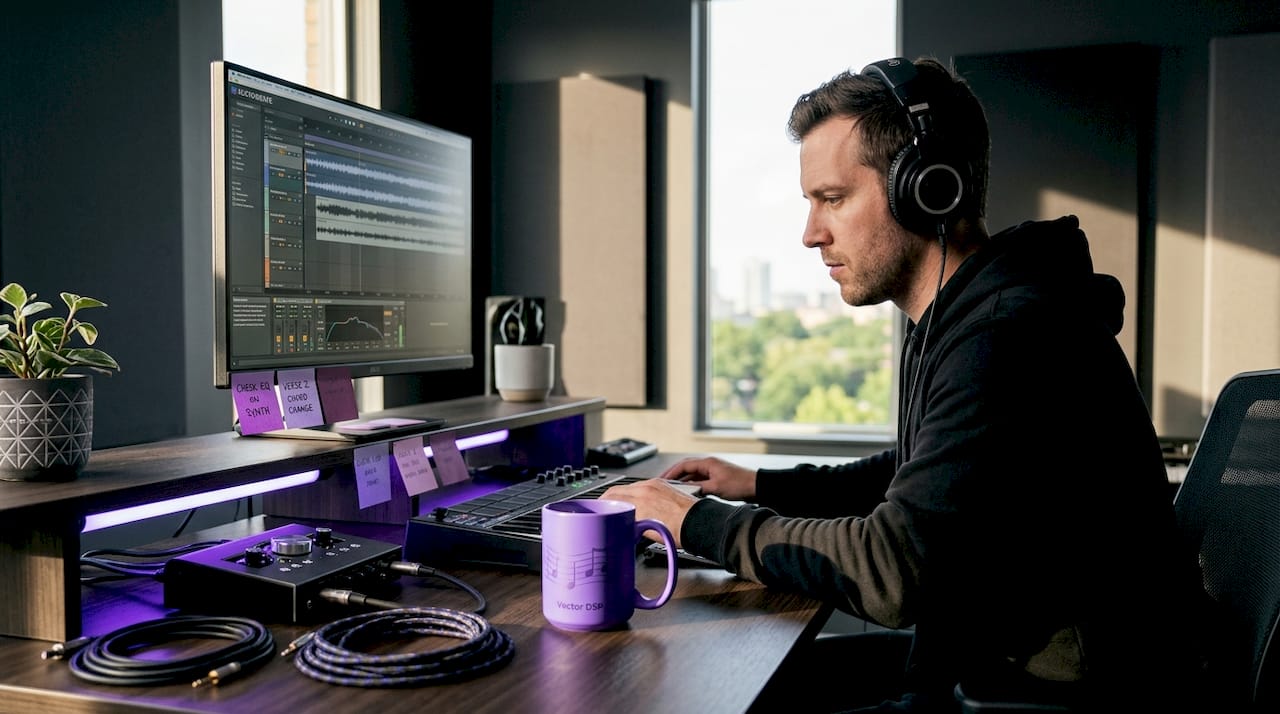
Finding the right software in a sea of free options is one of the most frustrating parts of building your audio production setup. This open-source audio tools list cuts through the noise by giving you a clear, practical framework for evaluating what actually fits your workflow. Whether you are tracking vocals in your bedroom, mixing for clients, or experimenting with AI-driven stem separation, there is an open-source solution worth knowing about. This guide covers the best free audio software available today, from foundational DAWs to specialized processing libraries, so you can make a confident choice without wasting hours on tools that do not serve your goals.
Table of Contents
- Key takeaways
- Your open-source audio tools list: how to evaluate before you download
- 1. Audacity
- 2. Ardour
- 3. LMMS (Linux MultiMedia Studio)
- 4. Qtractor
- 5. Mixxx
- 6. HTDemucs for stem separation
- 7. SoX (Sound eXchange)
- 8. WhisperX and AI transcription tools
- 9. JUCE and Librosa for developers
- Comparing top open-source audio tools at a glance
- How to choose the right tool for your workflow
- My honest take on the open-source audio ecosystem
- Take your production further with Vector-dsp
- FAQ
Key takeaways
| Point | Details |
|---|---|
| Evaluation criteria matter | Assess compatibility, plugin support, and community activity before committing to any open-source tool. |
| Audacity and Ardour lead | These two tools cover nearly every need, from quick edits to professional multi-track sessions. |
| AI tools are production-ready | Open-source AI tools like HTDemucs and WhisperX now deliver professional-grade results locally. |
| Match tools to your profile | Podcasters, producers, and educators each have a different optimal starting point in the open-source ecosystem. |
| Open-source pairs well with commercial | Free tools and professional plugins can coexist in one workflow to maximize both quality and cost efficiency. |
Your open-source audio tools list: how to evaluate before you download
Before you install anything, you need a framework. Not every tool deserves equal time, and a poor fit costs you more than a subscription would. Here are the criteria that matter most when exploring the best open-source audio processing tools.
Platform compatibility is the starting point. A tool that only runs reliably on Linux is not practical if you are on macOS. The strongest tools in the open-source space support Windows, macOS, and Linux without major feature gaps between platforms.
Core functionality should match what you actually do. Ask whether a tool handles recording, editing, mixing, and effects in one place, or whether it is purpose-built for a single task. Both approaches are valid, but knowing which you are dealing with prevents frustration.
Learning curve is real. Some tools require weeks of study before they feel usable. Others are intuitive from day one. If you are a hobbyist with limited time, a steep learning curve can kill momentum fast.
Community and maintenance reveal whether a project is alive. Look for recent commits on GitHub, active forums, and updated documentation. Abandoned tools carry technical debt that becomes your problem.
Plugin support determines extensibility. Tools that support VST3, LV2, or Audio Units give you access to thousands of additional effects and instruments beyond the built-in set.
Performance and resource use are non-negotiable for real-time audio. Real-time audio constraints explained simply: if your tool cannot process audio buffers fast enough to keep up with playback, you get glitches. Check whether a tool supports low-latency ASIO or Core Audio drivers on your platform.
Pro Tip: Start every tool evaluation with a single real project task, not a tutorial. Nothing reveals compatibility and usability issues faster than actual work.
1. Audacity
Audacity supports Windows, macOS, and Linux, making it the most accessible entry point on this entire list. It handles recording, multi-track editing, noise reduction, and format conversion with minimal setup. Podcasters, educators, and anyone doing quick audio cleanup will find it covers 80% of their daily needs.
Its plugin support has grown considerably. Audacity now accepts VST3 plugins alongside its native LV2 and Nyquist formats, which means you can extend its feature set without switching software. The trade-off is that it is not a full DAW. You cannot do real-time instrument recording with MIDI the way you can in Ardour, and its mixing capabilities are basic by professional standards.
2. Ardour
If Audacity is the entry point, Ardour is where serious producers land. Ardour 9.0 supports VST3, LV2, and Audio Units, giving it a plugin ecosystem that rivals commercial DAWs. It handles multi-track recording, non-destructive editing, full MIDI sequencing, and mixing with a signal flow that professionals will recognize immediately.
Ardour runs on Linux, macOS, and Windows. The Linux version is free to compile yourself; binaries cost a small subscription that funds active development. For producers coming from Pro Tools or Logic, the interface is immediately logical. The learning curve exists, but it rewards the time you put in.
Pro Tip: If you are on Linux and want the most stable Ardour experience, use the KXStudio distribution. It ships with Ardour pre-configured for low-latency audio out of the box.
3. LMMS (Linux MultiMedia Studio)
LMMS is the open-source answer for producers who think in beats and patterns rather than audio recordings. It includes a built-in step sequencer, piano roll, sample browser, and a library of virtual instruments that genuinely sounds good without any additional plugins. The interface has a DAW-plus-tracker hybrid feel that electronic music producers take to naturally.

It runs on Windows, macOS, and Linux, and it supports LV2 plugins natively. For hobbyists building beats or scoring simple video projects, LMMS delivers production value that would have required expensive software just five years ago.
4. Qtractor
Qtractor is a modular, MIDI and audio sequencer built for Linux that trades visual polish for performance precision. It is a favorite among Linux-native audio producers who want control without overhead. Its session management integrates cleanly with JACK Audio Connection Kit, which is the standard for low-latency audio routing on Linux.
Real-time audio processing optimization is one of Qtractor's genuine strengths. It handles tight buffer sizes gracefully, making it a reliable choice when latency matters for live performance or recording.
5. Mixxx
Mixxx is the open-source DJ platform, and it is fully professional in scope. It supports timecode vinyl, controller mapping for hundreds of hardware devices, BPM detection, four-deck mixing, and effects chains. It runs on Windows, macOS, and Linux without compromise across platforms.
For live performance applications, Mixxx handles real-time audio processing constraints better than almost any other tool on this list. The community actively maintains controller mappings, and new hardware support is added regularly through community contributions.
6. HTDemucs for stem separation
HTDemucs is where open-source audio processing enters genuinely impressive territory. HTDemucs achieves higher Signal-to-Distortion Ratio scores than older alternatives like Spleeter in 2026 benchmarks, separating vocals, drums, bass, and other elements with results that are usable in professional contexts.
The tool runs locally on your machine, which addresses a real concern. Users increasingly prefer local AI tools to avoid cloud subscription costs and data privacy risks. HTDemucs requires a capable GPU for reasonable processing speeds, but CPU-only runs are possible for smaller files. If you remix, sample, or do music restoration work, this tool belongs on your shortlist.
7. SoX (Sound eXchange)
SoX is not glamorous, but it is one of the most powerful tools on this list if you work with large audio libraries. SoX has been in active development since 1991 and handles over 20 audio formats with support for scripted, batch processing workflows. Need to normalize 200 audio files, convert them to a specific sample rate, and trim silence from each one? SoX handles that in a single shell script.
This is the best free audio software for technical users who need automation. It is a command-line tool with no graphical interface, so it suits developers, podcast producers running automated pipelines, and audio engineers who are comfortable in a terminal.
8. WhisperX and AI transcription tools
Whisper Large V3 is the leading open-source speech-to-text model for accuracy in 2026, supporting local transcription without sending audio to any external server. WhisperX extends the base Whisper model with word-level timestamps and speaker diarization, which makes it genuinely useful for podcast editing, interview transcription, and subtitle generation.
Four production-ready AI audio tools worth evaluating in this space include Noiser for noise suppression, WhisperX for transcription, pyAudioAnalysis for filler word detection, and audiocraft for audio restoration. All four are actively maintained as of 2026.
9. JUCE and Librosa for developers
If you build your own tools or want to extend existing ones, modular open-source libraries like JUCE and Librosa are where the real power lives. JUCE is the industry-standard C++ framework for building audio plugins and applications. If you have ever wondered how commercial audio plugins get built, JUCE is the answer for most of them. Librosa is its Python counterpart, built for audio analysis and music information retrieval.
These are the best real-time audio processing libraries for anyone who wants to go beyond what existing software offers. They are developer tools, not end-user applications, but knowing they exist changes what you think is possible with open-source audio.
Comparing top open-source audio tools at a glance
| Tool | Platforms | Core use | Plugin support | Skill level |
|---|---|---|---|---|
| Audacity | Win / macOS / Linux | Editing, podcasting | VST3, LV2, Nyquist | Beginner |
| Ardour | Win / macOS / Linux | Multi-track DAW | VST3, LV2, AU | Intermediate to pro |
| LMMS | Win / macOS / Linux | Beat production | LV2, VST | Beginner to intermediate |
| Qtractor | Linux | MIDI and audio sequencing | LV2, JACK | Intermediate |
| Mixxx | Win / macOS / Linux | DJ performance | Built-in FX chains | Beginner to pro |
| HTDemucs | Win / macOS / Linux | Stem separation | N/A (standalone) | Intermediate |
| SoX | Win / macOS / Linux | Batch processing | N/A (CLI) | Advanced |
| WhisperX | Win / macOS / Linux | AI transcription | N/A (Python) | Intermediate |
How to choose the right tool for your workflow
The best approach is to match the tool to the job, not to your ambitions for the job. Here is a practical decision path based on four common creator profiles.
-
Podcasters and voice recorders should start with Audacity. It handles the full recording-to-export workflow without unnecessary complexity. Add WhisperX if you need transcription. That combination covers everything most podcasters need without learning a full DAW.
-
Music producers and songwriters working with live instruments should move to Ardour. Its audio plugin integration and multi-track architecture match how professional sessions are structured. Budget time to learn it properly.
-
Electronic music producers and beat makers will find LMMS more natural than a traditional DAW. Its pattern-based workflow matches the way electronic production actually works. LMMS can also serve as an introduction before moving to more complex tools.
-
Educators and students working on audio concepts should use Audacity for visualization and editing exercises, and consider Librosa if the curriculum involves audio analysis or machine learning applications.
Pro Tip: Do not install more than two tools at once when starting out. Tool-switching becomes a form of procrastination. Commit to one tool per workflow category until you genuinely hit its limits.
For integrating open-source tools with commercial software, understanding sound design basics will help you understand what each tool is doing at the signal level, which makes troubleshooting and creative decisions significantly faster.
My honest take on the open-source audio ecosystem
I have spent years working with both open-source and commercial audio tools, and the honest truth is that the gap between them has closed faster than most people in the industry want to admit. Audacity in 2026 is not the clunky, crash-prone editor it was in 2015. Ardour genuinely competes with commercial DAWs on features that matter.
What I think creators underestimate is the cost of fragmentation. The open-source world offers tremendous choice, but choice without direction creates paralysis. I have seen producers spend three months hopping between tools instead of finishing a single track. The tools were never the problem. The strategy was.
My other honest warning: AI tools in this space are exciting, but they are not magic. HTDemucs produces impressive stems, but artifacts are still common on complex mixes. WhisperX transcribes accurately in most conditions, but noisy audio still trips it up. Treat these as starting points for editing, not finished outputs.
What I believe is genuinely worth watching is the shift toward local AI processing. The motivation is partly privacy and partly cost, and that motivates serious development attention. The tools getting built for local AI audio processing today will be mainstream production tools in two or three years. Getting familiar with them now is not just useful. It is a competitive advantage.
— Kai
Take your production further with Vector-dsp

Open-source tools lay a strong foundation, but there is a ceiling to what free software alone can deliver when you are chasing professional sound quality. That is where Vector-dsp comes in. Vector-dsp builds high-precision DSP plugins designed specifically for music producers and audio creators who need meticulous control over their sound. The plugin formats are industry-standard: VST3, AU, and AAX, which means they slot directly into Ardour, and any other host that accepts those formats.
If you are ready to pair your open-source setup with professional-grade processing, explore what Vector-dsp offers. For a direct look at the plugin lineup, the ToneLab suite is worth your attention. It is built with the same precision and intentional design that serious audio work demands.
FAQ
What is the best open-source audio tool for beginners?
Audacity is the most accessible starting point for beginners. It supports all major platforms, requires minimal setup, and handles recording, editing, and basic effects without a steep learning curve.
Can open-source DAWs support professional plugins?
Yes. Ardour supports VST3, LV2, and Audio Units, giving it access to the same plugin ecosystems used in commercial DAWs. LMMS and Qtractor also support LV2 plugins natively.
Is HTDemucs better than Spleeter for stem separation?
Current 2026 benchmarks show HTDemucs achieves higher Signal-to-Distortion Ratio scores than Spleeter, making it the more accurate choice for isolating vocals, drums, and bass from a mix.
Do open-source AI audio tools require an internet connection?
No. Tools like HTDemucs, WhisperX, and Noiser run entirely locally on your machine, which protects your audio data and eliminates subscription costs tied to cloud-based processing.
How do open-source tools pair with commercial plugins?
Open-source DAWs like Ardour support standard plugin formats, so commercial VST3 and AU plugins install and run alongside free tools without conflict, giving you the flexibility to mix both in one session.