Fix Phase Problems: 4 Linear Phase EQ Recipes for Mixing Engineers
Use linear phase EQ when phase coherence matters more than CPU headroom: correlated stereo signals, parallel chains, narrow surgical cuts, and stem adjustments inside a mastering session. The tradeoff is real. You get added latency, occasional pre-ringing on low-frequency high-Q moves, and heavier CPU draw. Work in a lower-precision mode while shaping, switch to high-precision (or bounce) before final render, and default to minimum phase for broad musical tone shaping.
TL;DR:
- Linear phase EQ is essential when phase coherence matters in parallel processing, stereo bus, or stem correction, but it significantly increases latency and CPU load.
- Using linear phase is most beneficial for surgical cuts, phase-sensitive stereo adjustments, or avoiding phase shifts in correlation-sensitive signals, avoiding artifacts like pre-ringing.
- It's recommended to work in low-precision mode during shaping and switch to high-precision before final render to balance responsiveness and accuracy.
- Pre-ringing is most noticeable with narrow, high-Q cuts at low frequencies, and can often be mitigated by reducing precision or widening the Q.
- Linear phase EQ is best paired with other processing stages, placed after broad tonal corrections in minimal phase, and used selectively to preserve phase relationships.
Table of Contents
- What Linear Phase Means: Group Delay and Why It Matters
- Linear Phase vs Minimum Phase EQ: What You Actually Hear
- Where Linear Phase EQ Earns Its Keep (and Where It Doesn't)
- Setting Up Linear Phase EQ: Precision Modes, Latency, and Render Strategy
- Pre-Ringing, Transient Smearing, and How to Actually Hear the Difference
- Four Linear Phase EQ Recipes You Can Paste Into a Session
- An Engineer's Notes on Building Linear Phase Tools
- The Digital Signal Processing Behind the Curve
- Comparing Linear Phase Options: Plugins and Hardware
- Setting Up Linear Phase EQ Step by Step in Your DAW
- Hearing the Difference: Real Mix Scenarios
- Combining Linear Phase EQ With the Rest of Your Chain
- Where Vector DSP Draws the Line on Linear Phase
- Try Precision DSP Processing With ToneLab
- Sources
What Linear Phase Means: Group Delay and Why It Matters
A linear phase filter delays every frequency component by the exact same amount of time. That constant, called group delay, is what separates it from the conventional EQs most engineers grew up on. In a linear-phase filter, the phase response is a straight-line function of frequency, so nothing arrives early or late relative to anything else passing through the same band.
That matters because ordinary minimum-phase EQs shift phase differently at different frequencies, especially near a boost or cut. Push a bell filter hard at 200 Hz and the frequencies around it start arriving at slightly different times. Stack a few of those moves across a mix bus and the cumulative phase smear can thin out low end or blur transient definition, even though nothing on the meter looks wrong.
Linear phase EQ sidesteps that by using an FIR (finite impulse response) design rather than the recursive IIR structure behind most classic EQ curves. The intuition is straightforward:
- FIR filters build their frequency response from a set of taps, or coefficients, applied across a window of samples.
- Symmetric or anti-symmetric tap arrangements guarantee the phase response stays linear across the whole spectrum.
- More taps mean sharper frequency resolution but a longer window, which is exactly where the latency comes from.
That last point is the entire tradeoff in one sentence. Precision costs time.
Linear Phase vs Minimum Phase EQ: What You Actually Hear
Minimum phase EQ isn't a lesser tool. It's the one that has shaped nearly every record you love, and its phase shifting is part of what gives analog-modeled EQs their character. Craig Anderton's breakdown makes the case plainly: minimum phase isn't "evil," it's often the more musical choice for broad tonal work, because the phase behavior near a boost or cut adds a subtle coloration that can make a mix feel more alive.
Linear phase EQ, by contrast, is built for neutrality. Nothing shifts, nothing colors, and cuts sound like they were never there rather than "corrected." That transparency is the appeal in mastering and bus work, where you want to remove a problem frequency without leaving a fingerprint. The cost shows up in two places: the plugin needs lookahead time to work its symmetric FIR magic, and that same symmetric window can create pre-ringing, a faint pre-echo before a transient hits.
A quick decision checklist:
- Working on a single track with fast transients (drums, plucked bass, vocal consonants)? Use minimum phase.
- Adjusting a stereo bus, parallel chain, or mastering stem where phase relationships between channels need to stay intact? Use linear phase.
- Doing a deep, narrow surgical cut (removing a resonant ring or a mic stand rattle)? Linear phase usually sounds cleaner.
- Adding a wide, gentle tonal boost for character? Minimum phase almost always wins.
Pro Tip: Solo the correction, not the whole mix. Pre-ringing hides behind other content, so isolating the cut or boost in context reveals whether it's actually audible or just theoretically present.
Where Linear Phase EQ Earns Its Keep (and Where It Doesn't)
The use cases below aren't theoretical. They're the situations where phase-accurate processing changes what you hear, not just what a phase meter shows.
-
Parallel processing chains. When you blend a processed signal back with its dry source, phase misalignment between the two paths causes comb filtering, thin low end, or a hollow midrange. Linear phase EQ keeps the wet path's phase relationship intact with the dry signal, which is exactly why it shows up so often in parallel compression and parallel transient work.
-
Stereo and stem processing. Correlated channels, like a stereo drum bus or a set of backing vocal stems bused together, need consistent phase behavior across the left and right sides. A minimum-phase EQ can introduce tiny left/right phase differences that widen or narrow the stereo image in ways you didn't intend. Linear phase avoids that entirely.
-
Surgical narrow-band cuts. Removing a nasty resonance at high Q with a minimum-phase filter can leave an audible ring artifact of its own. Linear phase's symmetric response tends to handle deep, narrow reductions more cleanly, according to Mastering.
-
Master bus and stem summing. Gentle, wide moves on a master bus are usually safer in minimum phase. Save linear phase for the moments you're targeting a specific narrow problem across the whole mix rather than shaping the overall tone.
-
What to avoid. Don't run linear phase EQ on live-tracking inputs, monitoring chains, or transient-heavy solo instruments where latency is audible or pre-ringing softens the attack. A snare that's supposed to crack shouldn't get a ghost of itself half a millisecond early.
Setting Up Linear Phase EQ: Precision Modes, Latency, and Render Strategy
Most linear phase plugins ship with more than one quality setting, and that's not a gimmick. iZotope's guidance on linear phase workflow recommends working in a lower-precision, lower-latency mode while you're actively shaping a curve, then switching to the highest-precision setting once you've committed to your moves.
Here's a workflow that holds up across most DAWs:
- Start shaping in draft or low-precision mode so parameter tweaks respond in real time without lag.
- Once the curve is set, bump to high-precision (more FIR taps) for the final pass, since that's where the accuracy actually pays off.
- Check your DAW's latency compensation settings before you commit; a linear-phase EQ's fixed delay needs to be reported and compensated correctly, or tracks that pass through it will drift out of alignment with everything else in the session. Vector-dsp's own guide to latency compensation in DAWs walks through the settings most hosts expose for this.
- If your session gets sluggish, freeze or bounce the track through the plugin. That locks in the processing, frees the CPU, and removes the live latency hit entirely for anything downstream.
Pro Tip: If you're automating a linear phase EQ's frequency or gain in real time, test it at your highest precision setting before finalizing. Some plugins add smoothing or slightly different response curves as the tap count changes, and automation that sounded fine in draft mode can behave differently once you switch modes.
One more caveat worth flagging: higher-precision modes eat more CPU per instance. On a session running dozens of linear phase instances across busses and stems, that adds up fast, so budget your precision settings the way you'd budget plugin count on a crowded mix bus.
Pre-Ringing, Transient Smearing, and How to Actually Hear the Difference
Pre-ringing is the audible artifact most engineers associate with linear phase EQ, and it's worth understanding precisely what it is. A symmetric FIR filter's impulse response isn't just a decay after a transient. It has energy before the transient too, which is what creates that faint pre-echo. Post-ringing, the more familiar decay tail, exists in both filter types and usually gets masked by the sound that caused it.
Certain settings make pre-ringing far more likely to surface. Low frequencies combined with high Q and significant gain are the classic recipe, since narrow, deep low-end cuts require the longest symmetric windows and therefore the most pre-transient energy. Mastering.com's analysis of linear phase pitfalls points to exactly this combination as the danger zone for transient-rich or bass-heavy material.
A reliable listening test takes three passes:
- Play the dry signal, then the minimum-phase version, then the linear-phase version back to back on the same section.
- Feed the EQ a sharp transient (a kick sample or a clap) and listen specifically for anything arriving before the hit.
- Cross-check what you hear against a spectrogram or zoomed waveform view. Pre-ringing shows up as faint energy smeared just ahead of a transient's leading edge.
If you catch it, the fix is usually simple: drop the precision mode, widen the Q so the filter needs less symmetric window length, or switch that specific move to minimum phase. Pre-ringing tends to concentrate around narrow, low-frequency, high-gain settings, which means most midrange and treble work never triggers it at all.
Four Linear Phase EQ Recipes You Can Paste Into a Session
These are starting points, not rules. Adjust to taste, but they'll get you into the right neighborhood fast.
-
Master bus low-mid cleanup. A gentle cut around 250 to 350 Hz, Q around 0.7, gain around minus 1 to minus 2 dB. This is wide and shallow enough that minimum phase usually sounds just as good and costs less CPU, but linear phase keeps things perfectly neutral if you're stacking several small master bus moves.
-
Stereo drum bus boxiness cut. Narrow cut around 400 to 500 Hz, Q around 3 to 4, gain around minus 3 dB. Because this targets a correlated stereo signal at a fairly aggressive Q, linear phase is the safer call here to keep the stereo image from shifting asymmetrically.
-
Parallel low-end clarity pass. On a parallel bus feeding back into the main low end, apply a linear phase high-pass around 40 to 60 Hz and a small boost around 80 to 100 Hz, Q around 1. Because this signal sums back with the dry path, phase coherence between the two is what keeps the low end from thinning out.
-
Evaluate every recipe the same way. A/B the processed signal against the dry track, check in mono to catch any phase cancellation the stereo image was masking, and compare against a reference track you trust before calling the move finished.
An Engineer's Notes on Building Linear Phase Tools
Building a linear phase EQ engine is mostly an exercise in budgeting latency against precision. Every added FIR tap sharpens frequency resolution and pushes phase linearity closer to perfect, but it also lengthens the window the plugin needs to look ahead, which is where the latency comes from. Vector-dsp's engineering notes on crossover design without phase shift go deeper into how symmetric coefficient arrangements produce that tradeoff mathematically, if you want the underlying math rather than just the practical effect.
The real design decision isn't "linear phase or not." It's how many taps you're willing to pay for, and when. A live-tracking session and a final master have completely different tolerances for latency, so the same plugin needs to behave differently depending on where it sits in the signal chain.
In practice, that means running a lower-precision, shorter-tap mode during tracking or early mixing when responsiveness matters more than absolute phase accuracy, then switching to a longer-tap, high-precision FIR kernel for the final bounce, once nothing else needs to stay in perfect real-time sync with it.
The Digital Signal Processing Behind the Curve
Linear phase EQ is a direct application of FIR filter theory, and the math behind it explains why the audible tradeoffs exist at all. A linear-phase filter's defining trait is that its phase response is a straight-line function of frequency, meaning group delay stays constant across the entire spectrum instead of varying near boosts and cuts the way IIR-based minimum phase filters do.
To achieve that constant delay, the filter's impulse response has to be symmetric (or anti-symmetric) around its center point. That symmetry is what forces the plugin to look both backward and forward in time relative to the current sample, which is the literal mechanical reason pre-ringing exists. There's no way to build a symmetric FIR response without some energy appearing before the transient it's reacting to.
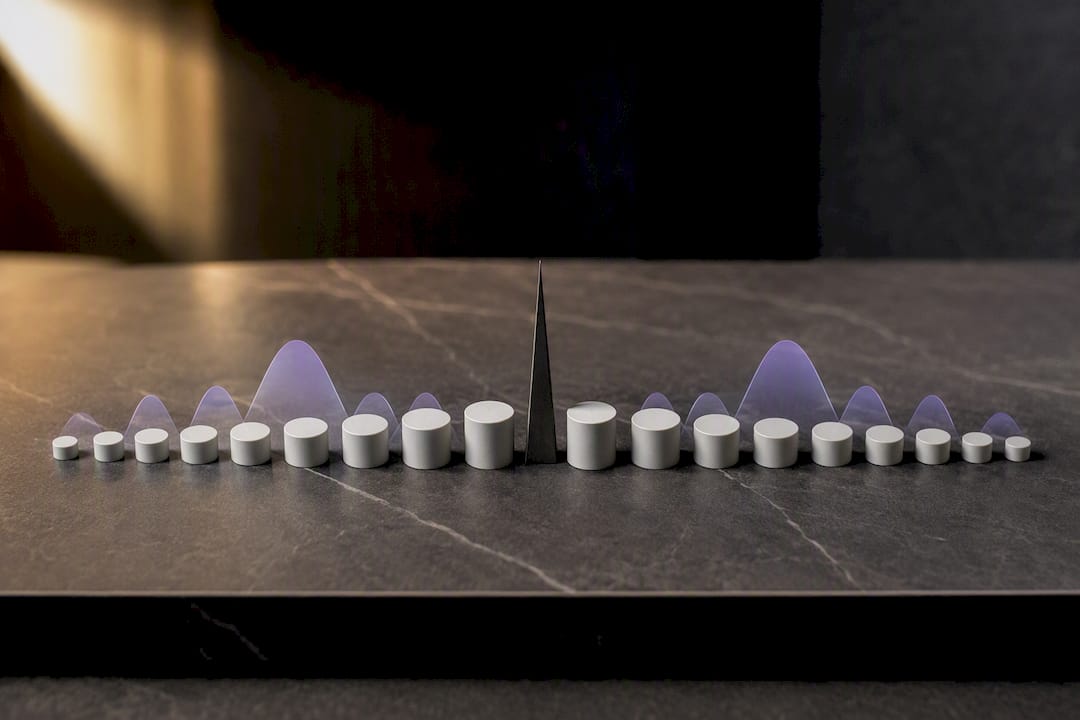
The same principle generalizes well beyond audio. Equalization techniques used in digital communications rely on the same symmetric and anti-symmetric FIR tap structures to preserve pulse shape without introducing timing distortion, which is a useful reminder that this isn't an audio-specific trick. It's a general signal-processing solution to a general problem: how do you shape a frequency response without altering when things arrive?
More taps mean finer frequency resolution and steeper filter slopes, but every additional tap adds to the window length and therefore the latency. That single relationship, tap count versus delay, is the whole story of why linear phase EQ behaves the way it does.
Comparing Linear Phase Options: Plugins and Hardware
Most modern EQ plugins that include a linear phase mode let you toggle between multiple precision tiers, trading CPU load for tap count and phase accuracy. Entry-level plugins might offer a single fixed linear phase setting, while pro-tier mastering EQs typically expose several tiers so you can match precision to the task, whether that's quick shaping during tracking or a final high-resolution render.
Hardware is a different story entirely. True linear phase processing in analog gear isn't really possible in the way it works digitally. What exists in the hardware world are digital mastering processors and converters with linear-phase filtering built into their internal DSP, usually for anti-aliasing or crossover stages rather than general tonal EQ. If you're doing serious linear phase work, you're almost certainly doing it inside a DAW with a software plugin rather than an outboard box.
The practical difference between plugin options usually comes down to three things: how many precision tiers are offered, how efficiently the FIR engine is coded (which affects CPU load at a given tap count), and whether the plugin reports its latency accurately to the host so compensation works automatically. A plugin that mismanages latency reporting will throw tracks out of sync the moment you engage linear phase mode, regardless of how good the filter itself sounds.
Setting Up Linear Phase EQ Step by Step in Your DAW
The mechanics are nearly identical across Pro Tools, Logic Pro, Ableton Live, and Studio One, even though the menu labels differ.
First, insert the EQ on the track, bus, or stem you're targeting, and locate the mode switch, usually labeled "Linear," "Linear Phase," or a precision dial with steps like Low, Medium, and High. Second, set your bands as you normally would; the linear phase mode doesn't change how gain, frequency, and Q behave, only how the filter's phase responds. Third, check your DAW's plugin delay compensation (sometimes abbreviated PDC) is enabled, which it is by default in most modern hosts, so the extra latency the plugin reports gets automatically offset against every other track in the session.
Fourth, work in a lower-precision setting while you dial in the curve, since high-precision modes can introduce noticeable input lag on parameter changes. Fifth, before your final bounce or export, switch to the highest precision tier the plugin offers. Sixth, if the session is sluggish or you're mixing on a older machine, freeze or render the track through the plugin rather than leaving it live, which removes both the CPU load and the latency from the rest of your session.
That's the entire workflow. The details that trip people up are almost always PDC not being enabled, or forgetting to bump precision before the final render.
Hearing the Difference: Real Mix Scenarios
The clearest place to hear the gap between linear and minimum phase is on a stereo bus with a narrow, aggressive cut. Take a drum bus with boxiness sitting around 400 Hz. Apply a Q of 4 cut at minus 4 dB in minimum phase, and you'll often notice the stereo image tighten slightly and the transients take on a faint edge, a side effect of the asymmetric phase shift near the cut frequency. Apply the identical cut in linear phase and the stereo width stays put, though careful listening on a sharp snare hit might reveal the faintest softening right before the attack, the pre-ringing signature.
On a vocal with a narrow deep notch removing a resonant ring, most engineers find linear phase actually sounds cleaner, because the artifact it introduces (a barely perceptible pre-ring) is far less objectionable than the phase-shift coloration a minimum-phase filter leaves around the same aggressive cut.
The scenario where the difference flips is parallel low-end processing. Route a bass or 808 through a parallel bus with a boost, then sum it back with the dry signal. In minimum phase, the two paths' differing phase behavior near the boost frequency causes partial cancellation, often heard as the low end going strangely thin when the parallel bus is blended in. Switch that same boost to linear phase, and the two paths stay coherent, so the blend adds low-end weight the way you'd expect rather than fighting itself.
Combining Linear Phase EQ With the Rest of Your Chain
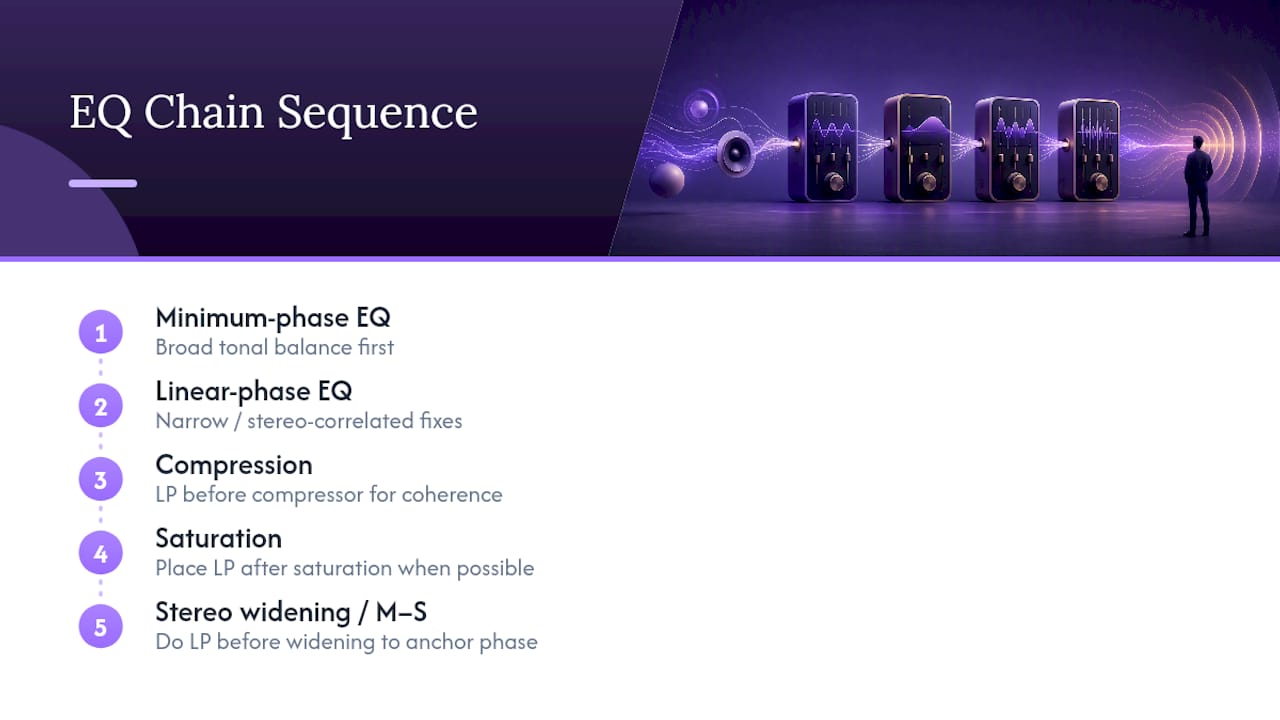
Linear phase EQ rarely works alone, and it doesn't need to carry the whole tonal shaping job. A common chain on a mastering stem starts with a broad minimum-phase EQ for overall tonal balance, since that's where minimum phase's musical coloration is actually a benefit, followed by a linear phase EQ later in the chain reserved specifically for a narrow problem frequency or a stereo-correlated adjustment that needs to stay phase-neutral.
Compression and saturation both interact with phase in ways worth planning around. Placing a linear phase EQ before a compressor means the compressor reacts to a phase-coherent signal, which can matter on parallel or multi-mic sources where summing artifacts would otherwise get amplified by gain reduction. Placing it after saturation is usually safer than before, since saturation reintroduces harmonic content and phase relationships of its own that a downstream linear phase cut won't undo.
For stereo widening or mid-side processing, sequence carefully. Doing a linear phase mid-side EQ move before any stereo widening plugin keeps the correction anchored to the original phase relationship; doing it after can mean you're correcting a signal that's already been phase-manipulated by the widener, which muddies exactly the problem you're trying to fix. A reliable pattern for live or DJ-facing low-end work, especially bass-forward setups for live AV sets, is to handle any narrow phase-sensitive correction early in the chain and save broader creative shaping, saturation, and stereo effects for later stages where a little phase movement is part of the character rather than a liability.
Where Vector DSP Draws the Line on Linear Phase
Vector-dsp treats linear phase processing as a precision tool, not a default setting. In our own DSP work, it earns its place on mastering stems, correlated stereo buses, and parallel chains, exactly the scenarios where phase coherence changes the outcome. For broad tonal shaping, we lean minimum phase, because that's where the coloration actually serves the music instead of costing latency for no audible gain. Engineers who want the deeper mechanics behind these decisions can dig into our crossover design notes for the tap-count and latency tradeoffs that shape how we build our own EQ engines.
— Kai
Try Precision DSP Processing With ToneLab
If the tradeoffs in this article sound familiar, that's because they're the exact problems Vector-dsp designs around: precise control without unpredictable phase behavior eating into your final mix. ToneLab is built on real-time, low-latency DSP with a multi-lane parallel effects architecture and per-lane EQ targeting to support phase-sensitive processing on individual lanes.

The plugin is offered in VST3, AU, and AAX formats for Windows and macOS DAWs. A free demo version is provided to evaluate the per-lane EQ targeting before purchase. Visit the Vector DSP product page to download the demo and see the full feature set for ToneLab.
Sources
- Linear- vs. Minimal-Phase EQ: Is One of These Evil? - Craig Anderton
- What is linear phase EQ? How to use it in your mix - iZotope blog
- Linear phase — Wikipedia
- Mastering