Top 5 emberdsp.com Alternatives in 2026
Top 5 emberdsp.com Alternatives in 2026

Comparing professional audio plugins that offer precise control and creative workflow without excess session complexity is difficult for musicians and engineers. Many plugins lock key features behind hardware dependencies, require license dongles, or skip support for the DAWs users rely on. This list lets musicians, producers, and engineers match feature sets, pricing, and creative focus to choose audio plugins that fit their needs without session or compatibility headaches.
Table of Contents
Vector DSP
At a Glance
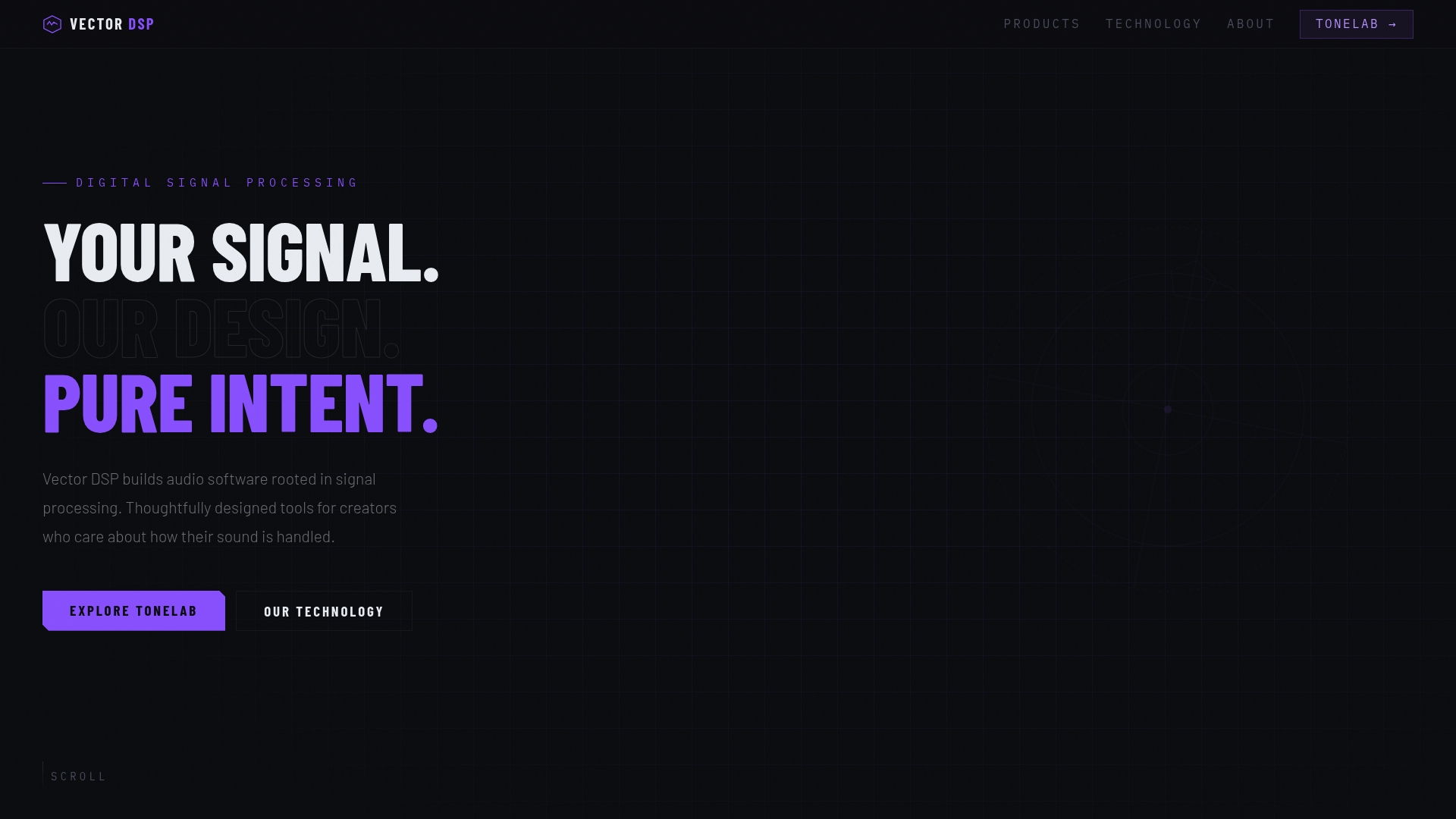
ToneLab processes multiple independent effect lanes, each targeted to its own frequency band, inside a single plugin. That design replaces complex multi plugin routing and keeps your session tidy. The engine targets low latency performance for professional DAWs such as Ableton, Logic, Pro Tools, and Reaper.
Core Features
ToneLab is a multi effects processor with independent effect lanes that each include a dedicated EQ for precise frequency targeting. It supports VST3, AU, AAX plugin formats for use across major DAWs. The engine uses industry standard architecture and low latency real time signal processing, so plugins behave predictably in tracking and mixing sessions.
Key Differentiator
Frequency specific effect application within one plugin replaces complex routing chains. That lets you place different effects only where they matter in the spectrum without adding multiple inserts or auxiliary buses.
Pros
Frequency aware effects control makes targeted processing practical for sound design and mixing tasks that normally need complex routing. Consolidating multiple lanes into a single insert reduces session clutter and lowers the number of plugin instances you load. Compatibility with industry standard formats and DAWs helps avoid host integration surprises and keeps latency predictable during tracking and mastering.
Cons
- Only one product, ToneLab, is currently available while other products are in development.
Notable Integrations
- VST3
- AU
- AAX
Who It's For
Professional music producers, sound designers, and mix engineers who need precise control over where effects sit in the frequency spectrum will get the most from this tool. People who prefer building complex effect chains with separate busses will find ToneLab simplifies that workflow. Less experienced producers may face a learning curve understanding frequency domain processing.
Unique Value Proposition
ToneLab replaces multi plugin chains by letting you route multiple effect lanes with lane specific EQ inside a single insert. That reduces CPU overhead and session complexity while keeping per band processing editable in one place. The result is faster iteration during sound design and clearer mix recall when revisiting sessions.
Real World Use Case
A producer applies reverb only to the mids of a vocal track while keeping highs dry inside one DAW insert. That approach removed an auxiliary send and maintained tighter control over the vocal presence in the mix.
Pricing
Price is $73.99 as a one time purchase. The purchase includes all future v1.x updates.
Website: https://vector-dsp.com
oeksound
At a Glance
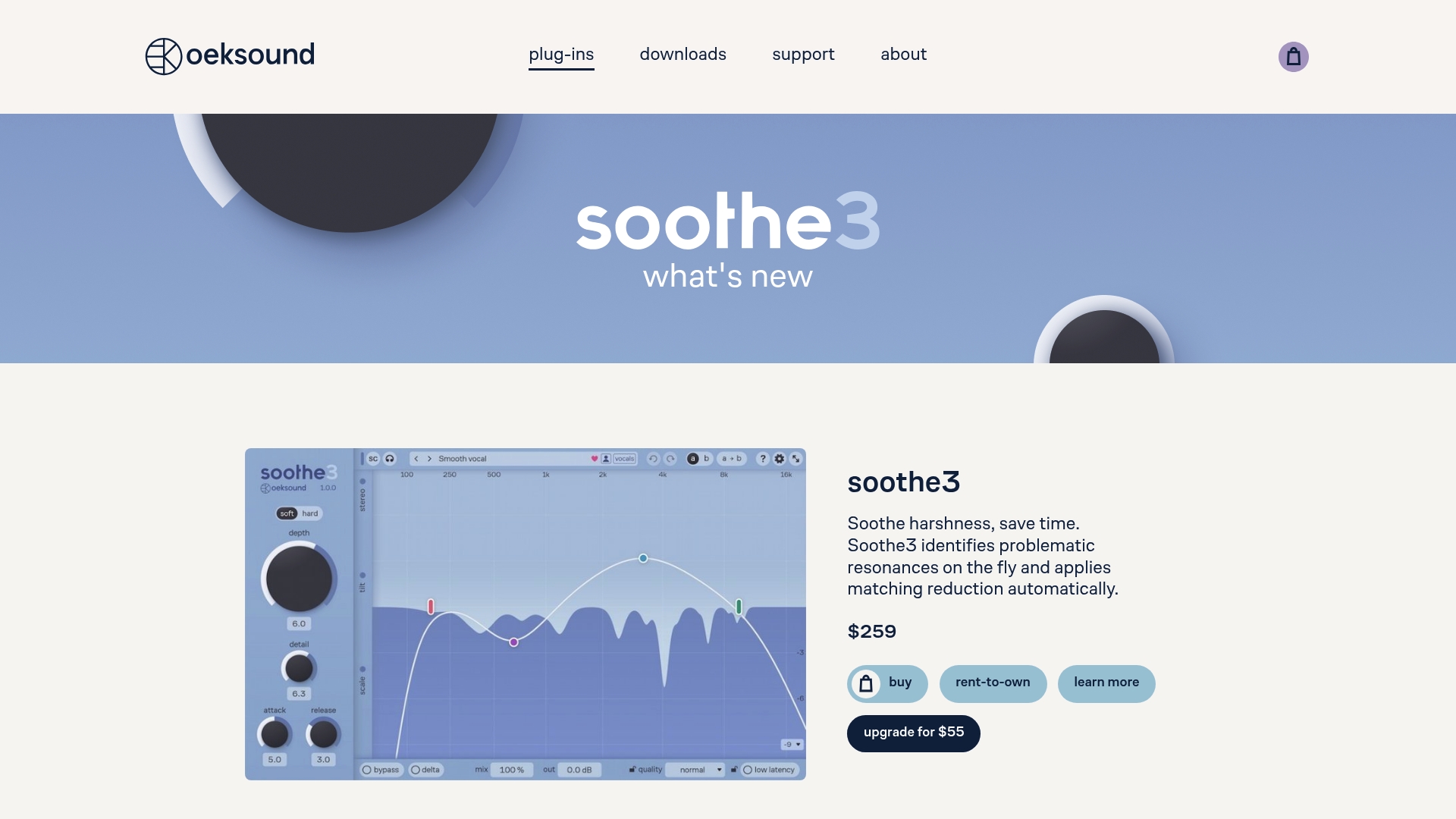
Soothe3 automatically detects and reduces problematic resonances and transients while preserving a natural tonal balance. The company builds focused plugins from Helsinki, including Soothe3, Bloom, and Spiff, aimed at mixing and mastering tasks. Development emphasizes community feedback and iterative improvements to sound quality and workflow.
Core Features
oeksound delivers automatic resonance suppression with Soothe3 and adaptive tone shaping with Bloom, while Spiff targets transient control. The plugins run with low latency and support multichannel routing, and they work on macOS and Windows DAWs. Controls remain focused so you can tame harshness or sculpt tone without adding obvious coloration.
Key Differentiator
oeksound’s standout claim is its ability to find problematic frequency behavior automatically and reduce it without dulling the source. That algorithmic detection lets you address resonances and transient spikes in real time. For busy mixing engineers, that means less manual EQ surgery and faster passes to a polished balance.
Pros
The plugins deliver transparent, high quality processing that keeps the original character of voices and instruments while removing trouble spots. Platform support includes Apple Silicon and a broad set of DAWs, which keeps the tools usable across desktop systems. The company cites active user feedback as a development driver, and that shows in controls that quickly move from subtle correction to creative shaping.
Cons
- Premium pricing may put these plugins out of reach for hobbyists and small home studios.
- Advanced features require time to learn, creating a steep learning curve for less experienced engineers.
- The toolset assumes familiarity with audio processing and may feel overwhelming to casual users.
When It May Not Fit
If you avoid third party license managers, oeksound might not fit your workflow. The product requires iLok license management, which some engineers find inconvenient. The plugins also target 64 bit systems and specific OS versions, so older hosts may not be supported. For quick free tools or entry level users, this suite may be more capability than needed.
Notable Integrations
Compatible with major DAWs on macOS and Windows, including Pro Tools, Logic Pro, Ableton Live, Studio One, and Cubase. The plugins load as standard VST3, AU, and AAX formats, which keeps them usable across most professional production setups. Multichannel and low latency designs help when deploying them in tracking and mastering sessions.
Who It's For
Professional audio engineers, mixing and mastering engineers, and sound designers who need precise resonance control and flexible tonal shaping will get the most value. People working on commercial releases or complex mixes benefit from automated corrective tools that speed routine tasks. Engineers who prefer hands off correction plus manual fine tuning will appreciate the control layout.
Real World Use Case
A mixing engineer uses Soothe3 to control vocal resonances while tracking, removing build up that would normally require repeated EQ passes. That saves time during tracking and keeps the vocal sounding consistent across takes. The result is a cleaner vocal that needs fewer corrective moves later in the mix.
Pricing
Prices vary by plugin and licensing option, and the vendor offers rent to own plans alongside standard licenses. Exact figures are shown at purchase or trial, so studios can compare license models before committing. Trials are available so you can evaluate how each plugin behaves in your sessions.
Website: https://oeksound.com
Baby Audio
At a Glance
Baby Audio rejects reliance on AI algorithms and focuses on tool design that highlights human creativity. The company launched in California in 2019 and has earned industry awards and professional endorsements. The product line emphasizes experimental sound design and vocal processing for modern DAWs.
Core Features
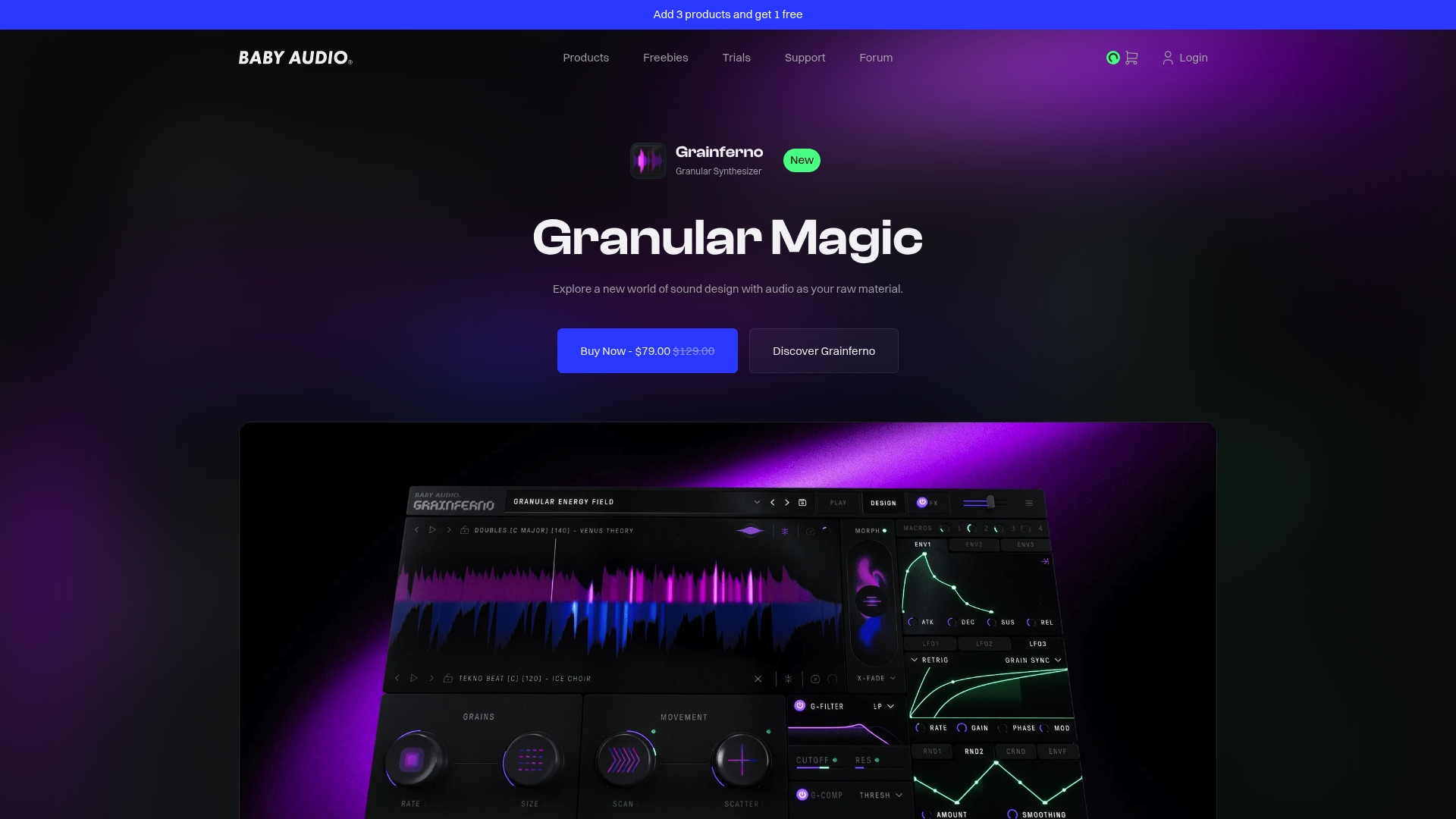
Baby Audio delivers creative instruments and effects that include vocal processing, granular synthesis, sound shaping, and mixing tools. The suite ships with preset packs and sample libraries to speed idea generation, and it supports flexible modulation, automation, and mapping for deep sound design. Plugins run on macOS and Windows and include compatibility with Apple Silicon Macs and major DAWs.
Key Differentiator
The defining difference is its explicit focus on human driven creativity rather than algorithmic generation. That design stance shows up in plugin workflows and preset choices and in the company message about empowering creators. Its award recognition and professional endorsements give practical credibility to that creative-first approach.
Pros
The plugins encourage experimental workflows by combining familiar controls with unusual modulation and sampling options. Platform support is strong, with macOS and Windows compatibility and Apple Silicon support, so you can load these tools in most modern DAWs without added routing work. The vendor supports a strong community and funds educational initiatives with grants, which helps producers find presets, tutorials, and collaboration opportunities.
Cons
- Limited public detail on individual plugin functions makes deep feature comparisons harder than usual.
- Pricing varies across the catalog and may be high for some single plugins, with examples like Humanoid and Grainferno called out by the vendor.
- No full disclosure of bundle discount structures or the exact terms of subscription plans in public marketing materials.
When It May Not Fit
Buyers who need live performance optimized tools will find Baby Audio less suitable because the plugins are primarily designed for studio work. Teams that need explicit live control mapping and guaranteed low latency performance for stage use should test plugins in their live rig before committing.
Who It's For
Music producers, sound designers, and audio engineers who want playful but serious tools for studio sound design will get the most value. People who prioritize creative presets, granular textures, and vocal manipulation over conventional mixing suites will find these plugins align with their workflow.
Real World Use Case
A producer building an electronic track can use granular synthesis to sculpt evolving pads and then route vocal fragments through a vocal instrument for rhythmic textures. A film composer can generate unusual atmospheres by combining sample libraries with aggressive modulation and then automate parameters to match scene dynamics.
Pricing
Pricing varies by product. Individual plugins typically list around $69–$129. Bundles are discounted and subscription plans are available, although the company does not publish every bundle detail on the site.
Website: https://babyaud.io
Neural DSP

At a Glance
Quad Cortex hardware lists at €1,749, while individual plugins start at €55. The product line mixes desktop and pedal hardware with plugin suites for DAWs. That combination targets guitarists and bassists who want the same tones on stage and in the studio.
Core Features
The lineup centers on high fidelity amp modeling and a wide set of effects you can run inside a DAW or on hardware. Neural Capture records the behavior of real amplifiers and lets you move those tones between units and plugins. Quad Cortex and compact pedals host full rig setups and connect to Cortex Cloud for patch sharing and software updates.
Key Differentiator
Neural Capture focuses on capturing the nuanced response of physical gear and exporting that data to both plugins and hardware. That approach preserves subtle dynamic and frequency behavior that static impulse responses miss. The same capture file can follow a patch from a pedal to a DAW plugin, keeping tone consistent across environments.
Pros
The sound quality reads like studio level and translates well to both live performance and recording situations. Neural Capture gives you a practical path to reproduce real amplifier behavior inside plugins and on the Quad Cortex hardware. Ongoing firmware and plugin updates add features and new models over time, expanding capabilities without new hardware purchases.
Cons
- Some third party products such as Darkglass Ultimate remain desktop only and do not run on Quad Cortex devices.
- Full compatibility between every plugin and Quad Cortex depends on future updates and is not guaranteed yet.
- The feature set and routing options can feel complex for players new to modelers and will require time to learn.
When It May Not Fit
If you need immediate, device level support for every third party plugin, this platform may not match that requirement. If your workflow requires a single-vendor solution that already runs every desktop plugin on a pedal, you will encounter gaps. If you prefer tools with minimal setup for casual practice, the learning curve may make other simpler pedals a better option.
Who It's For
Guitarists, bassists, producers, and audio engineers who want studio quality tone across stage and DAW environments will get the most value. Players who record, reamp, or switch sounds between live rigs and session work benefit from the capture and cloud sharing features. People who enjoy tweaking signal chains and building patches will appreciate the depth of controls.
Real World Use Case
A professional guitarist builds a set of live patches on Quad Cortex, then exports a Neural Capture from a favorite tube amp to refine tones. The player loads matching patches into plugin versions for studio tracking and uses Cortex Cloud to share the exact patches with the rest of the band. Switching between live and studio sounds becomes consistent and repeatable.
Pricing
Pricing varies by product and model. Individual plugins start at €55, and the Quad Cortex hardware lists at €1,749. Pedals and bundles fall between those figures, and occasional sales change the final purchase price.
Website: https://neuraldsp.com
AudioThing
At a Glance
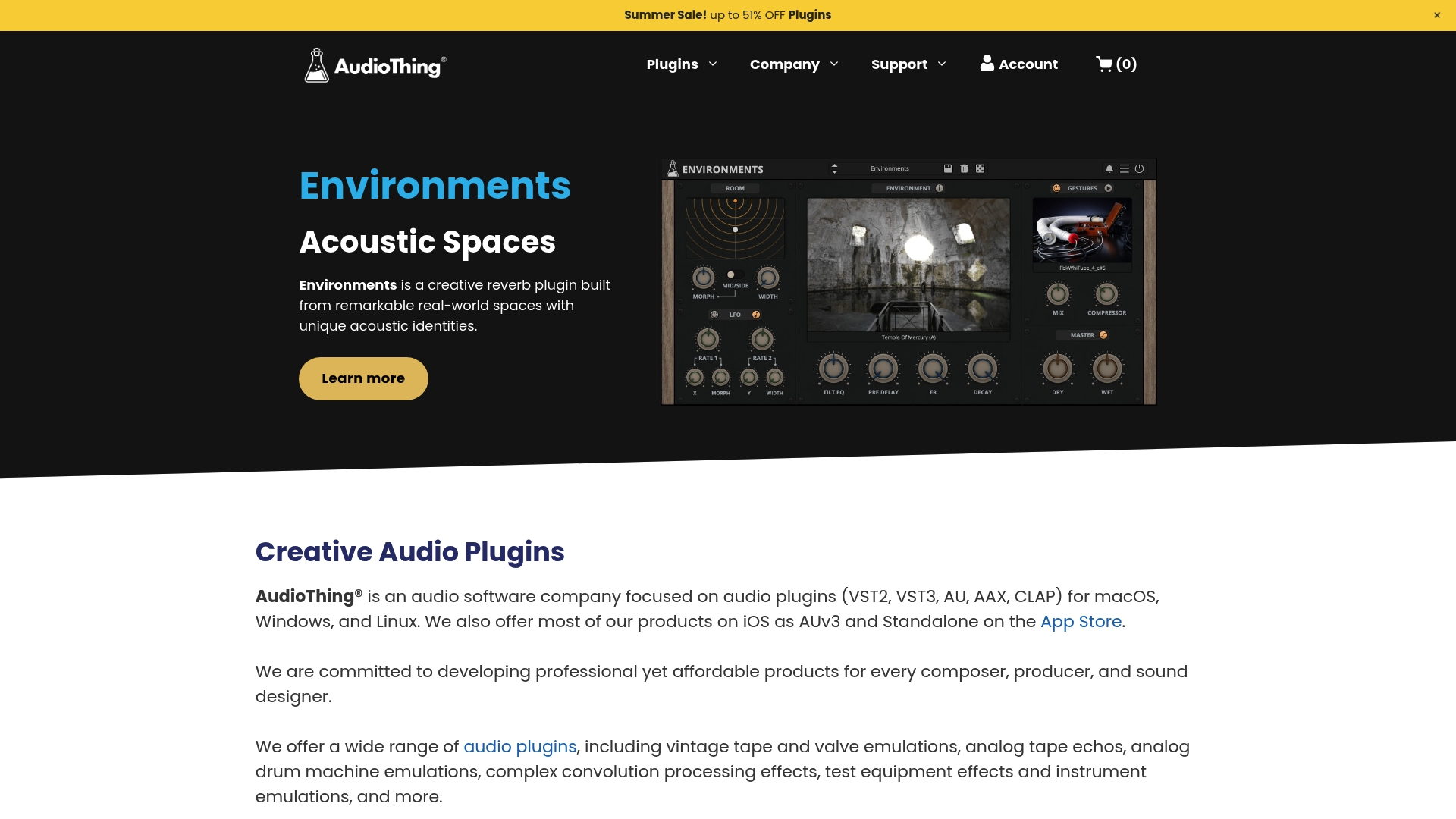
AudioThing publishes a portable iOS recorder called Fields that lets you capture and organize sounds locally or in iCloud. Their plugin lineup mixes vintage tape and valve emulations with convolution effects and instrument models. Activation works without dongles or an online check, which keeps sessions mobile and offline friendly.
Core Features
AudioThing supplies a broad set of audio effects and instruments that include analog tape echoes, valve emulations, and complex convolution processing. The plugins ship for multiple host formats including VST3, AU, AAX, and AUv3 on iOS, and they support macOS, Windows, and Linux. A plugin manager handles installation and updates while Fields covers field recording and mobile editing.
Key Differentiator
AudioThing combines desktop plugin breadth with a dedicated mobile capture app in the same ecosystem. The vendor advertises activation with no dongles and no required internet connection. That design suits sessions where you need plugins to load offline and a mobile app to grab source material on location.
Pros
Cross platform support for macOS, Windows, and Linux keeps projects portable across studio machines and Linux based environments. The lack of dongles and offline activation reduces session friction when you work in remote locations or on laptops without reliable internet. Accessibility features and clear labeling within plugins make the tools easier to use for visually impaired engineers. Pricing is affordable and the company runs regular sales, which lowers entry cost for producers and sound designers.
Cons
- Limited product detail: the site does not list a precise plugin count or full per plugin feature matrix.
- Sparse social proof: few visible user reviews or third party evaluations are available on the homepage.
- Minimal marketing media: the site is informative but lacks demo videos and extended audio examples for each product.
When It May Not Fit
If you need exhaustive technical specs or a centralized review archive, AudioThing may feel light on documentation. Teams that rely on community feedback and published benchmarks will find limited third party references. If a studio mandates demo reels and video walkthroughs for every plugin, AudioThing will require you to test plugins locally before committing.
Who It's For
Musicians, producers, and sound designers who need affordable effects and instrument plugins across desktop and mobile platforms will find AudioThing relevant. Field recordists who capture location audio on iPhone or iPad and then move material into desktop sessions will also benefit. The accessibility focus makes these tools useful for engineers who require clear plugin labeling.
Real World Use Case
A composer records outdoor ambiences with Fields on an iPhone and syncs the files to iCloud. Back in the studio they load AudioThing convolution effects and tape emulations to shape those ambiences into cinematic textures. The same session opens on a Linux mix machine because the plugins support that operating system.
Pricing
Prices vary by product and the vendor runs frequent sales. Effects and instrument plugins are often discounted, for example some items drop from $59 to $33 or from $69 to $39 during promotions. Licensing is per product and the plugin manager simplifies applying updates and installs.
Website: https://audiothing.net
Comparison of alternatives
Among the leading contenders in the field of audio processing plugins, several offer unique capabilities tailored to distinct creative and engineering challenges. By assessing their features and innovations, producers can determine the best choices for specific audio needs.
Multiband processing efficiency
Vector DSP offers a distinctive advantage with its consolidation of multiband effect processing within a single plugin. This design significantly simplifies project organization by eliminating the need for multiple plugins and auxiliary routing, making it particularly appealing to sound designers working on intricate mixes. However, while this capability sets Vector DSP apart, the oeksound plugins focus on automatic resonance suppression, which is groundbreaking for reducing EQ workloads in mastering. Producers balancing both needs will find these tradeoffs worth considering.
Creative flexibility
Baby Audio emphasizes fostering human creativity through its tools for experimental sound design. Its plugins incorporate granular synthesis and sound shaping, catering to producers aiming to push sonic boundaries. In contrast, Neural DSP combines hardware and software for guitarists and engineers who often transition between studio and live environments. Both options are but cater to different user intentions compared to the streamlined multiband efficiency offered by Vector DSP.
Best fit
- Producers needing compact and efficient multiband management will benefit from Vector DSP's unified plugin approach, effectively minimizing session complexity.
- Engineers specializing in resonance reduction will cherish oeksound's focused plugin design, which automates frequency balancing for polished outputs.
- Sound designers looking for inspirational tools for experimental projects will find Baby Audio's offerings particularly compelling with its creative presets and modulation capabilities.
- Musicians transitioning between live and studio environments will appreciate Neural DSP's hardware-software integration, capturing real amplifier dynamics consistently across settings.
- Mobile engineers requiring reliable offline performance will value AudioThing's cross-platform and offline-compatible tools for on-the-go creations.
Our pick
Vector DSP emerges as an choice for professional producers and sound designers who prioritize efficiency and organization in their workflow. Its multiband processing within a single plugin optimizes session management for modern audio production. However, those specializing in resonance correction during high-level mixing and mastering might explore oeksound for its targeted innovations. For unique creative processes or hardware integration, Baby Audio and Neural DSP provide competitive features tailored to specific user bases.
Offering frequency-specific effects processing for professional audio production, ToneLab stands out by consolidating detailed control into a single plugin.
| Product | Core Feature | Key Differentiator | Ideal For | Pricing | Limitation |
|---|---|---|---|---|---|
| Vector-dsp (ToneLab) | Multi effects processing with EQ per lane | Simplifies effect routing | Professional producers and engineers | $73.99 | Single product available |
| oeksound | Automatic resonance and transient suppression | Unique real-time frequency correction | Mixing and mastering engineers | Price not published | Higher price point and steep learning curve |
| Baby Audio | Experimental sound design tools | Focus on human creativity | Creative sound designers | $69–$129 | Limited detailed plugin feature comparison |
| Neural DSP | Advanced amp modeling for studio and live | Neural Capture across devices | Guitarists and studio players | €55 per plugin, €1,749 for hardware | Complex learning curve and partial compatibility |
| AudioThing | Desktop plugins and mobile audio capture | Integration of mobile and desktop use | Field recordists and engineers | $33–$59 during sales | Sparse user reviews and product demonstration materials |
What Challenges Do emberdsp.com Alternatives Need to Solve for Audio Creators?
Audio creators often struggle with managing complex effect chains and unclear frequency targeting. Vector-dsp tackles these issues by consolidating multiple effect lanes with frequency-specific EQ into a single plugin. This design simplification helps professional music producers, sound designers, and mix engineers achieve precise control over their sound without session clutter or unpredictable latency.
Vector-dsp supports industry-standard formats including VST3, AU, and AAX, ensuring compatibility with major DAWs. If you want to reduce CPU overhead and maintain clear mix recall while targeting frequency bands exactly where needed, Vector-dsp offers a refined solution tailored for your workflow.
Learn more about Vector-dsp's approach to precision audio processing and try ToneLab as an effective emberdsp.com alternative that streamlines your effects management.
Vector-dsp website
FAQ
What advantages does Vector-dsp offer for professional audio plugins?
Vector-dsp provides a multi effects processor with independent effect lanes, each including its own EQ for precise frequency targeting. This setup enables targeted processing for sound design and mixing tasks, reducing session clutter and lowering the number of plugin instances used.
How does Vector-dsp compare to oeksound?
Oeksound’s Soothe3 excels at automatically detecting and reducing problematic resonances and transients while maintaining the original tonal balance. Vector-dsp, on the other hand, focuses on frequency-specific effect applications within a single plugin, which simplifies complex routing scenarios while allowing for clear control over effects.
What pricing structure does Vector-dsp have compared to its alternatives?
Vector-dsp is offered at a one-time purchase price of $73.99, which includes all future v1.x updates. This structure provides predictable costs, especially when stacked against competitors that may have variable pricing or subscription models.
Who would benefit most from using Vector-dsp?
Professional music producers and mix engineers who require precise control over effect placement within the frequency spectrum will find Vector-dsp highly valuable. Users who typically manage complex effect chains with separate busses may especially appreciate how Vector-dsp simplifies their workflow.
What real-world scenarios showcase Vector-dsp's effectiveness?
A producer can apply reverb exclusively to the mids of a vocal track while keeping the highs dry within one DAW insert using Vector-dsp. This control helps maintain vocal presence in the mix without relying on auxiliary sends.